GPD Box & G2 eGPU: Bold Idea, Rough Reality
Quick Summary
GPD Box mini PC meets the G2 external GPU dock in a bold experiment. We dig into specs, real performance, stability issues, and whether this setup is worth buying.
GPD Box & G2 eGPU
Check current price and availability on Amazon
In This Article
GPD Box & G2 eGPU: Bold Idea, Rough Reality
This article may contain affiliate links. We may earn a commission if you purchase through them, at no extra cost to you.
Related Post
The dream of a truly portable mini PC that plugs into a powerful external GPU dock has haunted PC enthusiasts for the better part of a decade. It's one of those ideas that sounds perfect on paper — carry a compact machine for everyday tasks, then unleash serious graphics firepower when you're home at your desk. GPD, the Chinese hardware maker known for handheld gaming PCs, is making the boldest attempt yet with the GPD Box mini PC and the GPD G2 external GPU dock. The question isn't whether the concept is appealing. It's whether GPD has finally cracked the execution.
Short answer: not quite — but it's closer than anything before it.
What Is the GPD Box, and Why Does It Matter?
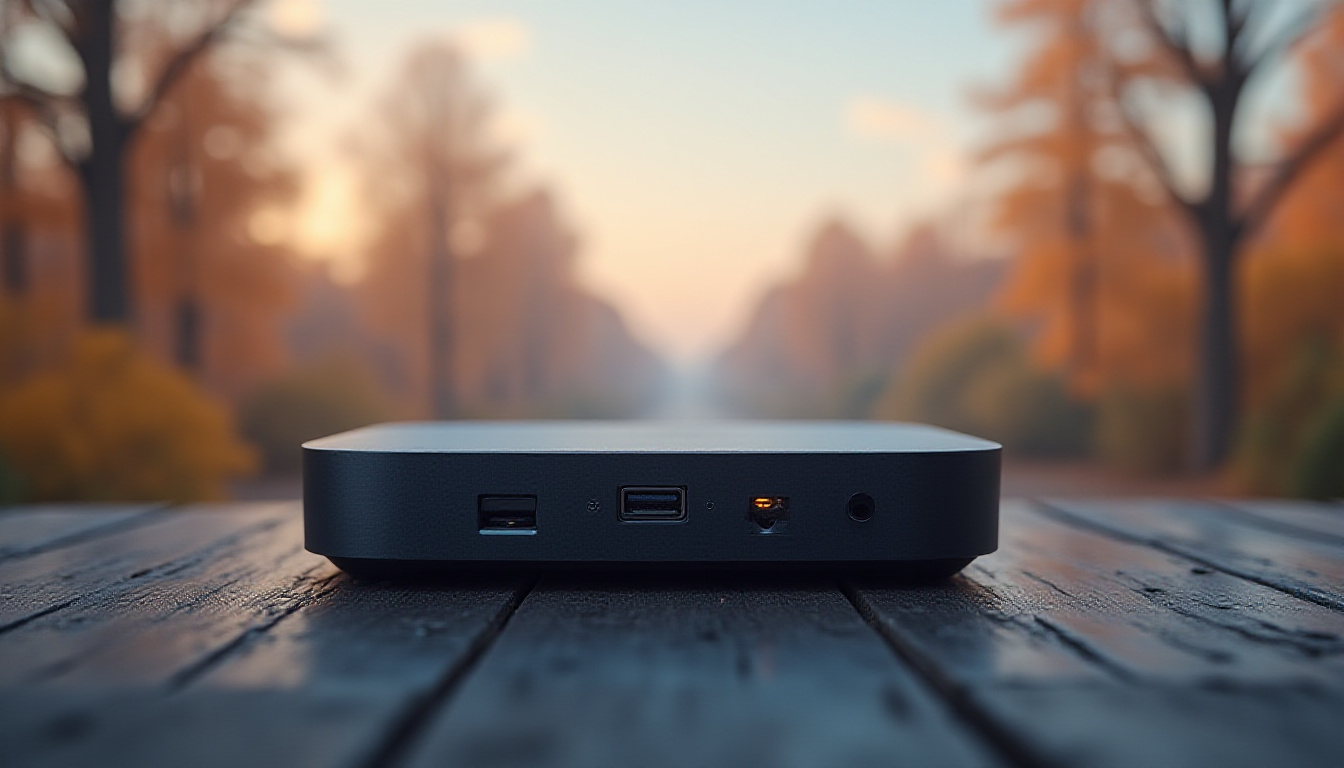
The GPD Box is a compact desktop mini PC built around Intel's Core Ultra Series 3 processor on the Panther Lake architecture. What makes it genuinely interesting isn't just its small footprint — it's Intel's modular chip design that lets the processor either use powerful integrated XE graphics or, in a specific SKU, trade those GPU cores for PCIe lanes that can feed an external graphics card.
That second option is what we're dealing with here. The unit covered in published tests uses a configuration with just four XE3 GPU cores on the die, but gains PCIe connectivity that feeds directly into GPD's G2 dock. The alternative SKU uses an X7-358H chip with 12 XE3 GPU cores and no external dock support. Both choices involve real trade-offs, and GPD is essentially asking you to pick your poison.
On paper, the base specs are respectable: a 16-core CPU, up to 64GB of LPDDR5X RAM, dual 2.5 Gigabit Ethernet ports, multiple USB4 v2 ports, and that headline-grabbing MCIO 8i connector on the rear. That last item is the real story here.
The MCIO Connector: A Genuine Innovation With a Serious Catch
Previous eGPU setups — including the once-hyped Thunderbolt-based solutions — have always suffered from bandwidth starvation. Thunderbolt 4 maxes out at around 40 Gbps. USB4 Gen 3x2 gives you 40 Gbps in each direction. These numbers sound big until you realise a PCIe Gen 4 x16 slot — what a modern GPU actually expects — delivers 256 GB/s bidirectional. The gap is enormous.
GPD's solution is the MCIO (Mini Cool Edge IO) connector, borrowed from the server industry, running at PCIe Gen 5 x8 speeds. That works out to roughly 128 GB/s bidirectional — still only half what a top-end GPU would prefer in a desktop slot, but a quantum leap beyond anything Thunderbolt can offer. When paired with an RTX 5080, for example, you're running at roughly half bandwidth rather than the miserable one-quarter you'd get via USB4.
Here's the catch that GPD doesn't advertise prominently: the MCIO connector was designed for internal server use. It's rated for approximately 250 insertions. It's sensitive to cable orientation, slight vibration, and what might generously be described as breathing in its direction. For a connection you're meant to plug and unplug regularly as a daily-driver dock, this is a significant durability concern that buyers need to take seriously.
GPD G2 eGPU Dock: Hardware Highlights and Real-World Quirks
The G2 dock is an impressive hardware package when you look at the spec sheet. An 800W internal power supply means it can theoretically support even flagship-tier GPUs without external power concerns. The PCIe slot is physically full-length, accommodating triple-slot cards with the help of a single elegant thumb screw retention system. There's an additional M.2 slot inside for expanding storage, extra USB Type-A ports, and even a 1 Gigabit Ethernet port (which feels like an afterthought next to the Box's dual 2.5GbE).
For users without an MCIO-equipped device, the G2 also supports USB4/Thunderbolt 5 input — meaning it can function as a conventional eGPU dock for laptops. That dual-mode flexibility is smart product design and extends the dock's potential buyer base considerably.
In practice, however, the ergonomics are a headache. Placing the mini PC next to the dock pushes the Box's rear IO into an awkward position. The MCIO cable is short and inflexible. The hot exhaust air from the GPU blows directly onto the Box's intake area. These aren't minor quibbles — they affect the real-world experience of using this as a daily desktop setup.
Thermal performance on the Box itself is also a concern. Two small laptop-style intake fans and a rear radiator struggle to keep the Core Ultra processor from throttling under sustained loads. In a machine designed around high performance when paired with a beefy GPU, that's a meaningful limitation.
Performance and Stability: Where the Dream Meets Reality
Here's where budget-conscious buyers need to pay close attention. At the time of testing, the GPD Box and G2 combination exhibited meaningful stability issues when running via the MCIO connection with a discrete GPU. GPU detection tools struggled to correctly identify the connected card. Games that did load sometimes locked up on minimize. System crashes occurred during basic testing workflows.
Via USB4 — the fallback mode — stability improved somewhat, but at the cost of the bandwidth advantage that is the entire reason to buy this setup over a conventional Thunderbolt eGPU dock.
Running onboard graphics (without the G2) was the most stable configuration, but the four XE3 GPU core variant in the tested unit delivers noticeably weaker integrated graphics performance than the alternative 12-core SKU. You essentially give up integrated GPU grunt in order to use the external dock, and then the external dock connection isn't stable enough yet to make up the difference.
To be fair, GPD has not yet begun shipping units to customers at the time of this guide. There is time for firmware and driver improvements. The core hardware architecture is genuinely promising — the instability appears to be software-layer issues rather than fundamental design flaws. But buyers who pre-order should enter with eyes open.
Pros and Cons
Pros:
- PCIe Gen 5 x8 via MCIO delivers substantially more bandwidth than any Thunderbolt eGPU solution
- 800W internal PSU in the G2 supports virtually any GPU on the market
- Dual USB4 v2 ports and dual 2.5GbE on the mini PC is excellent connectivity for its size
- M.2 expansion slot inside the G2 dock adds useful flexibility
- USB4/Thunderbolt fallback mode broadens the G2's compatibility
- Windows Hello fingerprint sensor built into the power button
Cons:
- MCIO cable is fragile, short, and only rated for ~250 insertions
- Significant stability and driver issues at time of review
- Thermal throttling risk on the Box under sustained CPU load
- Awkward ergonomics when Box and G2 are placed side by side
- Weak integrated graphics on the MCIO-capable SKU compared to the standalone variant
- Requires wall power for both units — no portable-plus-battery use case
- Conflicting Gen 4 vs Gen 5 specifications on GPD's own product pages
Comparison Table: eGPU Dock Solutions
| Feature | GPD Box + G2 | Thunderbolt 4 eGPU (generic) | Razer Core X | Sonnet Breakaway Box |
|---|---|---|---|---|
| Interface | PCIe Gen 5 x8 (MCIO) / USB4 fallback | Thunderbolt 4 (PCIe x4) | Thunderbolt 3 (PCIe x4) | Thunderbolt 3/4 |
| Bandwidth | ~128 GB/s (MCIO) | ~40 Gbps | ~40 Gbps | ~40 Gbps |
| PSU Included | 800W | Varies (350-650W typical) | 650W | 350W / 650W |
| Laptop Compatible | Yes (USB4 mode) | Yes | Yes | Yes |
| GPU Slot | PCIe x16 physical, x8 electrical | PCIe x16 physical, x4 electrical | PCIe x16 physical, x4 electrical | PCIe x16 physical, x4 electrical |
| Price Range | ~$500-800 (dock) + mini PC | $150-400 | ~$400 | ~$300-500 |
| Connector Durability | Low (MCIO, server-grade) | High (Thunderbolt) | High | High |
Free Weekly Newsletter
Enjoying this guide?
Get the best articles like this one delivered to your inbox every week. No spam.
Overall Rating and Verdict
The GPD Box and G2 eGPU dock represent the most technically ambitious attempt yet at solving the eGPU bandwidth problem. The use of a PCIe Gen 5 x8 MCIO connection is a genuine engineering breakthrough in the consumer compact PC space, and the hardware specifications — 800W PSU, dual 2.5GbE, USB4 fallback — show that GPD has thought carefully about what a capable dock needs to offer.
But ambition doesn't pay your money back if the product ships broken. Stability issues, fragile connectors, thermal concerns, and awkward physical ergonomics mean this is not a product for the average buyer, or frankly for most enthusiasts either. Right now, it is a proof-of-concept for a category that genuinely deserves to exist.
If you're a technical early adopter who wants to be on the bleeding edge of compact desktop innovation and you can tolerate a bumpy firmware ride, watch this space closely. If you need something that reliably works today, look elsewhere. The dream is real. The delivery isn't there yet.
Where to Buy
Frequently Asked Questions
Who is the GPD Box and G2 eGPU setup actually for?
In its current state, this setup is primarily for technical enthusiasts who want to support and experiment with next-generation compact PC architecture. It is explicitly not for the average buyer looking for a reliable, plug-and-play desktop replacement. The instability and ergonomic compromises require patience and technical troubleshooting ability. If your primary need is a compact gaming PC that just works, a conventional mini PC with a dedicated GPU — such as offerings from Minisforum or ASUS ROG — is a more practical choice right now.
How does the MCIO connection compare to Thunderbolt in real performance?
The MCIO Gen 5 x8 connection delivers roughly three to four times the bandwidth of Thunderbolt 4 or USB4. In theory, this closes the performance gap between an eGPU and a native desktop slot significantly. In practice, performance on the RTX 5080 tested in this guide still runs at approximately half the bandwidth that GPU would receive in a conventional desktop motherboard, because the GPU expects a Gen 5 x16 slot. The improvement over Thunderbolt is real and meaningful — but it's not a perfect solution.
Is the GPD G2 dock compatible with laptops, not just the GPD Box?
Yes. The G2 dock includes a USB4/Thunderbolt 5 input port that allows it to function as a conventional eGPU dock for any compatible laptop. Performance via this USB4 connection will be limited compared to the MCIO pathway, but it makes the dock more versatile and future-proof if you upgrade devices. This is one of the genuinely smart design decisions GPD made with the G2.
What are the main risks of buying this setup at launch?
Three primary risks stand out. First, software and firmware instability that may or may not be fully resolved by the time units ship to customers. Second, the fragility of the MCIO cable and connector — rated for only around 250 insertions and sensitive to slight movement during operation. Third, the lack of any truly portable use case: both the Box and the G2 require wall power, which eliminates the main scenario where a mini PC plus eGPU dock has historically made the most sense. Pre-ordering is a calculated risk, not a safe consumer purchase.
GPD Box & G2 eGPU
Considering it? See where the price stands today
Frequently Asked Questions
What Is the GPD Box, and Why Does It Matter?
The GPD Box is a compact desktop mini PC built around Intel's Core Ultra Series 3 processor on the Panther Lake architecture. What makes it genuinely interesting isn't just its small footprint — it's Intel's modular chip design that lets the processor either use powerful integrated XE graphics or, in a specific SKU, trade those GPU cores for PCIe lanes that can feed an external graphics card.
That second option is what we're dealing with here. The unit covered in published tests uses a configuration with just four XE3 GPU cores on the die, but gains PCIe connectivity that feeds directly into GPD's G2 dock. The alternative SKU uses an X7-358H chip with 12 XE3 GPU cores and no external dock support. Both choices involve real trade-offs, and GPD is essentially asking you to pick your poison.
On paper, the base specs are respectable: a 16-core CPU, up to 64GB of LPDDR5X RAM, dual 2.5 Gigabit Ethernet ports, multiple USB4 v2 ports, and that headline-grabbing MCIO 8i connector on the rear. That last item is the real story here.
The MCIO Connector: A Genuine Innovation With a Serious Catch
Previous eGPU setups — including the once-hyped Thunderbolt-based solutions — have always suffered from bandwidth starvation. Thunderbolt 4 maxes out at around 40 Gbps. USB4 Gen 3x2 gives you 40 Gbps in each direction. These numbers sound big until you realise a PCIe Gen 4 x16 slot — what a modern GPU actually expects — delivers 256 GB/s bidirectional. The gap is enormous.
GPD's solution is the MCIO (Mini Cool Edge IO) connector, borrowed from the server industry, running at PCIe Gen 5 x8 speeds. That works out to roughly 128 GB/s bidirectional — still only half what a top-end GPU would prefer in a desktop slot, but a quantum leap beyond anything Thunderbolt can offer. When paired with an RTX 5080, for example, you're running at roughly half bandwidth rather than the miserable one-quarter you'd get via USB4.
Here's the catch that GPD doesn't advertise prominently: the MCIO connector was designed for internal server use. It's rated for approximately 250 insertions. It's sensitive to cable orientation, slight vibration, and what might generously be described as breathing in its direction. For a connection you're meant to plug and unplug regularly as a daily-driver dock, this is a significant durability concern that buyers need to take seriously.
GPD G2 eGPU Dock: Hardware Highlights and Real-World Quirks
The G2 dock is an impressive hardware package when you look at the spec sheet. An 800W internal power supply means it can theoretically support even flagship-tier GPUs without external power concerns. The PCIe slot is physically full-length, accommodating triple-slot cards with the help of a single elegant thumb screw retention system. There's an additional M.2 slot inside for expanding storage, extra USB Type-A ports, and even a 1 Gigabit Ethernet port (which feels like an afterthought next to the Box's dual 2.5GbE).
For users without an MCIO-equipped device, the G2 also supports USB4/Thunderbolt 5 input — meaning it can function as a conventional eGPU dock for laptops. That dual-mode flexibility is smart product design and extends the dock's potential buyer base considerably.
In practice, however, the ergonomics are a headache. Placing the mini PC next to the dock pushes the Box's rear IO into an awkward position. The MCIO cable is short and inflexible. The hot exhaust air from the GPU blows directly onto the Box's intake area. These aren't minor quibbles — they affect the real-world experience of using this as a daily desktop setup.
Thermal performance on the Box itself is also a concern. Two small laptop-style intake fans and a rear radiator struggle to keep the Core Ultra processor from throttling under sustained loads. In a machine designed around high performance when paired with a beefy GPU, that's a meaningful limitation.
Performance and Stability: Where the Dream Meets Reality
Here's where budget-conscious buyers need to pay close attention. At the time of testing, the GPD Box and G2 combination exhibited meaningful stability issues when running via the MCIO connection with a discrete GPU. GPU detection tools struggled to correctly identify the connected card. Games that did load sometimes locked up on minimize. System crashes occurred during basic testing workflows.
Via USB4 — the fallback mode — stability improved somewhat, but at the cost of the bandwidth advantage that is the entire reason to buy this setup over a conventional Thunderbolt eGPU dock.
Running onboard graphics (without the G2) was the most stable configuration, but the four XE3 GPU core variant in the tested unit delivers noticeably weaker integrated graphics performance than the alternative 12-core SKU. You essentially give up integrated GPU grunt in order to use the external dock, and then the external dock connection isn't stable enough yet to make up the difference.
To be fair, GPD has not yet begun shipping units to customers at the time of this guide. There is time for firmware and driver improvements. The core hardware architecture is genuinely promising — the instability appears to be software-layer issues rather than fundamental design flaws. But buyers who pre-order should enter with eyes open.
Pros and Cons
Pros:
- PCIe Gen 5 x8 via MCIO delivers substantially more bandwidth than any Thunderbolt eGPU solution
- 800W internal PSU in the G2 supports virtually any GPU on the market
- Dual USB4 v2 ports and dual 2.5GbE on the mini PC is excellent connectivity for its size
- M.2 expansion slot inside the G2 dock adds useful flexibility
- USB4/Thunderbolt fallback mode broadens the G2's compatibility
- Windows Hello fingerprint sensor built into the power button
Cons:
- MCIO cable is fragile, short, and only rated for ~250 insertions
- Significant stability and driver issues at time of review
- Thermal throttling risk on the Box under sustained CPU load
- Awkward ergonomics when Box and G2 are placed side by side
- Weak integrated graphics on the MCIO-capable SKU compared to the standalone variant
- Requires wall power for both units — no portable-plus-battery use case
- Conflicting Gen 4 vs Gen 5 specifications on GPD's own product pages
Comparison Table: eGPU Dock Solutions
| Feature | GPD Box + G2 | Thunderbolt 4 eGPU (generic) | Razer Core X | Sonnet Breakaway Box |
|---|---|---|---|---|
| Interface | PCIe Gen 5 x8 (MCIO) / USB4 fallback | Thunderbolt 4 (PCIe x4) | Thunderbolt 3 (PCIe x4) | Thunderbolt 3/4 |
| Bandwidth | ~128 GB/s (MCIO) | ~40 Gbps | ~40 Gbps | ~40 Gbps |
| PSU Included | 800W | Varies (350-650W typical) | 650W | 350W / 650W |
| Laptop Compatible | Yes (USB4 mode) | Yes | Yes | Yes |
| GPU Slot | PCIe x16 physical, x8 electrical | PCIe x16 physical, x4 electrical | PCIe x16 physical, x4 electrical | PCIe x16 physical, x4 electrical |
| Price Range | ~$500-800 (dock) + mini PC | $150-400 | ~$400 | ~$300-500 |
| Connector Durability | Low (MCIO, server-grade) | High (Thunderbolt) | High | High |
Overall Rating and Verdict
The GPD Box and G2 eGPU dock represent the most technically ambitious attempt yet at solving the eGPU bandwidth problem. The use of a PCIe Gen 5 x8 MCIO connection is a genuine engineering breakthrough in the consumer compact PC space, and the hardware specifications — 800W PSU, dual 2.5GbE, USB4 fallback — show that GPD has thought carefully about what a capable dock needs to offer.
But ambition doesn't pay your money back if the product ships broken. Stability issues, fragile connectors, thermal concerns, and awkward physical ergonomics mean this is not a product for the average buyer, or frankly for most enthusiasts either. Right now, it is a proof-of-concept for a category that genuinely deserves to exist.
If you're a technical early adopter who wants to be on the bleeding edge of compact desktop innovation and you can tolerate a bumpy firmware ride, watch this space closely. If you need something that reliably works today, look elsewhere. The dream is real. The delivery isn't there yet.
Where to Buy
Frequently Asked Questions
Who is the GPD Box and G2 eGPU setup actually for?
In its current state, this setup is primarily for technical enthusiasts who want to support and experiment with next-generation compact PC architecture. It is explicitly not for the average buyer looking for a reliable, plug-and-play desktop replacement. The instability and ergonomic compromises require patience and technical troubleshooting ability. If your primary need is a compact gaming PC that just works, a conventional mini PC with a dedicated GPU — such as offerings from Minisforum or ASUS ROG — is a more practical choice right now.
How does the MCIO connection compare to Thunderbolt in real performance?
The MCIO Gen 5 x8 connection delivers roughly three to four times the bandwidth of Thunderbolt 4 or USB4. In theory, this closes the performance gap between an eGPU and a native desktop slot significantly. In practice, performance on the RTX 5080 tested in this guide still runs at approximately half the bandwidth that GPU would receive in a conventional desktop motherboard, because the GPU expects a Gen 5 x16 slot. The improvement over Thunderbolt is real and meaningful — but it's not a perfect solution.
Is the GPD G2 dock compatible with laptops, not just the GPD Box?
Yes. The G2 dock includes a USB4/Thunderbolt 5 input port that allows it to function as a conventional eGPU dock for any compatible laptop. Performance via this USB4 connection will be limited compared to the MCIO pathway, but it makes the dock more versatile and future-proof if you upgrade devices. This is one of the genuinely smart design decisions GPD made with the G2.
What are the main risks of buying this setup at launch?
Three primary risks stand out. First, software and firmware instability that may or may not be fully resolved by the time units ship to customers. Second, the fragility of the MCIO cable and connector — rated for only around 250 insertions and sensitive to slight movement during operation. Third, the lack of any truly portable use case: both the Box and the G2 require wall power, which eliminates the main scenario where a mini PC plus eGPU dock has historically made the most sense. Pre-ordering is a calculated risk, not a safe consumer purchase.
GPD Box & G2 eGPU
Ready to decide? Compare the current price before you buy
About Zeebrain Editorial
Zeebrain publishes independent analysis of markets, investing, personal finance, and business. We disclose affiliate relationships, never accept payment for coverage, and fact-check all claims against primary sources. Read our editorial policy →
How this article was produced: Zeebrain articles are created with AI assistance from primary sources (including cited videos and market data) and reviewed under our editorial standards before publication. Spot an error? Tell us and we will correct it.
Disclaimer: Content on Zeebrain is for informational and educational purposes only and does not constitute financial advice or a recommendation to buy or sell any security. Always conduct your own research and consult a qualified financial adviser before making investment decisions. Past performance is not indicative of future results.
More from Reviews




Related Guides
Keep exploring this topic
Explore More on Zeebrain
Keep browsing by topic, or put the numbers to work with our free tools.