Khadas Mind Pro Review: Modular Mini PC Worth It?
Quick Summary
Khadas Mind Pro reviewed: specs, eGPU performance, tablet mode, real benchmark numbers, and honest verdict on whether the $2,600+ price is justified.
Khadas Mind Pro
Check current price and availability on Amazon
In This Article
Khadas Mind Pro Review: Is This Modular Mini PC Actually Worth the Price?
This article may contain affiliate links. We may earn a commission if you purchase through them, at no extra cost to you.

The idea of a truly modular PC — one brain, multiple bodies — has been floating around tech circles for years. Most attempts have been clunky compromises. The Khadas Mind Pro is one of the more serious commercial efforts to make that concept real, and it arrives with a full ecosystem: a tablet attachment, an external GPU dock, and a basic docking station. The question isn't whether the concept is clever. It is. The question is whether the execution is clean enough, and the price rational enough, to make this a genuinely smart purchase rather than an expensive novelty.
Let's get into it.
What Is the Khadas Mind Pro and How Does the Modular System Work?
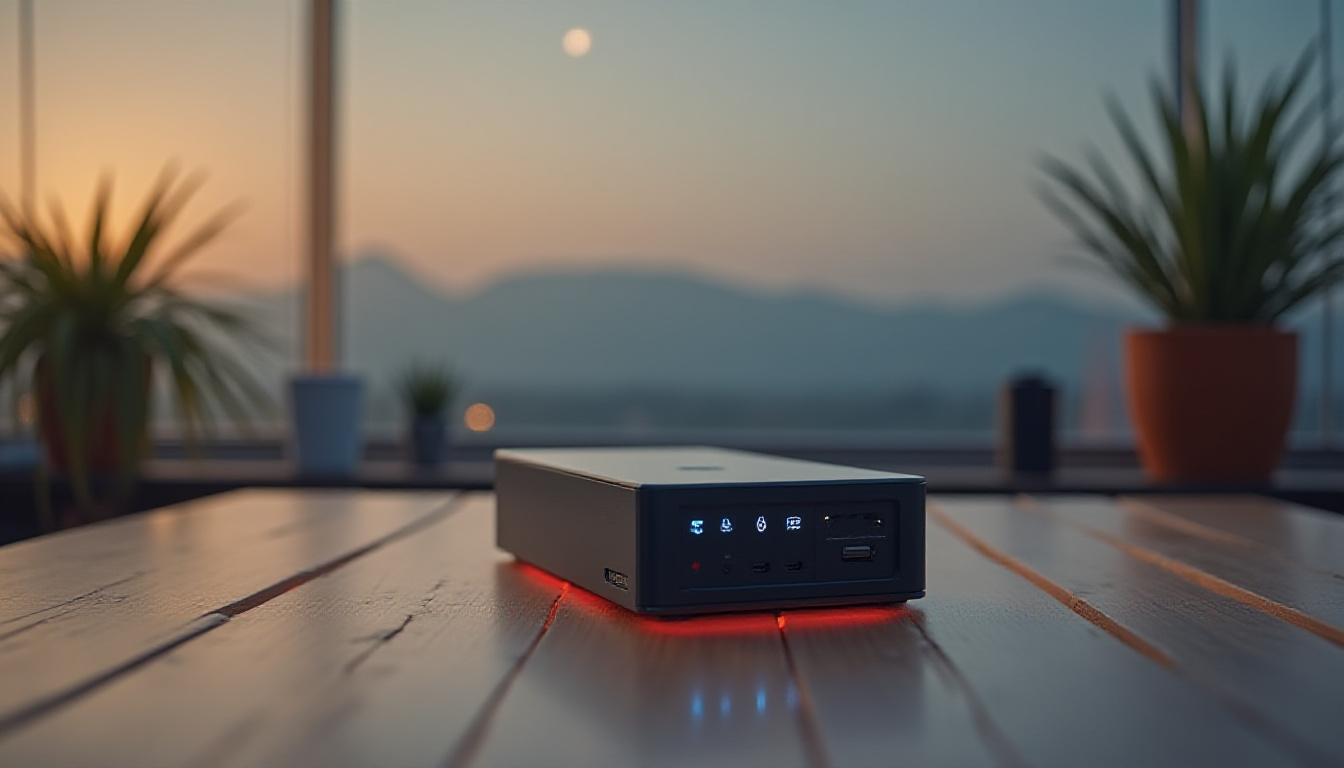
At its core, the Khadas Mind Pro is a compact mini PC roughly the size of a thick wallet. It runs on an Intel Core Ultra 7 358H — part of Intel's Core Ultra X series — paired with 64 GB of LPDDR5X memory running at a blistering 8,533 MT/s. Storage comes in the form of a 2 TB M.2 2230 PCIe Gen 4 SSD, and there's an additional 2230 expansion slot hidden behind a magnetic cover on the bottom.
Connectivity on the unit itself is solid for its size: two Thunderbolt 4 ports, two USB-A ports, and HDMI 2.1 with FRL. Wi-Fi 7 and Bluetooth 6.0 are handled by an Intel BE211 chipset, which is about as future-proof as wireless gets right now.
The party trick is the Mind Link interface on the bottom of the unit — Khadas's proprietary connector that carries a PCIe Gen 5 x4 link plus bidirectional power delivery. This is what makes the whole modular ecosystem possible. Remove the rubber grommet, snap the Mind Pro onto a compatible accessory, and the connection is both mechanical and data-linked simultaneously. It's genuinely elegant engineering, even if the practical benefits depend entirely on how good the accessories are.
The Mind Pro also includes a small 8 Wh internal battery. It's not enough for meaningful standalone use, but it keeps the system alive in standby for up to 48 hours, meaning you can unplug from one dock, walk to another, and pick up exactly where you left off. For a power user moving between a desk setup and a mobile rig, that's a meaningful quality-of-life feature.
The Mind Xplay Tablet Attachment: Good Idea, Imperfect Execution
The Mind Xplay is a 13-inch portable display with the Mind Link connector on its back. Attach the Mind Pro, pair it with the included Folio keyboard, and you have a Windows tablet. The display itself is 2880×1920 at a 3:2 aspect ratio — the same format Microsoft uses on the Surface Pro line — which gives you noticeably more vertical screen real estate than a standard 16:9 panel. For productivity work, that extra height matters.
Colour accuracy is genuinely respectable. The panel covers 100% of the sRGB colour space with a Delta E of 1.32, which is good enough for sRGB-based creative work like photo editing and graphic design. Don't expect P3 coverage or HDR support, though — neither is available.
Where things get frustrating:
- No touchscreen. On a device being marketed as a tablet. That's a serious oversight, not a minor omission.
- 60 Hz refresh rate. Serviceable, but behind the competition at this price point.
- 500 nits peak brightness. Fine indoors, but it washes out noticeably in bright environments — not what you want from a portable device.
- The Folio keyboard lies completely flat. No angled hinge, no elevation. Combined with the inherent instability of the folding kickstand setup, typing accuracy takes a real hit. Testing clocked 82 words per minute at 95% accuracy — well below what a comfortable keyboard setup typically delivers.
- The kickstand design creates tension with the Mind Link connector. Push the screen back too far and you risk stressing the docking connection on the back.
Battery life in the Xplay itself is better than advertised — lab testing with Plex playback returned just over 4 hours, beating the 3 to 3.5 hour estimate on Khadas's own site. The built-in speakers are adequate at moderate volumes, though they compress and distort noticeably above 80%.
The Xplay plus Folio keyboard combo is sold as a $400 bundle, or $350 for the display alone. For a no-touch 60 Hz screen, that's a hard sell unless you're already committed to the Khadas ecosystem.
The Mind Graphics 2 eGPU: Where the Khadas Mind Pro Gets Serious
This is the accessory that actually changes the performance conversation. The Mind Graphics 2 is an external GPU dock housing a full desktop RTX 5060 Ti — not a mobile variant, not a cut-down OEM version, the full card. That distinction matters enormously. Mobile GPUs routinely operate at 60–80W TDPs. The desktop 5060 Ti runs at its full rated power, delivering meaningfully better performance.
The connection uses that PCIe Gen 5 x4 Mind Link interface, which is a significant advantage over competing eGPU solutions that route through Thunderbolt 4 (effectively PCIe 3 x4 with overhead). You're getting a direct, low-latency link to the GPU with enough bandwidth to avoid the bottlenecks that have historically hobbled external graphics.
Real benchmark numbers from lab testing:
| Game / Scenario | Resolution | GPU | Avg FPS | 1% Low |
|---|---|---|---|---|
| Cyberpunk 2077 Ultra | 1440p | eGPU (RTX 5060 Ti) | 72 | 59 |
| Cyberpunk 2077 Ultra | 1440p | iGPU (Arc B390) | 30 | 24 |
| Cyberpunk 2077 Ultra | 1080p | eGPU (RTX 5060 Ti) | 108 | 85 |
| Cyberpunk 2077 Ultra | 1080p | iGPU (Arc B390) | 50 | 41 |
| F1 24 Ultra High (No RT) | 1440p | eGPU (RTX 5060 Ti) | 95 | 80 |
| F1 24 Ultra High (No RT) | 1440p | iGPU (Arc B390) | 47 | 40 |
The eGPU numbers are legitimately good — 72 FPS average at 1440p Ultra in Cyberpunk 2077 is respectable performance for any system at this resolution. The iGPU numbers are also surprisingly strong; the Arc B390 in the Core Ultra X series is a step above typical integrated graphics, making the machine genuinely usable for light gaming even without the dock.
Thermal performance is where things get tight. Cinebench testing pushed the CPU to 98°C — just 2°C below the throttling threshold. In a warm room or during a hot summer, that margin effectively disappears. The dock itself relies on a combination of blower fans and a massive passive heatsink (the unit weighs 6.6 lb, almost entirely due to that metal mass), and it does manage to keep things in check under typical conditions — but only just.
Port selection on the dock is comprehensive: two HDMI 2.1 ports, a DisplayPort 2.1, 40 Gbps USB-C, two 10 Gbps USB-A ports, a USB-C at 10 Gbps, a full-size SD card slot, a 2.5 GbE wired network port, and a 3.5mm headphone/mic combo jack. The wired Ethernet not being on the Mind Pro unit itself is a genuine annoyance for desk users, but at least it's on the dock.
Soft features worth noting: the Khadas software application includes smart charging (stops at 80% to preserve battery health), a one-tap fan cleaning mode that reverses fan direction to dislodge dust, and selectable power modes including a performance profile. These are the kind of thoughtful firmware touches that separate a polished product from a generic box.
Pros and Cons
Pros
- Full desktop RTX 5060 Ti in the eGPU — not a mobile compromise
- PCIe Gen 5 x4 Mind Link avoids Thunderbolt bandwidth bottlenecks
- Strong iGPU (Arc B390) makes the base unit genuinely useful without the dock
- 64 GB LPDDR5X at 8,533 MT/s — fast memory by any standard
- Wi-Fi 7 and Bluetooth 6.0 — genuinely future-proof wireless
- 8 Wh internal battery enables seamless dock-to-dock transitions
- Smart charging, fan cleaning mode, and solid software polish
- eGPU dock speaker is better than expected
- Display covers 100% sRGB with Delta E of 1.32
Cons
- No touchscreen on a device sold as a tablet
- 60 Hz display refresh rate disappoints at this price
- 500 nits brightness struggles outdoors
- Folio keyboard has no angle — typing is flat and unstable
- CPU runs within 2°C of throttling under load — thermal headroom is minimal
- Soldered LPDDR5X — no memory upgrades post-purchase
- $2,600 base + $1,450 eGPU = $4,050+ for the full performance setup
- 2.5 GbE wired Ethernet is dock-only, not on the main unit
How Does It Compare to the Competition?
| Product | Form Factor | GPU Option | Price (Approx.) | Modular Ecosystem |
|---|---|---|---|---|
| Khadas Mind Pro + Mind Graphics 2 | Mini PC + eGPU dock | RTX 5060 Ti (desktop) | ~$4,050 | Yes — tablet, eGPU, basic dock |
| GPD Box 2 | Mini PC + eGPU | Bring your own GPU (MCIO cable) | Varies | Limited |
| Apple Mac Mini M4 Pro | Mini PC | None (integrated only) | From $1,399 | No |
| Intel NUC 14 Pro | Mini PC | Thunderbolt eGPU (separate) | ~$700+ | No |
| Alienware Area-51 Laptop | Laptop | RTX 5080 (mobile) | ~$3,499 | No |
The GPD Box 2 is the closest direct competitor in the bring-your-own-GPU modular space, using an MCIO cable rather than the proprietary Mind Link. It's a more open approach but lacks the same ecosystem depth. The Mac Mini M4 Pro undercuts the Mind Pro significantly on price for everyday productivity, but offers no gaming path. High-end gaming laptops offer comparable gaming performance in a single integrated package, often for less total spend.
Verdict: Who Should Buy the Khadas Mind Pro?
Free Weekly Newsletter
Enjoying this guide?
Get the best articles like this one delivered to your inbox every week. No spam.
Overall Rating: 7/10
The Khadas Mind Pro ecosystem is one of the most coherent attempts at modular PC computing that has reached the consumer market. The Mind Link interface is genuinely clever, the eGPU performance is real and competitive, and the software polish is a cut above what you'd expect from a niche manufacturer. The 8 Wh battery keeping the system in standby across dock swaps is a detail that makes the whole modular concept feel intentional rather than theoretical.
But the price is the elephant in the room. At $4,050+ for the Mind Pro and eGPU together, you're paying a significant premium for flexibility. A high-end gaming laptop at a similar or lower price delivers comparable performance in a single, more portable package. The tablet accessory — without a touchscreen, without a 90+ Hz display, and with a flat keyboard — doesn't yet justify its position in the lineup.
Buy it if: You genuinely need to move between a mobile productivity setup and a high-performance desktop environment regularly, you value keeping one set of files and a single OS instance across both contexts, and you understand you're paying for that specific flexibility.
Skip it if: You primarily game at a desk, primarily work on the go, or have a budget below $4,000. A dedicated gaming PC plus a budget laptop covers the same ground for less.
Where to Buy
Khadas Mind Graphics 2 eGPU on Amazon
Frequently Asked Questions
Is the Khadas Mind Pro worth $2,600 as a standalone mini PC?
As a standalone mini PC, the Mind Pro is expensive relative to competitors. You're getting solid specs — Intel Core Ultra 7 358H, 64 GB LPDDR5X, 2 TB SSD, Wi-Fi 7 — but machines like the Minisforum or Beelink equivalents offer competitive performance at meaningfully lower prices. The premium is justified primarily by the modular ecosystem and Mind Link interface. If you don't plan to use the accessories, the value case weakens significantly.
Can you upgrade the RAM in the Khadas Mind Pro?
No. The memory is soldered LPDDR5X, which is how it achieves its 8,533 MT/s speed. There is no post-purchase RAM upgrade path. You must configure the memory you want at the time of purchase. The 64 GB option reviewed here is the top configuration and should be sufficient for most professional and gaming workloads for the foreseeable future.
Is the Mind Graphics 2 eGPU compatible with other mini PCs?
No. The Mind Graphics 2 uses Khadas's proprietary Mind Link connector (PCIe Gen 5 x4). It is only compatible with Khadas Mind series devices. It cannot be used with other mini PCs, laptops, or standard desktop systems. This is a core limitation of the ecosystem approach — you're locked in.
Who is the Khadas Mind Pro NOT for?
It's not for budget buyers — the entry price is $2,600 before accessories. It's not for pure gamers who sit at a desk, since a desktop GPU plus a dedicated gaming PC delivers more performance per dollar. It's not for users who want a true tablet experience, since the Xplay display lacks touchscreen support. And it's not for users who need Ethernet on their portable unit — the wired network connection is dock-only.
Khadas Mind Pro
Considering it? See where the price stands today
Frequently Asked Questions
What Is the Khadas Mind Pro and How Does the Modular System Work?
At its core, the Khadas Mind Pro is a compact mini PC roughly the size of a thick wallet. It runs on an Intel Core Ultra 7 358H — part of Intel's Core Ultra X series — paired with 64 GB of LPDDR5X memory running at a blistering 8,533 MT/s. Storage comes in the form of a 2 TB M.2 2230 PCIe Gen 4 SSD, and there's an additional 2230 expansion slot hidden behind a magnetic cover on the bottom.
Connectivity on the unit itself is solid for its size: two Thunderbolt 4 ports, two USB-A ports, and HDMI 2.1 with FRL. Wi-Fi 7 and Bluetooth 6.0 are handled by an Intel BE211 chipset, which is about as future-proof as wireless gets right now.
The party trick is the Mind Link interface on the bottom of the unit — Khadas's proprietary connector that carries a PCIe Gen 5 x4 link plus bidirectional power delivery. This is what makes the whole modular ecosystem possible. Remove the rubber grommet, snap the Mind Pro onto a compatible accessory, and the connection is both mechanical and data-linked simultaneously. It's genuinely elegant engineering, even if the practical benefits depend entirely on how good the accessories are.
The Mind Pro also includes a small 8 Wh internal battery. It's not enough for meaningful standalone use, but it keeps the system alive in standby for up to 48 hours, meaning you can unplug from one dock, walk to another, and pick up exactly where you left off. For a power user moving between a desk setup and a mobile rig, that's a meaningful quality-of-life feature.
The Mind Xplay Tablet Attachment: Good Idea, Imperfect Execution
The Mind Xplay is a 13-inch portable display with the Mind Link connector on its back. Attach the Mind Pro, pair it with the included Folio keyboard, and you have a Windows tablet. The display itself is 2880×1920 at a 3:2 aspect ratio — the same format Microsoft uses on the Surface Pro line — which gives you noticeably more vertical screen real estate than a standard 16:9 panel. For productivity work, that extra height matters.
Colour accuracy is genuinely respectable. The panel covers 100% of the sRGB colour space with a Delta E of 1.32, which is good enough for sRGB-based creative work like photo editing and graphic design. Don't expect P3 coverage or HDR support, though — neither is available.
Where things get frustrating:
- No touchscreen. On a device being marketed as a tablet. That's a serious oversight, not a minor omission.
- 60 Hz refresh rate. Serviceable, but behind the competition at this price point.
- 500 nits peak brightness. Fine indoors, but it washes out noticeably in bright environments — not what you want from a portable device.
- The Folio keyboard lies completely flat. No angled hinge, no elevation. Combined with the inherent instability of the folding kickstand setup, typing accuracy takes a real hit. Testing clocked 82 words per minute at 95% accuracy — well below what a comfortable keyboard setup typically delivers.
- The kickstand design creates tension with the Mind Link connector. Push the screen back too far and you risk stressing the docking connection on the back.
Battery life in the Xplay itself is better than advertised — lab testing with Plex playback returned just over 4 hours, beating the 3 to 3.5 hour estimate on Khadas's own site. The built-in speakers are adequate at moderate volumes, though they compress and distort noticeably above 80%.
The Xplay plus Folio keyboard combo is sold as a $400 bundle, or $350 for the display alone. For a no-touch 60 Hz screen, that's a hard sell unless you're already committed to the Khadas ecosystem.
The Mind Graphics 2 eGPU: Where the Khadas Mind Pro Gets Serious
This is the accessory that actually changes the performance conversation. The Mind Graphics 2 is an external GPU dock housing a full desktop RTX 5060 Ti — not a mobile variant, not a cut-down OEM version, the full card. That distinction matters enormously. Mobile GPUs routinely operate at 60–80W TDPs. The desktop 5060 Ti runs at its full rated power, delivering meaningfully better performance.
The connection uses that PCIe Gen 5 x4 Mind Link interface, which is a significant advantage over competing eGPU solutions that route through Thunderbolt 4 (effectively PCIe 3 x4 with overhead). You're getting a direct, low-latency link to the GPU with enough bandwidth to avoid the bottlenecks that have historically hobbled external graphics.
Real benchmark numbers from lab testing:
| Game / Scenario | Resolution | GPU | Avg FPS | 1% Low |
|---|---|---|---|---|
| Cyberpunk 2077 Ultra | 1440p | eGPU (RTX 5060 Ti) | 72 | 59 |
| Cyberpunk 2077 Ultra | 1440p | iGPU (Arc B390) | 30 | 24 |
| Cyberpunk 2077 Ultra | 1080p | eGPU (RTX 5060 Ti) | 108 | 85 |
| Cyberpunk 2077 Ultra | 1080p | iGPU (Arc B390) | 50 | 41 |
| F1 24 Ultra High (No RT) | 1440p | eGPU (RTX 5060 Ti) | 95 | 80 |
| F1 24 Ultra High (No RT) | 1440p | iGPU (Arc B390) | 47 | 40 |
The eGPU numbers are legitimately good — 72 FPS average at 1440p Ultra in Cyberpunk 2077 is respectable performance for any system at this resolution. The iGPU numbers are also surprisingly strong; the Arc B390 in the Core Ultra X series is a step above typical integrated graphics, making the machine genuinely usable for light gaming even without the dock.
Thermal performance is where things get tight. Cinebench testing pushed the CPU to 98°C — just 2°C below the throttling threshold. In a warm room or during a hot summer, that margin effectively disappears. The dock itself relies on a combination of blower fans and a massive passive heatsink (the unit weighs 6.6 lb, almost entirely due to that metal mass), and it does manage to keep things in check under typical conditions — but only just.
Port selection on the dock is comprehensive: two HDMI 2.1 ports, a DisplayPort 2.1, 40 Gbps USB-C, two 10 Gbps USB-A ports, a USB-C at 10 Gbps, a full-size SD card slot, a 2.5 GbE wired network port, and a 3.5mm headphone/mic combo jack. The wired Ethernet not being on the Mind Pro unit itself is a genuine annoyance for desk users, but at least it's on the dock.
Soft features worth noting: the Khadas software application includes smart charging (stops at 80% to preserve battery health), a one-tap fan cleaning mode that reverses fan direction to dislodge dust, and selectable power modes including a performance profile. These are the kind of thoughtful firmware touches that separate a polished product from a generic box.
Pros and Cons
Pros
- Full desktop RTX 5060 Ti in the eGPU — not a mobile compromise
- PCIe Gen 5 x4 Mind Link avoids Thunderbolt bandwidth bottlenecks
- Strong iGPU (Arc B390) makes the base unit genuinely useful without the dock
- 64 GB LPDDR5X at 8,533 MT/s — fast memory by any standard
- Wi-Fi 7 and Bluetooth 6.0 — genuinely future-proof wireless
- 8 Wh internal battery enables seamless dock-to-dock transitions
- Smart charging, fan cleaning mode, and solid software polish
- eGPU dock speaker is better than expected
- Display covers 100% sRGB with Delta E of 1.32
Cons
- No touchscreen on a device sold as a tablet
- 60 Hz display refresh rate disappoints at this price
- 500 nits brightness struggles outdoors
- Folio keyboard has no angle — typing is flat and unstable
- CPU runs within 2°C of throttling under load — thermal headroom is minimal
- Soldered LPDDR5X — no memory upgrades post-purchase
- $2,600 base + $1,450 eGPU = $4,050+ for the full performance setup
- 2.5 GbE wired Ethernet is dock-only, not on the main unit
How Does It Compare to the Competition?
| Product | Form Factor | GPU Option | Price (Approx.) | Modular Ecosystem |
|---|---|---|---|---|
| Khadas Mind Pro + Mind Graphics 2 | Mini PC + eGPU dock | RTX 5060 Ti (desktop) | ~$4,050 | Yes — tablet, eGPU, basic dock |
| GPD Box 2 | Mini PC + eGPU | Bring your own GPU (MCIO cable) | Varies | Limited |
| Apple Mac Mini M4 Pro | Mini PC | None (integrated only) | From $1,399 | No |
| Intel NUC 14 Pro | Mini PC | Thunderbolt eGPU (separate) | ~$700+ | No |
| Alienware Area-51 Laptop | Laptop | RTX 5080 (mobile) | ~$3,499 | No |
The GPD Box 2 is the closest direct competitor in the bring-your-own-GPU modular space, using an MCIO cable rather than the proprietary Mind Link. It's a more open approach but lacks the same ecosystem depth. The Mac Mini M4 Pro undercuts the Mind Pro significantly on price for everyday productivity, but offers no gaming path. High-end gaming laptops offer comparable gaming performance in a single integrated package, often for less total spend.
Verdict: Who Should Buy the Khadas Mind Pro?
Overall Rating: 7/10
The Khadas Mind Pro ecosystem is one of the most coherent attempts at modular PC computing that has reached the consumer market. The Mind Link interface is genuinely clever, the eGPU performance is real and competitive, and the software polish is a cut above what you'd expect from a niche manufacturer. The 8 Wh battery keeping the system in standby across dock swaps is a detail that makes the whole modular concept feel intentional rather than theoretical.
But the price is the elephant in the room. At $4,050+ for the Mind Pro and eGPU together, you're paying a significant premium for flexibility. A high-end gaming laptop at a similar or lower price delivers comparable performance in a single, more portable package. The tablet accessory — without a touchscreen, without a 90+ Hz display, and with a flat keyboard — doesn't yet justify its position in the lineup.
Buy it if: You genuinely need to move between a mobile productivity setup and a high-performance desktop environment regularly, you value keeping one set of files and a single OS instance across both contexts, and you understand you're paying for that specific flexibility.
Skip it if: You primarily game at a desk, primarily work on the go, or have a budget below $4,000. A dedicated gaming PC plus a budget laptop covers the same ground for less.
Where to Buy
Frequently Asked Questions
Is the Khadas Mind Pro worth $2,600 as a standalone mini PC?
As a standalone mini PC, the Mind Pro is expensive relative to competitors. You're getting solid specs — Intel Core Ultra 7 358H, 64 GB LPDDR5X, 2 TB SSD, Wi-Fi 7 — but machines like the Minisforum or Beelink equivalents offer competitive performance at meaningfully lower prices. The premium is justified primarily by the modular ecosystem and Mind Link interface. If you don't plan to use the accessories, the value case weakens significantly.
Can you upgrade the RAM in the Khadas Mind Pro?
No. The memory is soldered LPDDR5X, which is how it achieves its 8,533 MT/s speed. There is no post-purchase RAM upgrade path. You must configure the memory you want at the time of purchase. The 64 GB option reviewed here is the top configuration and should be sufficient for most professional and gaming workloads for the foreseeable future.
Is the Mind Graphics 2 eGPU compatible with other mini PCs?
No. The Mind Graphics 2 uses Khadas's proprietary Mind Link connector (PCIe Gen 5 x4). It is only compatible with Khadas Mind series devices. It cannot be used with other mini PCs, laptops, or standard desktop systems. This is a core limitation of the ecosystem approach — you're locked in.
Who is the Khadas Mind Pro NOT for?
It's not for budget buyers — the entry price is $2,600 before accessories. It's not for pure gamers who sit at a desk, since a desktop GPU plus a dedicated gaming PC delivers more performance per dollar. It's not for users who want a true tablet experience, since the Xplay display lacks touchscreen support. And it's not for users who need Ethernet on their portable unit — the wired network connection is dock-only.
Khadas Mind Pro
Ready to decide? Compare the current price before you buy
About Zeebrain Editorial
Zeebrain publishes independent analysis of markets, investing, personal finance, and business. We disclose affiliate relationships, never accept payment for coverage, and fact-check all claims against primary sources. Read our editorial policy →
How this article was produced: Zeebrain articles are created with AI assistance from primary sources (including cited videos and market data) and reviewed under our editorial standards before publication. Spot an error? Tell us and we will correct it.
Disclaimer: Content on Zeebrain is for informational and educational purposes only and does not constitute financial advice or a recommendation to buy or sell any security. Always conduct your own research and consult a qualified financial adviser before making investment decisions. Past performance is not indicative of future results.
More from Review




Related Guides
Keep exploring this topic
Explore More Categories
Keep browsing by topic and build depth around the subjects you care about most.