Whoop vs Apple Watch: Which Should You Buy?
Quick Summary
Whoop vs Apple Watch: a deep-dive comparison of accuracy, battery life, design, and cost to help you choose the right wearable for your goals.
Whoop vs Apple Watch
Check current price and availability on Amazon
In This Article
Whoop vs Apple Watch: Which Should You Buy?
This article may contain affiliate links. We may earn a commission if you purchase through them, at no extra cost to you.
Related Post

The debate around Whoop vs Apple Watch is one of the most common questions in the wearables space — and for good reason. Both sit on your wrist, both track your health, and both cost serious money. But they are built for fundamentally different people, with fundamentally different philosophies. Choosing the wrong one is an expensive mistake. This article cuts through the noise to give you a clear, honest comparison so you can make the right call.
Whoop vs Apple Watch: What Each Device Is Actually For
Before diving into specs, it helps to understand the core identity of each device.
The Apple Watch is a smartwatch first. It extends your iPhone to your wrist — notifications, apps, Apple Pay, Siri — and layers in genuinely useful health features on top. It is a generalist tool that happens to track your health reasonably well.
The Whoop (currently on version 5.0) is a dedicated health and recovery tracker. It has no screen. It does not show you messages. It does not care about your calendar. Its entire purpose is to monitor your body continuously — heart rate, heart rate variability (HRV), sleep, respiratory rate, skin temperature — and translate that raw data into actionable recovery and strain scores.
Thinking of them as direct competitors is a category error. One is a Swiss Army knife; the other is a scalpel. The question is which tool you actually need.
Design, Comfort, and Build Quality
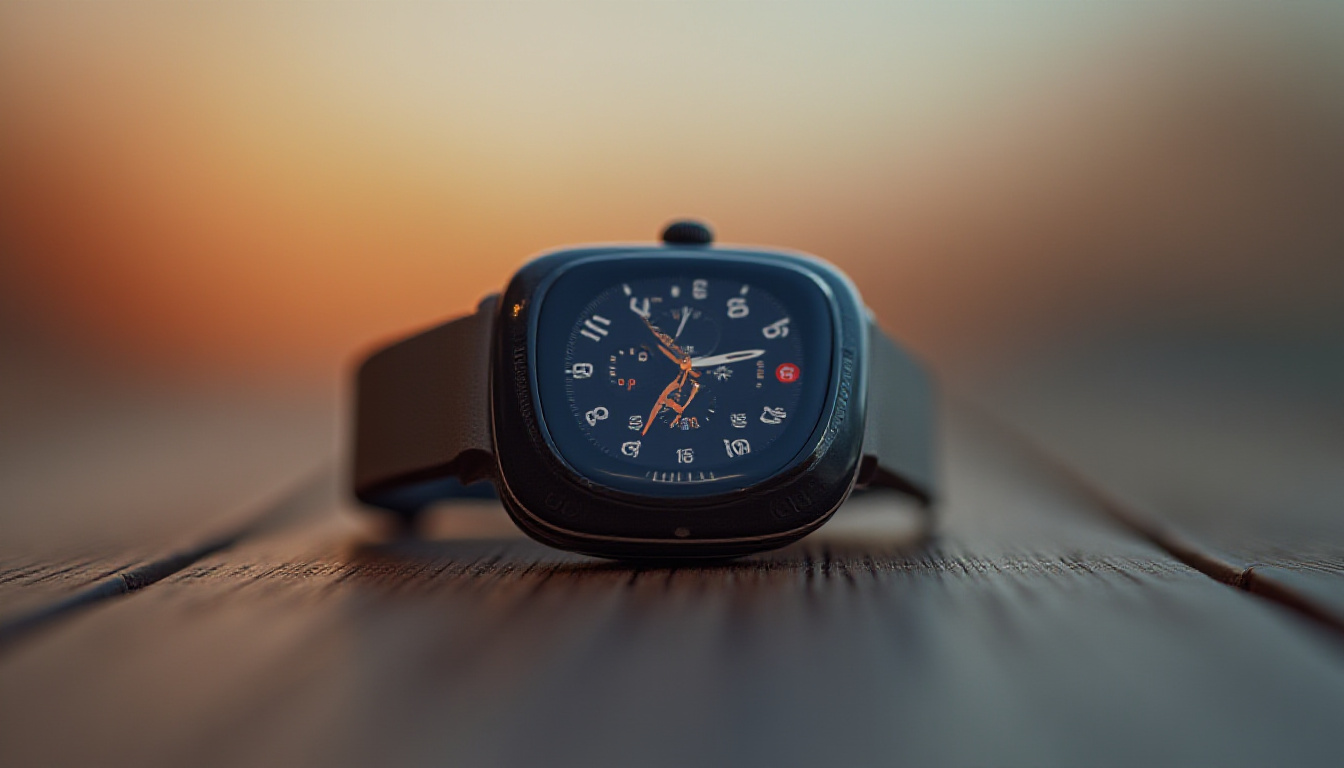
The Apple Watch Series 10 in slate titanium with a link bracelet is, objectively, a more premium-feeling device. It is wider, slimmer in profile, and its rounded edges make it effortless to wear under clothing. It looks at home in a boardroom or a gym.
The Whoop 5.0 is smaller in width and height but noticeably thicker — almost 1 mm more than the Apple Watch. That extra thickness is a real-world issue: the sharper, less-rounded edges can catch on long sleeves and sweater cuffs regularly. It is a minor annoyance, but a persistent one for anyone who wears fitted clothing.
Whoop does offer one meaningful design advantage: it does not have to live on your wrist. The sensor can be worn on your bicep, upper arm, or even integrated into specific clothing and accessories. For athletes who compete in sports where a wrist device is impractical — or simply want more accurate readings from a different placement — this flexibility matters.
One legitimate frustration with the Whoop 5.0: it is not backward compatible with Whoop 4.0 straps or battery packs. Anyone who invested in a strap collection for the previous generation has to start over. That is a real cost that Whoop's marketing tends to gloss over.
Comfort verdict: Both are comfortable for all-day wear after a break-in period. Apple Watch edges ahead on build feel and wearability under clothing. Whoop wins on placement flexibility.
Battery Life: Not Even Close
This is where the two devices diverge most dramatically.
- Apple Watch Series 10: Roughly 18–36 hours of real-world battery life depending on usage. Most users charge it nightly.
- Whoop 5.0: Up to 14 days. In practice, users report consistently hitting that figure, with a 20% battery warning still leaving several days of charge.
For a health tracker, battery life is not just a convenience feature — it is a data integrity issue. The Apple Watch comes off your wrist every night to charge. That means no sleep tracking during charging time. Whoop never comes off. It tracks everything, always.
Whoop also uses a clever slide-on battery pack that charges the device while it is still on your wrist. You never need to take it off to charge it, which means zero gaps in your data.
If continuous, uninterrupted health monitoring is the goal, the Apple Watch's charging habit is a fundamental limitation.
Accuracy: Heart Rate, HRV, and Sleep
Research from Central Queensland University compared both devices across key health metrics and found the Whoop to be more accurate than the Apple Watch across heart rate, HRV, and sleep tracking. The margin is not enormous, but it is consistent.
The most likely explanation is continuous tracking. The Whoop measures constantly — every second of every day. The Apple Watch samples at intervals to preserve battery, ramping up sampling only when a workout is active. More data points generally means more accurate averages, particularly for nuanced metrics like HRV, which can shift significantly across short time windows.
For calorie burn during workouts, the gap is more pronounced. Apple Watch has a well-documented tendency to overestimate calories — sometimes by as much as double compared to Whoop readings. For anyone using calorie data to inform nutrition decisions, this is a non-trivial error.
For heart rate during active workouts, both devices perform similarly when the Apple Watch's workout mode is active. The gap narrows significantly when the device is specifically in an exercise-tracking session.
Practical tip: Some users wear both devices simultaneously, using the Apple Watch to start workouts (which syncs to Apple Health), while letting Whoop handle the data quality. Apple Health prioritises the more accurate Whoop data when both are present.
The Whoop App: Recovery, Strain, and Whoop Age
The app is where Whoop's value proposition really lives — and it is genuinely impressive.
Every morning, you wake up to two numbers:
- Recovery score (0–100%): How ready your body is for stress today, based on last night's sleep quality, HRV, resting heart rate, and previous day's strain.
- Strain score (0–21): A cumulative measure of cardiovascular load throughout the day, including workouts and non-workout stressors.
The strain score is particularly interesting because it captures things most wearables ignore: a stressful commute, moving furniture, a late-night concert. These events register as physiological strain even if you did not "work out." The app shows you where your strain budget sits and whether you are approaching your recovery-adjusted ceiling for the day.
One of the more compelling features is early illness detection. When resting heart rate creeps up and respiratory rate shifts without an obvious cause, Whoop flags it. Users regularly report the device warning them of an incoming illness — fever, cold, or infection — 12–24 hours before symptoms appear. For anyone who trains seriously, that kind of early signal can save a training block.
Whoop Age is a newer feature that estimates your biological age based on your health data. It is interesting rather than essential — take it as motivational context rather than medical fact. A Whoop Age meaningfully younger than your chronological age generally reflects good sleep consistency, regular training, and solid recovery habits.
All data syncs to Apple Health, making it available to any third-party app in the ecosystem.
The Apple Watch, by contrast, relies on the native Health app and third-party apps for similar insights. Apps like AutoSleep or HRV4Training can approximate some of Whoop's functionality — but they are working with less data and less frequent sampling. The experience is patchwork compared to Whoop's integrated approach.
Cost: Hardware vs Subscription
This is where the comparison gets uncomfortable for Whoop.
| Apple Watch Series 10 | Whoop 5.0 | |
|---|---|---|
| Upfront cost | £399–£799+ (varies by material) | £0–£199 (hardware) |
| Ongoing cost | None | ~£30/month or ~£239/year subscription |
| Screen | Yes | No |
| Battery life | ~18–36 hours | Up to 14 days |
| Calorie accuracy | Overestimates | More accurate |
| Sleep tracking | Good | Superior (continuous) |
| HRV tracking | Good | Superior (continuous) |
| Smartwatch functions | Full | None |
| Platform | Apple ecosystem only | iOS and Android |
| Backward strap compatibility | Generally yes | No (4.0 to 5.0) |
The Apple Watch is a one-time purchase (ignoring the inevitable upgrade cycle). Whoop is a subscription product — you are paying for the software platform as much as the hardware. If you cancel the subscription, the device stops working.
Over two years, a Whoop subscription costs roughly £480–£600. Add that to hardware costs and you are spending significantly more than most Apple Watch configurations. The question is whether the superior health insights justify that premium for your specific situation.
For elite athletes, serious amateur competitors, or anyone with a meaningful health reason to monitor recovery obsessively, the answer is probably yes. For the average person who wants fitness tracking alongside notifications and apps, the Apple Watch delivers more value per pound.
Pros and Cons
Whoop 5.0
Free Weekly Newsletter
Enjoying this guide?
Get the best articles like this one delivered to your inbox every week. No spam.
Pros
- Up to 14 days battery life with no-removal charging
- Continuous 24/7 health tracking for superior accuracy
- Recovery and strain system is genuinely actionable
- Early illness detection is a real differentiator
- Wearable in multiple body positions
- Android compatible
Cons
- Ongoing subscription required (~£30/month)
- No screen — relies entirely on smartphone app
- Thicker profile catches on clothing
- Not backward compatible with Whoop 4.0 accessories
- No smartwatch functionality whatsoever
Whoop 5.0 Rating: 8/10 — for athletes and health-focused users who want the deepest possible recovery insights and can justify the subscription cost.
Apple Watch Series 10
Pros
- Full smartwatch functionality (apps, notifications, Apple Pay)
- Beautiful design with premium materials
- No subscription fee
- Seamless iPhone integration
- Strong third-party app ecosystem
- ECG and fall detection
Cons
- Must charge nightly, creating gaps in sleep/health data
- Calorie burn estimates can be significantly inflated
- Samples health data at intervals rather than continuously
- Recovery insights require third-party apps to approximate Whoop's depth
- Apple ecosystem only
Apple Watch Series 10 Rating: 8.5/10 — as an all-round smartwatch with solid health features for the general user.
Verdict: Which One Should You Actually Buy?
Choose the Whoop 5.0 if:
- You train seriously and use recovery data to structure your programming
- You have a specific health reason to monitor your body continuously
- You already own a smartphone and do not need another screen on your wrist
- You want accurate, uninterrupted sleep and HRV data
- You use Android or do not want to be locked into Apple's ecosystem
Choose the Apple Watch if:
- You want a smartwatch that also tracks health — not just a health tracker
- You prefer a one-time cost with no subscription commitment
- You value design and how your wearable looks in daily life
- You are a casual fitness user who does not need elite-level recovery analytics
- You rely on features like ECG, fall detection, or Apple Pay
They are not mutually exclusive. Some serious athletes and health-conscious users wear both — using the Apple Watch as the interface and the Whoop as the data engine. If budget allows and you are deeply invested in health optimisation, that combination is arguably the best of both worlds.
Where to Buy
Apple Watch Series 10 on Amazon
Frequently Asked Questions
Is Whoop more accurate than Apple Watch for health tracking?
Based on independent research from Central Queensland University, yes — Whoop consistently outperforms Apple Watch for heart rate accuracy, HRV measurement, and sleep tracking. The primary reason is continuous 24/7 monitoring. Apple Watch samples at intervals to preserve battery life, which means it captures less data. The difference is meaningful for athletes and health-focused users, though for casual tracking the Apple Watch is more than adequate.
Why does Whoop require a subscription? Is it worth it?
Whoop's subscription (approximately £30/month or £239/year) funds the software platform — the algorithms, coaching insights, recovery scoring, and app experience that make the hardware useful. Without the subscription, the device does not function. Whether it is worth it depends on how seriously you use the data. For athletes who actively adjust training based on recovery scores, most users report it pays for itself in avoided overtraining and injury. For casual users, the Apple Watch's one-time cost is almost certainly better value.
Can Whoop and Apple Watch be used together?
Yes, and many serious users do exactly this. You can initiate workouts on the Apple Watch, which syncs to Apple Health. Whoop then pulls that workout data and overlays its own biometric readings. Apple Health is configured to prioritise Whoop's more accurate data when both sources are present. The result is comprehensive logging across all your health apps with Whoop's superior data quality driving the numbers.
Who should NOT buy a Whoop?
Whoop is not the right device if you want smartwatch functionality — it has no screen, no notifications, no apps, and no contactless payments. It is also a poor choice if you are not willing to engage with the app regularly; the hardware alone provides nothing without the software context. If you are a casual exerciser tracking basic step counts and occasional runs, the subscription cost is difficult to justify. Finally, anyone prone to health anxiety should approach Whoop cautiously — the density of daily health data can become counterproductive if it feeds obsessive monitoring rather than empowering better decisions.
Whoop vs Apple Watch
Considering it? See where the price stands today
Frequently Asked Questions
Whoop vs Apple Watch: What Each Device Is Actually For
Before diving into specs, it helps to understand the core identity of each device.
The Apple Watch is a smartwatch first. It extends your iPhone to your wrist — notifications, apps, Apple Pay, Siri — and layers in genuinely useful health features on top. It is a generalist tool that happens to track your health reasonably well.
The Whoop (currently on version 5.0) is a dedicated health and recovery tracker. It has no screen. It does not show you messages. It does not care about your calendar. Its entire purpose is to monitor your body continuously — heart rate, heart rate variability (HRV), sleep, respiratory rate, skin temperature — and translate that raw data into actionable recovery and strain scores.
Thinking of them as direct competitors is a category error. One is a Swiss Army knife; the other is a scalpel. The question is which tool you actually need.
Design, Comfort, and Build Quality
The Apple Watch Series 10 in slate titanium with a link bracelet is, objectively, a more premium-feeling device. It is wider, slimmer in profile, and its rounded edges make it effortless to wear under clothing. It looks at home in a boardroom or a gym.
The Whoop 5.0 is smaller in width and height but noticeably thicker — almost 1 mm more than the Apple Watch. That extra thickness is a real-world issue: the sharper, less-rounded edges can catch on long sleeves and sweater cuffs regularly. It is a minor annoyance, but a persistent one for anyone who wears fitted clothing.
Whoop does offer one meaningful design advantage: it does not have to live on your wrist. The sensor can be worn on your bicep, upper arm, or even integrated into specific clothing and accessories. For athletes who compete in sports where a wrist device is impractical — or simply want more accurate readings from a different placement — this flexibility matters.
One legitimate frustration with the Whoop 5.0: it is not backward compatible with Whoop 4.0 straps or battery packs. Anyone who invested in a strap collection for the previous generation has to start over. That is a real cost that Whoop's marketing tends to gloss over.
Comfort verdict: Both are comfortable for all-day wear after a break-in period. Apple Watch edges ahead on build feel and wearability under clothing. Whoop wins on placement flexibility.
Battery Life: Not Even Close
This is where the two devices diverge most dramatically.
- Apple Watch Series 10: Roughly 18–36 hours of real-world battery life depending on usage. Most users charge it nightly.
- Whoop 5.0: Up to 14 days. In practice, users report consistently hitting that figure, with a 20% battery warning still leaving several days of charge.
For a health tracker, battery life is not just a convenience feature — it is a data integrity issue. The Apple Watch comes off your wrist every night to charge. That means no sleep tracking during charging time. Whoop never comes off. It tracks everything, always.
Whoop also uses a clever slide-on battery pack that charges the device while it is still on your wrist. You never need to take it off to charge it, which means zero gaps in your data.
If continuous, uninterrupted health monitoring is the goal, the Apple Watch's charging habit is a fundamental limitation.
Accuracy: Heart Rate, HRV, and Sleep
Research from Central Queensland University compared both devices across key health metrics and found the Whoop to be more accurate than the Apple Watch across heart rate, HRV, and sleep tracking. The margin is not enormous, but it is consistent.
The most likely explanation is continuous tracking. The Whoop measures constantly — every second of every day. The Apple Watch samples at intervals to preserve battery, ramping up sampling only when a workout is active. More data points generally means more accurate averages, particularly for nuanced metrics like HRV, which can shift significantly across short time windows.
For calorie burn during workouts, the gap is more pronounced. Apple Watch has a well-documented tendency to overestimate calories — sometimes by as much as double compared to Whoop readings. For anyone using calorie data to inform nutrition decisions, this is a non-trivial error.
For heart rate during active workouts, both devices perform similarly when the Apple Watch's workout mode is active. The gap narrows significantly when the device is specifically in an exercise-tracking session.
Practical tip: Some users wear both devices simultaneously, using the Apple Watch to start workouts (which syncs to Apple Health), while letting Whoop handle the data quality. Apple Health prioritises the more accurate Whoop data when both are present.
The Whoop App: Recovery, Strain, and Whoop Age
The app is where Whoop's value proposition really lives — and it is genuinely impressive.
Every morning, you wake up to two numbers:
- Recovery score (0–100%): How ready your body is for stress today, based on last night's sleep quality, HRV, resting heart rate, and previous day's strain.
- Strain score (0–21): A cumulative measure of cardiovascular load throughout the day, including workouts and non-workout stressors.
The strain score is particularly interesting because it captures things most wearables ignore: a stressful commute, moving furniture, a late-night concert. These events register as physiological strain even if you did not "work out." The app shows you where your strain budget sits and whether you are approaching your recovery-adjusted ceiling for the day.
One of the more compelling features is early illness detection. When resting heart rate creeps up and respiratory rate shifts without an obvious cause, Whoop flags it. Users regularly report the device warning them of an incoming illness — fever, cold, or infection — 12–24 hours before symptoms appear. For anyone who trains seriously, that kind of early signal can save a training block.
Whoop Age is a newer feature that estimates your biological age based on your health data. It is interesting rather than essential — take it as motivational context rather than medical fact. A Whoop Age meaningfully younger than your chronological age generally reflects good sleep consistency, regular training, and solid recovery habits.
All data syncs to Apple Health, making it available to any third-party app in the ecosystem.
The Apple Watch, by contrast, relies on the native Health app and third-party apps for similar insights. Apps like AutoSleep or HRV4Training can approximate some of Whoop's functionality — but they are working with less data and less frequent sampling. The experience is patchwork compared to Whoop's integrated approach.
Cost: Hardware vs Subscription
This is where the comparison gets uncomfortable for Whoop.
| Apple Watch Series 10 | Whoop 5.0 | |
|---|---|---|
| Upfront cost | £399–£799+ (varies by material) | £0–£199 (hardware) |
| Ongoing cost | None | ~£30/month or ~£239/year subscription |
| Screen | Yes | No |
| Battery life | ~18–36 hours | Up to 14 days |
| Calorie accuracy | Overestimates | More accurate |
| Sleep tracking | Good | Superior (continuous) |
| HRV tracking | Good | Superior (continuous) |
| Smartwatch functions | Full | None |
| Platform | Apple ecosystem only | iOS and Android |
| Backward strap compatibility | Generally yes | No (4.0 to 5.0) |
The Apple Watch is a one-time purchase (ignoring the inevitable upgrade cycle). Whoop is a subscription product — you are paying for the software platform as much as the hardware. If you cancel the subscription, the device stops working.
Over two years, a Whoop subscription costs roughly £480–£600. Add that to hardware costs and you are spending significantly more than most Apple Watch configurations. The question is whether the superior health insights justify that premium for your specific situation.
For elite athletes, serious amateur competitors, or anyone with a meaningful health reason to monitor recovery obsessively, the answer is probably yes. For the average person who wants fitness tracking alongside notifications and apps, the Apple Watch delivers more value per pound.
Pros and Cons
Whoop 5.0
Pros
- Up to 14 days battery life with no-removal charging
- Continuous 24/7 health tracking for superior accuracy
- Recovery and strain system is genuinely actionable
- Early illness detection is a real differentiator
- Wearable in multiple body positions
- Android compatible
Cons
- Ongoing subscription required (~£30/month)
- No screen — relies entirely on smartphone app
- Thicker profile catches on clothing
- Not backward compatible with Whoop 4.0 accessories
- No smartwatch functionality whatsoever
Whoop 5.0 Rating: 8/10 — for athletes and health-focused users who want the deepest possible recovery insights and can justify the subscription cost.
Apple Watch Series 10
Pros
- Full smartwatch functionality (apps, notifications, Apple Pay)
- Beautiful design with premium materials
- No subscription fee
- Seamless iPhone integration
- Strong third-party app ecosystem
- ECG and fall detection
Cons
- Must charge nightly, creating gaps in sleep/health data
- Calorie burn estimates can be significantly inflated
- Samples health data at intervals rather than continuously
- Recovery insights require third-party apps to approximate Whoop's depth
- Apple ecosystem only
Apple Watch Series 10 Rating: 8.5/10 — as an all-round smartwatch with solid health features for the general user.
Verdict: Which One Should You Actually Buy?
Choose the Whoop 5.0 if:
- You train seriously and use recovery data to structure your programming
- You have a specific health reason to monitor your body continuously
- You already own a smartphone and do not need another screen on your wrist
- You want accurate, uninterrupted sleep and HRV data
- You use Android or do not want to be locked into Apple's ecosystem
Choose the Apple Watch if:
- You want a smartwatch that also tracks health — not just a health tracker
- You prefer a one-time cost with no subscription commitment
- You value design and how your wearable looks in daily life
- You are a casual fitness user who does not need elite-level recovery analytics
- You rely on features like ECG, fall detection, or Apple Pay
They are not mutually exclusive. Some serious athletes and health-conscious users wear both — using the Apple Watch as the interface and the Whoop as the data engine. If budget allows and you are deeply invested in health optimisation, that combination is arguably the best of both worlds.
Where to Buy
Frequently Asked Questions
Is Whoop more accurate than Apple Watch for health tracking?
Based on independent research from Central Queensland University, yes — Whoop consistently outperforms Apple Watch for heart rate accuracy, HRV measurement, and sleep tracking. The primary reason is continuous 24/7 monitoring. Apple Watch samples at intervals to preserve battery life, which means it captures less data. The difference is meaningful for athletes and health-focused users, though for casual tracking the Apple Watch is more than adequate.
Why does Whoop require a subscription? Is it worth it?
Whoop's subscription (approximately £30/month or £239/year) funds the software platform — the algorithms, coaching insights, recovery scoring, and app experience that make the hardware useful. Without the subscription, the device does not function. Whether it is worth it depends on how seriously you use the data. For athletes who actively adjust training based on recovery scores, most users report it pays for itself in avoided overtraining and injury. For casual users, the Apple Watch's one-time cost is almost certainly better value.
Can Whoop and Apple Watch be used together?
Yes, and many serious users do exactly this. You can initiate workouts on the Apple Watch, which syncs to Apple Health. Whoop then pulls that workout data and overlays its own biometric readings. Apple Health is configured to prioritise Whoop's more accurate data when both sources are present. The result is comprehensive logging across all your health apps with Whoop's superior data quality driving the numbers.
Who should NOT buy a Whoop?
Whoop is not the right device if you want smartwatch functionality — it has no screen, no notifications, no apps, and no contactless payments. It is also a poor choice if you are not willing to engage with the app regularly; the hardware alone provides nothing without the software context. If you are a casual exerciser tracking basic step counts and occasional runs, the subscription cost is difficult to justify. Finally, anyone prone to health anxiety should approach Whoop cautiously — the density of daily health data can become counterproductive if it feeds obsessive monitoring rather than empowering better decisions.
Whoop vs Apple Watch
Ready to decide? Compare the current price before you buy
About Zeebrain Editorial
Zeebrain publishes independent analysis of markets, investing, personal finance, and business. We disclose affiliate relationships, never accept payment for coverage, and fact-check all claims against primary sources. Read our editorial policy →
How this article was produced: Zeebrain articles are created with AI assistance from primary sources (including cited videos and market data) and reviewed under our editorial standards before publication. Spot an error? Tell us and we will correct it.
Disclaimer: Content on Zeebrain is for informational and educational purposes only and does not constitute financial advice or a recommendation to buy or sell any security. Always conduct your own research and consult a qualified financial adviser before making investment decisions. Past performance is not indicative of future results.
More from Reviews




Related Guides
Keep exploring this topic
Whoop vs Oura: Which Tracker Wins?
Reviews · Whoop · Oura Ring
Fitbit Air vs Whoop: The Honest Comparison
Reviews · Fitbit Air · Whoop
Fitbit vs Apple Watch: Which Should You Buy?
Reviews · Fitbit · Apple Watch
Apple Watch Series 12 & Ultra 4: Worth the Upgrade?
Reviews · Apple Watch · Apple Watch Series 12
Explore More on Zeebrain
Keep browsing by topic, or put the numbers to work with our free tools.