Slushie Machine PC Cooling: Does It Actually Work?
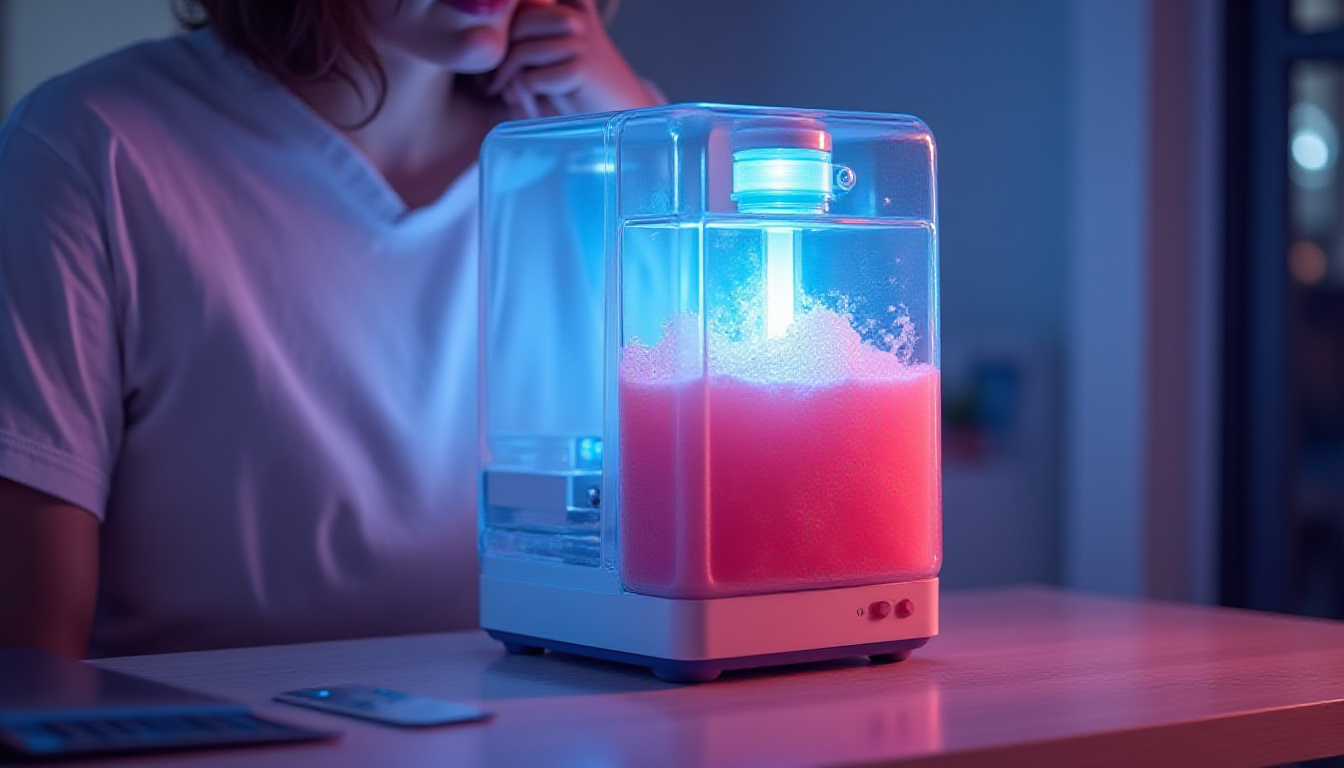
Quick Summary
Can a commercial slushie machine cool a gaming PC? We break down the real costs, risks, cooling performance, and whether this extreme mod is worth attempting.
Slushie Machine PC Cooling
Check current price and availability on Amazon
In This Article
Slushie Machine PC Cooling: Does It Actually Work?
This article may contain affiliate links. We may earn a commission if you purchase through them, at no extra cost to you.
Related Post

What happens when you hook a commercial frozen beverage machine — twin compressors, 14,000 BTU per hour of cooling capacity, four seven-quart freezing cylinders — to a gaming PC's water cooling loop? It sounds like a fever dream cooked up on a Facebook Marketplace scroll session. But as a cooling concept, it actually has more engineering logic behind it than the absurdity suggests. This is a hands-on breakdown of slushie machine PC cooling: what it involves, how it performs, what it costs, what breaks, and whether any serious builder should ever consider it.
Spoiler: the answer is nuanced. And the slushie tastes great.
What Is Slushie Machine PC Cooling and Why Does It Matter?
PC cooling has evolved from stock air coolers to all-in-one liquid coolers to custom hardline loops to phase-change units and even liquid nitrogen for extreme overclocking benchmarks. Slushie machine cooling sits in the same conceptual universe as sub-ambient cooling — using refrigeration systems far more powerful than your CPU and GPU actually require, in order to push component temperatures well below room temperature.
The machine at the centre of this guide is the Taylor 349 Frozen Carbonated Beverage Freezer — a commercial-grade unit designed to run 24/7 in high-traffic food service environments. It is not a domestic appliance. Its twin compressors are rated at a combined 14,000 BTU per hour, which dwarfs the cooling overhead of even a high-end gaming rig. For context, a flagship air cooler like the Noctua NH-D15 is rated to handle around 250W of heat dissipation. A 14,000 BTU per hour system moves roughly 4,100 watts of thermal energy. The mismatch between supply and demand is enormous — and that is precisely what makes this interesting.
The cooling loop works by tapping directly into the freezing cylinders where the slush forms. Fluid from the PC's water block passes into the cylinder, sheds its heat into the sub-zero slush mixture, and returns to the components. In theory, it is elegant. In practice, it requires custom fittings, food-safe tubing, a peristaltic pump (a medical-grade pump that moves fluid by compressing a tube rather than spinning an impeller — critical because it can handle the slush consistency without clogging), and a willingness to spend the better part of a year cleaning out decade-old syrup residue.
The Taylor 349: Hardware Specifications and Real-World Condition
The Taylor 349 is the commercial workhorse behind many frozen carbonated beverage programmes in North America. It is also the same manufacturer that supplies the notorious McDonald's ice cream machines — which means proprietary software locks, password-protected configuration menus, and very limited access to replacement parts if something breaks.
Key specifications:
- Four 7-quart freezing cylinders
- Twin compressors, 14,000 BTU/hr combined
- Microprocessor-controlled temperature management
- CO2-driven syrup dispensing (in Canadian configurations, the beverage is genuinely carbonated)
- Designed for continuous commercial operation
Facebook Marketplace units are frequently sold after long dormancy — often still full of old syrup, with leaks, worn gaskets, and unknown service histories. Cleaning alone took several months in this build. Replacement parts are difficult to source due to Taylor's proprietary ecosystem. If a critical component fails, you may simply be stuck.
Purchasing one of these machines requires patience, mechanical aptitude, and ideally access to someone who has serviced commercial beverage equipment before. Budget for the machine price plus a meaningful contingency for repairs, fittings, and cleaning supplies.
Building the Cooling Loop: Key Engineering Decisions
The build raises several genuinely interesting engineering problems that any serious modder should understand before attempting something similar.
Getting fluid in and out of the cylinder. The freezing cylinders are double-walled, with refrigerant running between the walls. There is no convenient access point. The solution: drill and tap custom ports — what the team calls "speed holes" — using standard G1/4 inch fittings compatible with off-the-shelf PC water cooling components. One port for coolant output, one for return.
Pump selection. A standard PC water cooling pump will not move slush. The viscosity is too high and a centrifugal impeller will simply cavitate. The correct solution here is a peristaltic pump, which works by mechanically squeezing a flexible tube to force fluid through. It is the same mechanism used in medical IV drips and industrial fluid handling. It can move thick, semi-frozen fluid without seizing. This is a non-negotiable component of the build.
Custom water blocks vs. commercial blocks. The original plan was a custom low-restriction copper block, 3D-scanned to fit the GPU die precisely. The reasoning: sub-zero coolant transfers heat so aggressively that a dense fin array is unnecessary — what you want is low flow restriction so slush can actually pass through. As it turned out, with the peristaltic pump generating sufficient pressure, a standard commercial water block with an impingement plate installed worked adequately.
Thermal paste selection. Standard PTM 7950 phase-change thermal interface material is not ideal for sub-ambient applications. At sub-zero temperatures, its phase-change properties are not triggered correctly. A conventional high-quality thermal paste is the appropriate choice here.
Tubing and food safety. Because the same fluid loop is both cooling the PC and dispensing slushie for consumption, food-safe tubing is mandatory. This is not optional if there is any intention of drinking from the system.
Pros and Cons
Pros
- Massive cooling headroom. 14,000 BTU/hr is orders of magnitude more than any gaming PC requires. Component temperatures will be extremely low under any realistic load.
- Sub-ambient performance. Unlike air or standard liquid cooling, this system can take CPU and GPU temperatures below ambient — the same performance tier as phase-change coolers costing thousands of pounds new.
- Commercial reliability. The Taylor 349 is built for continuous 24/7 operation. The compressors are industrial-grade.
- Dual-use functionality. You get PC cooling and a working slushie dispenser. The ergonomics of reaching over your case for a cold drink while gaming are, genuinely, excellent.
- Learning opportunity. The engineering problems this build surfaces — fluid dynamics, thermal interface selection, pump mechanics, refrigeration principles — are legitimately educational.
Cons
- Time investment is extreme. Cleaning, repairs, sourcing parts, and learning the machine took approximately one year in this build. This is not a weekend project.
- Taylor's proprietary ecosystem is a liability. Without configuration passwords, you are locked out of key settings. If a proprietary component fails, you may have no repair path.
- Not designed for constant PC heat loads. Commercial slushie machines are engineered for maintenance cooling — keeping a cold mixture cold — not for absorbing a continuous, variable heat source from a gaming PC. Long-term reliability in this specific use case is unproven and likely poor.
- Condensation risk. Sub-ambient cooling creates condensation on components. The build in this video did not include insulation on the blocks or tubing — a serious oversight that was acknowledged mid-build and would need to be addressed for any safe long-term deployment.
- CO2 handling. The system operates under CO2 pressure. This requires appropriate safety equipment and awareness.
- Cost is unpredictable. Facebook Marketplace pricing varies wildly, and repair costs are difficult to forecast on an aged commercial machine.
Performance Assessment: Does Slushie Machine Cooling Actually Work?
Based on the engineering fundamentals and the documented build, the answer is: yes, it works — with significant caveats.
The cylinder temperatures dropped rapidly once the machine was operational — approximately 20 minutes from start to slush-ready, which represents an impressive pull-down rate given the thermal mass involved. The cooling capacity available to the PC loop is so far in excess of demand that component temperatures should sit comfortably below ambient under any gaming load.
However, "works" and "works reliably" are different statements. The lack of condensation management, the proprietary software limitations, the mismatch between the machine's design intent and a continuous PC heat load, and the mechanical complexity of the whole assembly mean this is firmly a proof-of-concept rather than a recommendable cooling solution.
For comparison, purpose-built sub-ambient PC cooling options — phase-change coolers — are commercially available, designed specifically for this use case, and come with manufacturer support.
Comparison Table: Cooling Method Overview
| Cooling Method | Approx. Cost | Sub-Ambient | Ease of Setup | Reliability | Drink Dispenser |
|---|---|---|---|---|---|
| Air Cooler (e.g. Noctua NH-D15) | £90–£110 | No | Very Easy | Excellent | No |
| 240mm AIO Liquid Cooler | £80–£150 | No | Easy | Good | No |
| Custom Hardline Loop | £300–£800+ | No | Complex | Good | No |
| Phase-Change Cooler | £300–£1,500+ | Yes | Moderate | Good | No |
| Slushie Machine Loop | £200–£800+ variable | Yes | Extremely Complex | Unproven | Yes |
Who Should (and Should Not) Try This
This is for you if:
- You have significant experience with custom PC water cooling loops
- You have access to someone with commercial refrigeration or food equipment knowledge
- You treat this as a long-term project build rather than a functional daily driver
- You want sub-ambient cooling performance and the novelty factor is part of the appeal
- You have budget and time contingency built in for the unexpected
Free Weekly Newsletter
Enjoying this guide?
Get the best articles like this one delivered to your inbox every week. No spam.
This is not for you if:
- You want a reliable, stable daily gaming rig
- You are not comfortable with pressurised CO2 systems, custom drilling, or fluid system repairs
- You expect to source parts easily if something breaks
- You want sub-ambient performance efficiently — buy a phase-change cooler instead
- You are on a tight budget with no room for unexpected repair costs
Overall Verdict
As a piece of engineering creativity, slushie machine PC cooling is a genuine ten out of ten. As a practical cooling solution, it is a four. The Taylor 349 delivers absurd thermal capacity and it does, verifiably, cool a PC via a custom slushie loop. But the proprietary software lock-outs, the year-long build timeline, the condensation management gap, the unproven long-term reliability, and the sheer complexity of the whole assembly make this impossible to recommend as anything other than an advanced passion project.
If your goal is sub-ambient cooling performance, a commercial phase-change cooler is the rational choice. If your goal is to have the most interesting gaming setup at any LAN party in history, and you want a cold cranberry cocktail slushie while you frag — this is unbeatable.
Where to Buy
Commercial slushie machines like the Taylor 349 are typically found through used restaurant equipment dealers and marketplaces. For components used in the cooling loop:
PC Water Cooling Block on Amazon
Food Safe Silicone Tubing on Amazon
G1/4 PC Water Cooling Fittings on Amazon
Frequently Asked Questions
Is slushie machine PC cooling safe for components?
With proper condensation management — insulating the water blocks and tubing to prevent moisture forming on circuit boards — sub-ambient cooling is safe and is used by competitive overclockers regularly. The risk in an uninsulated build is condensation shorting components. This must be addressed before running any sub-ambient system for extended periods.
How much does it cost to build a slushie-cooled PC?
Costs vary significantly. A used commercial slushie machine on Facebook Marketplace or used restaurant equipment sites can range from under £200 to over £600 depending on condition and model. Add peristaltic pump costs (£50–£200+), custom fittings, food-safe tubing, cleaning supplies, and potential repair costs for an aged machine. Budget a minimum of £500–£1,000 total, with meaningful contingency.
What is the alternative if I want sub-ambient PC cooling without the complexity?
A dedicated phase-change PC cooler is the practical alternative. These units function similarly to a refrigerator compressor system but are purpose-built for CPU cooling. Options from brands historically serving the extreme overclocking community exist in the £300–£1,500+ range. They offer sub-ambient temperatures without the build complexity, proprietary machine issues, or food service compliance considerations.
Can I drink from the slushie loop safely after it has been through the PC?
The short answer is no — not from the shared loop fluid. The build documented here uses food-safe tubing and fittings on the machine side, but the fluid passing through PC water blocks is not food-safe by the time it has cycled through metal blocks, pumps, and fittings not rated for consumption. The dispensing and cooling loops would need to be fully separated, with the slushie machine cooling the PC loop indirectly via a heat exchanger, for any realistic food-safe dual-use configuration. Drinking directly from a mixed loop is not recommended.
Slushie Machine PC Cooling
Considering it? See where the price stands today
Free Investing Tools
Frequently Asked Questions
What Is Slushie Machine PC Cooling and Why Does It Matter?
PC cooling has evolved from stock air coolers to all-in-one liquid coolers to custom hardline loops to phase-change units and even liquid nitrogen for extreme overclocking benchmarks. Slushie machine cooling sits in the same conceptual universe as sub-ambient cooling — using refrigeration systems far more powerful than your CPU and GPU actually require, in order to push component temperatures well below room temperature.
The machine at the centre of this guide is the Taylor 349 Frozen Carbonated Beverage Freezer — a commercial-grade unit designed to run 24/7 in high-traffic food service environments. It is not a domestic appliance. Its twin compressors are rated at a combined 14,000 BTU per hour, which dwarfs the cooling overhead of even a high-end gaming rig. For context, a flagship air cooler like the Noctua NH-D15 is rated to handle around 250W of heat dissipation. A 14,000 BTU per hour system moves roughly 4,100 watts of thermal energy. The mismatch between supply and demand is enormous — and that is precisely what makes this interesting.
The cooling loop works by tapping directly into the freezing cylinders where the slush forms. Fluid from the PC's water block passes into the cylinder, sheds its heat into the sub-zero slush mixture, and returns to the components. In theory, it is elegant. In practice, it requires custom fittings, food-safe tubing, a peristaltic pump (a medical-grade pump that moves fluid by compressing a tube rather than spinning an impeller — critical because it can handle the slush consistency without clogging), and a willingness to spend the better part of a year cleaning out decade-old syrup residue.
The Taylor 349: Hardware Specifications and Real-World Condition
The Taylor 349 is the commercial workhorse behind many frozen carbonated beverage programmes in North America. It is also the same manufacturer that supplies the notorious McDonald's ice cream machines — which means proprietary software locks, password-protected configuration menus, and very limited access to replacement parts if something breaks.
Key specifications:
- Four 7-quart freezing cylinders
- Twin compressors, 14,000 BTU/hr combined
- Microprocessor-controlled temperature management
- CO2-driven syrup dispensing (in Canadian configurations, the beverage is genuinely carbonated)
- Designed for continuous commercial operation
Facebook Marketplace units are frequently sold after long dormancy — often still full of old syrup, with leaks, worn gaskets, and unknown service histories. Cleaning alone took several months in this build. Replacement parts are difficult to source due to Taylor's proprietary ecosystem. If a critical component fails, you may simply be stuck.
Purchasing one of these machines requires patience, mechanical aptitude, and ideally access to someone who has serviced commercial beverage equipment before. Budget for the machine price plus a meaningful contingency for repairs, fittings, and cleaning supplies.
Building the Cooling Loop: Key Engineering Decisions
The build raises several genuinely interesting engineering problems that any serious modder should understand before attempting something similar.
Getting fluid in and out of the cylinder. The freezing cylinders are double-walled, with refrigerant running between the walls. There is no convenient access point. The solution: drill and tap custom ports — what the team calls "speed holes" — using standard G1/4 inch fittings compatible with off-the-shelf PC water cooling components. One port for coolant output, one for return.
Pump selection. A standard PC water cooling pump will not move slush. The viscosity is too high and a centrifugal impeller will simply cavitate. The correct solution here is a peristaltic pump, which works by mechanically squeezing a flexible tube to force fluid through. It is the same mechanism used in medical IV drips and industrial fluid handling. It can move thick, semi-frozen fluid without seizing. This is a non-negotiable component of the build.
Custom water blocks vs. commercial blocks. The original plan was a custom low-restriction copper block, 3D-scanned to fit the GPU die precisely. The reasoning: sub-zero coolant transfers heat so aggressively that a dense fin array is unnecessary — what you want is low flow restriction so slush can actually pass through. As it turned out, with the peristaltic pump generating sufficient pressure, a standard commercial water block with an impingement plate installed worked adequately.
Thermal paste selection. Standard PTM 7950 phase-change thermal interface material is not ideal for sub-ambient applications. At sub-zero temperatures, its phase-change properties are not triggered correctly. A conventional high-quality thermal paste is the appropriate choice here.
Tubing and food safety. Because the same fluid loop is both cooling the PC and dispensing slushie for consumption, food-safe tubing is mandatory. This is not optional if there is any intention of drinking from the system.
Pros and Cons
Pros
- Massive cooling headroom. 14,000 BTU/hr is orders of magnitude more than any gaming PC requires. Component temperatures will be extremely low under any realistic load.
- Sub-ambient performance. Unlike air or standard liquid cooling, this system can take CPU and GPU temperatures below ambient — the same performance tier as phase-change coolers costing thousands of pounds new.
- Commercial reliability. The Taylor 349 is built for continuous 24/7 operation. The compressors are industrial-grade.
- Dual-use functionality. You get PC cooling and a working slushie dispenser. The ergonomics of reaching over your case for a cold drink while gaming are, genuinely, excellent.
- Learning opportunity. The engineering problems this build surfaces — fluid dynamics, thermal interface selection, pump mechanics, refrigeration principles — are legitimately educational.
Cons
- Time investment is extreme. Cleaning, repairs, sourcing parts, and learning the machine took approximately one year in this build. This is not a weekend project.
- Taylor's proprietary ecosystem is a liability. Without configuration passwords, you are locked out of key settings. If a proprietary component fails, you may have no repair path.
- Not designed for constant PC heat loads. Commercial slushie machines are engineered for maintenance cooling — keeping a cold mixture cold — not for absorbing a continuous, variable heat source from a gaming PC. Long-term reliability in this specific use case is unproven and likely poor.
- Condensation risk. Sub-ambient cooling creates condensation on components. The build in this video did not include insulation on the blocks or tubing — a serious oversight that was acknowledged mid-build and would need to be addressed for any safe long-term deployment.
- CO2 handling. The system operates under CO2 pressure. This requires appropriate safety equipment and awareness.
- Cost is unpredictable. Facebook Marketplace pricing varies wildly, and repair costs are difficult to forecast on an aged commercial machine.
Performance Assessment: Does Slushie Machine Cooling Actually Work?
Based on the engineering fundamentals and the documented build, the answer is: yes, it works — with significant caveats.
The cylinder temperatures dropped rapidly once the machine was operational — approximately 20 minutes from start to slush-ready, which represents an impressive pull-down rate given the thermal mass involved. The cooling capacity available to the PC loop is so far in excess of demand that component temperatures should sit comfortably below ambient under any gaming load.
However, "works" and "works reliably" are different statements. The lack of condensation management, the proprietary software limitations, the mismatch between the machine's design intent and a continuous PC heat load, and the mechanical complexity of the whole assembly mean this is firmly a proof-of-concept rather than a recommendable cooling solution.
For comparison, purpose-built sub-ambient PC cooling options — phase-change coolers — are commercially available, designed specifically for this use case, and come with manufacturer support.
Comparison Table: Cooling Method Overview
| Cooling Method | Approx. Cost | Sub-Ambient | Ease of Setup | Reliability | Drink Dispenser |
|---|---|---|---|---|---|
| Air Cooler (e.g. Noctua NH-D15) | £90–£110 | No | Very Easy | Excellent | No |
| 240mm AIO Liquid Cooler | £80–£150 | No | Easy | Good | No |
| Custom Hardline Loop | £300–£800+ | No | Complex | Good | No |
| Phase-Change Cooler | £300–£1,500+ | Yes | Moderate | Good | No |
| Slushie Machine Loop | £200–£800+ variable | Yes | Extremely Complex | Unproven | Yes |
Who Should (and Should Not) Try This
This is for you if:
- You have significant experience with custom PC water cooling loops
- You have access to someone with commercial refrigeration or food equipment knowledge
- You treat this as a long-term project build rather than a functional daily driver
- You want sub-ambient cooling performance and the novelty factor is part of the appeal
- You have budget and time contingency built in for the unexpected
This is not for you if:
- You want a reliable, stable daily gaming rig
- You are not comfortable with pressurised CO2 systems, custom drilling, or fluid system repairs
- You expect to source parts easily if something breaks
- You want sub-ambient performance efficiently — buy a phase-change cooler instead
- You are on a tight budget with no room for unexpected repair costs
Overall Verdict
As a piece of engineering creativity, slushie machine PC cooling is a genuine ten out of ten. As a practical cooling solution, it is a four. The Taylor 349 delivers absurd thermal capacity and it does, verifiably, cool a PC via a custom slushie loop. But the proprietary software lock-outs, the year-long build timeline, the condensation management gap, the unproven long-term reliability, and the sheer complexity of the whole assembly make this impossible to recommend as anything other than an advanced passion project.
If your goal is sub-ambient cooling performance, a commercial phase-change cooler is the rational choice. If your goal is to have the most interesting gaming setup at any LAN party in history, and you want a cold cranberry cocktail slushie while you frag — this is unbeatable.
Where to Buy
Commercial slushie machines like the Taylor 349 are typically found through used restaurant equipment dealers and marketplaces. For components used in the cooling loop:
PC Water Cooling Block on Amazon
Food Safe Silicone Tubing on Amazon
G1/4 PC Water Cooling Fittings on Amazon
Frequently Asked Questions
Is slushie machine PC cooling safe for components?
With proper condensation management — insulating the water blocks and tubing to prevent moisture forming on circuit boards — sub-ambient cooling is safe and is used by competitive overclockers regularly. The risk in an uninsulated build is condensation shorting components. This must be addressed before running any sub-ambient system for extended periods.
How much does it cost to build a slushie-cooled PC?
Costs vary significantly. A used commercial slushie machine on Facebook Marketplace or used restaurant equipment sites can range from under £200 to over £600 depending on condition and model. Add peristaltic pump costs (£50–£200+), custom fittings, food-safe tubing, cleaning supplies, and potential repair costs for an aged machine. Budget a minimum of £500–£1,000 total, with meaningful contingency.
What is the alternative if I want sub-ambient PC cooling without the complexity?
A dedicated phase-change PC cooler is the practical alternative. These units function similarly to a refrigerator compressor system but are purpose-built for CPU cooling. Options from brands historically serving the extreme overclocking community exist in the £300–£1,500+ range. They offer sub-ambient temperatures without the build complexity, proprietary machine issues, or food service compliance considerations.
Can I drink from the slushie loop safely after it has been through the PC?
The short answer is no — not from the shared loop fluid. The build documented here uses food-safe tubing and fittings on the machine side, but the fluid passing through PC water blocks is not food-safe by the time it has cycled through metal blocks, pumps, and fittings not rated for consumption. The dispensing and cooling loops would need to be fully separated, with the slushie machine cooling the PC loop indirectly via a heat exchanger, for any realistic food-safe dual-use configuration. Drinking directly from a mixed loop is not recommended.
Slushie Machine PC Cooling
Ready to decide? Compare the current price before you buy
About Zeebrain Editorial
Zeebrain publishes independent analysis of markets, investing, personal finance, and business. We disclose affiliate relationships, never accept payment for coverage, and fact-check all claims against primary sources. Read our editorial policy →
How this article was produced: Zeebrain articles are created with AI assistance from primary sources (including cited videos and market data) and reviewed under our editorial standards before publication. Spot an error? Tell us and we will correct it.
Disclaimer: Content on Zeebrain is for informational and educational purposes only and does not constitute financial advice or a recommendation to buy or sell any security. Always conduct your own research and consult a qualified financial adviser before making investment decisions. Past performance is not indicative of future results.
More from Reviews




Related Guides
Keep exploring this topic
Explore More on Zeebrain
Keep browsing by topic, or put the numbers to work with our free tools.