MSI Prestige 16 AI Plus: Business Laptop, Gaming Soul
Quick Summary
MSI Prestige 16 AI Plus: OLED display, 11.5hr battery, Intel Arc B390 GPU. Is this thin business laptop worth $1,400–$1,800? Full verdict inside.
MSI Prestige 16 AI Plus
Check current price and availability on Amazon
In This Article
MSI Prestige 16 AI Plus: Business Laptop, Gaming Soul
This article may contain affiliate links. We may earn a commission if you purchase through them, at no extra cost to you.
Related Post
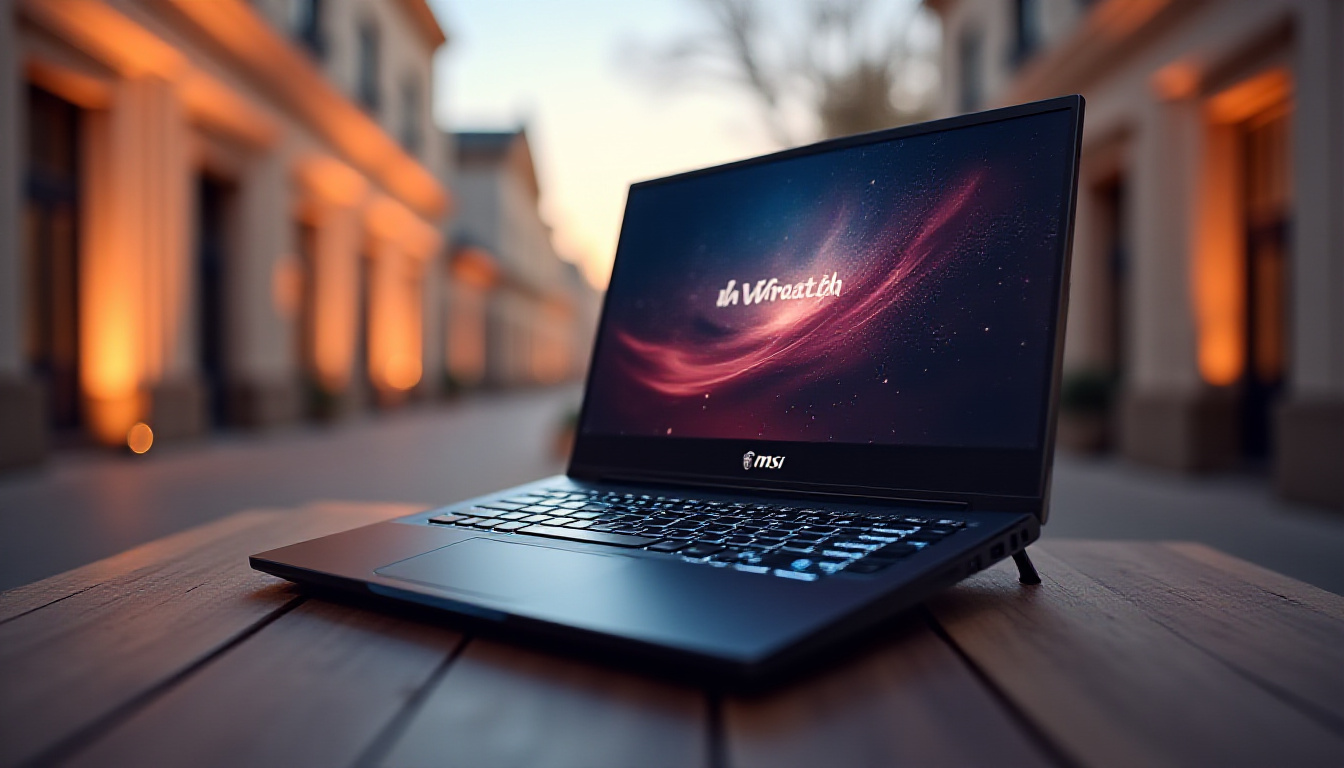
The idea of a single laptop that handles spreadsheets at 9am and Cyberpunk at 9pm used to be a fantasy. You either bought a slim, elegant machine that choked on anything GPU-intensive, or you lugged around a thick gaming slab that embarrassed you in every client meeting. The MSI Prestige 16 AI Plus is a direct challenge to that compromise — a genuinely thin, professional-looking laptop built around Intel's latest Panther Lake architecture, with enough GPU muscle to run modern games at playable frame rates.
At a price point of around $1,400 on sale (rising to approximately $1,800 at full retail), this machine is pitching itself at a very specific buyer: the professional who refuses to carry two devices. Let's cut through the marketing and find out whether it actually delivers.
Design and Build: Does It Pass the Boardroom Test?
The MSI Prestige 16 AI Plus earns its "Prestige" branding on looks alone. At 11.9mm at its thinnest point, this is a genuinely slim machine — thinner than most ultrabooks you'll find at this price, and noticeably more refined than typical gaming-oriented laptops. There's no aggressive angular design language here, no RGB blasting from every surface (though the keyboard is backlit). The deck is clean, professional, and wouldn't look out of place in a law firm or a startup pitch.
The 180-degree hinge is a practical bonus that most buyers will overlook until they actually need it — laying the screen flat for collaborative viewing or presentations is genuinely useful. The trackpad is enormous, roughly the size of a large hand, and while the palm rejection performs admirably for such a large surface, the click action itself feels a little squishy. Heavy trackpad users may find this mildly irritating over long sessions.
Keyboard flex is present under hard typing pressure, which is a common trade-off at this thickness. The individual key feel is good — responsive, well-spaced — but if you're a heavy-handed typist, you'll notice the chassis give slightly. The fingerprint sensor integrated into the power button is a clean solution for Windows Hello that keeps the design uncluttered.
One genuinely appreciated detail: the physical webcam kill switch. In an era where remote work is standard and privacy concerns are legitimate, having a hardware-level camera shutter — not just a software toggle — is a meaningful feature for business users.
Display and Audio: Where This Laptop Genuinely Shines
If there's one area where the MSI Prestige 16 AI Plus justifies its price tag without argument, it's the display. A 2880x1800 OLED panel running at up to 120Hz with touchscreen support is, frankly, exceptional hardware for a laptop in this category. OLED means true blacks, vivid colour reproduction, and HDR content that actually looks like HDR — not the washed-out approximation you get on most IPS panels.
For context: many dedicated gaming monitors at this price point still use IPS or VA technology without touch capability. Getting all of this in a portable form factor, with HDR brightness best experienced at maximum settings, is a genuine differentiator. Content creation, video editing, and media consumption all benefit enormously.
The audio system is more capable than the chassis size suggests. Four speakers — two 2-watt tweeters and two 2-watt woofers — produce a notably bass-heavy sound profile that holds up at full volume without distorting. At 50% volume, the balance is more natural and appropriate for extended listening. Downward-firing speakers on a hard surface perform better than on soft materials like a bed or lap, which is worth keeping in mind.
The 1080p 30fps webcam and three built-in microphones are adequate for video calls — clear enough for Teams or Zoom meetings, not suitable for content creation. That's exactly what you'd expect at this tier, and MSI isn't pretending otherwise.
Performance: Intel's Panther Lake Does the Heavy Lifting
The MSI Prestige 16 AI Plus runs on the Intel Core Ultra X7 358HH, a 16-core Panther Lake processor paired with 32GB of LPDDR5X memory running at 8,533 MT/s. The memory is soldered — you cannot upgrade it post-purchase — but that soldering is precisely what allows those high transfer speeds. With 32GB as the baseline, most users won't feel constrained, but if your workflow demands 64GB, this machine isn't for you.
The GPU is the Intel Arc B390, Intel's integrated discrete-class graphics solution. This is not a dedicated gaming GPU in the traditional sense, but in practice it handles lighter gaming workloads with reasonable competence:
- Cyberpunk 2077 at 1200p, medium-to-high settings, no ray tracing: approximately 43–45 FPS average
- F1 24 at 1200p: 68 FPS average, ~60 FPS at 1% lows — genuinely playable
- Total War: Warhammer III at 1080p: just under 60 FPS average, ~45 FPS lows
These numbers confirm what the hardware implies: this is a laptop for casual-to-moderate gaming, not a 4K ultra settings monster. Drop to 1080p, choose less demanding titles — Baldur's Gate 3, Terraria, Minecraft, lighter esports titles — and you'll have a smooth experience. Push it with ray tracing or ultra settings in AAA games and you'll be disappointed.
Thermal performance is a mixed story. Under sustained load, the CPU peaked at 100°C in Cinebench testing. Enabling Performance Boost mode (which ramps fan speed) brought this down to just under 100°C. Real-world gaming temperatures hovered around 90°C maximum, which is within acceptable limits but worth noting for long sessions. Impressively, the fans remained relatively quiet during gaming — a genuine achievement for fans this small inside a chassis this thin.
Storage is a single 1TB M.2 2280 SSD — no secondary slot is available, which is a frustrating limitation given the visible empty space inside the chassis when opened.
Battery Life: The Honest Numbers
MSI claims 24 hours of battery life. Real-world lab testing returned approximately 11.5 hours. That gap is large, but it tells you more about manufacturer testing methodology than it does about whether the battery is good.
Here's the honest framing: 11.5 hours of real-world use is a genuinely strong result for a laptop with this level of display and processing capability. Most productivity-focused users working a full day — email, documents, video calls, light browser use — will comfortably get through a workday without plugging in. Add gaming sessions and that number drops, but that's expected.
The included 65W USB-C charger brings the 81Wh battery from 0 to 100% in approximately two hours. The laptop supports up to 100W USB-C charging, so a faster third-party charger could theoretically reduce that time. Critically: no proprietary charging cable. Standard USB-C power delivery means you can top up from any compatible power bank or dock.
Connectivity: Solid IO for a Slim Machine
For a laptop this thin, the port selection is respectable:
- 2x Thunderbolt 4 (left side)
- 1x HDMI 2.1 FRL (true HDMI 2.1 — not a rebranded older standard)
- 2x USB-A 5Gbps (right side)
- 1x 3.5mm audio combo jack
- Wi-Fi 7
- Bluetooth 6.0
Having full HDMI 2.1 on a laptop this slim is not a given — some manufacturers quietly drop to HDMI 2.0 to save space. The presence of Thunderbolt 4 means you can connect high-bandwidth docks, external GPUs, or multiple 4K displays if your workflow demands it. Wi-Fi 7 and Bluetooth 6.0 ensure this machine won't feel outdated on wireless connectivity for years.
Pros and Cons
Pros:
- Exceptional 2.8K OLED 120Hz touchscreen — genuinely best-in-class for a business laptop
- Impressively thin at 11.9mm without sacrificing meaningful IO
- Real-world battery life of ~11.5 hours covers a full workday
- USB-C charging with no proprietary cable required
- Surprisingly quiet fans during gaming loads
- Full HDMI 2.1, Thunderbolt 4, Wi-Fi 7, and Bluetooth 6.0
- Physical webcam kill switch
- 180-degree hinge
Cons:
- RAM is soldered — no upgrade path
- Only one SSD slot; chassis has room for more storage options
- CPU temperatures peak at 100°C under sustained benchmark loads
- Trackpad click feel is squishy — not premium
- Keyboard has noticeable flex under heavy typing pressure
- Real battery life is less than half of MSI's claimed 24 hours
- Intel Arc B390 won't satisfy serious PC gamers
- Full retail price of ~$1,800 is a harder sell
Competitor Comparison
Free Weekly Newsletter
Enjoying this guide?
Get the best articles like this one delivered to your inbox every week. No spam.
| Laptop | Price (approx.) | GPU | Display | Battery (real) | Weight |
|---|---|---|---|---|---|
| MSI Prestige 16 AI Plus | $1,400–$1,800 | Intel Arc B390 | 2.8K OLED 120Hz Touch | ~11.5hr | ~1.5kg |
| Dell XPS 16 (base) | $1,599+ | Intel Arc / Nvidia RTX | 3.2K OLED | ~8–10hr | ~1.86kg |
| LG Gram 16 | $1,299+ | Intel Iris Xe | 2560x1600 IPS | ~14hr | 1.19kg |
| Lenovo ThinkPad X1 Carbon | $1,500+ | Intel Iris Xe | FHD/2.8K IPS | ~12hr | ~1.12kg |
| ASUS Zenbook 16 OLED | $1,299+ | AMD Radeon 890M | 3.2K OLED 120Hz | ~10hr | ~1.75kg |
The MSI Prestige 16 AI Plus sits in a genuinely competitive space. The LG Gram 16 beats it on battery and weight but loses badly on GPU. The Dell XPS 16 offers a more premium build but at higher cost and heavier weight. The ASUS Zenbook 16 OLED is arguably the closest competitor — strong display, AMD integrated graphics, similar price — and worth cross-shopping seriously.
Verdict: Who Should Buy the MSI Prestige 16 AI Plus?
The MSI Prestige 16 AI Plus is a well-executed machine for a specific type of buyer. If you're a professional who wants a genuinely excellent display, respectable all-day battery life, and the ability to unwind with casual-to-moderate gaming without carrying a second device, this laptop makes a compelling case — especially at the $1,400 sale price.
At $1,800 full retail, the value equation tightens considerably. At that price, the competition from dedicated business ultrabooks and gaming-focused thin-and-lights becomes harder to ignore. The soldered RAM, single SSD slot, and thermal ceiling under maximum load are all limitations that more specialised machines handle better.
Buy it if: You commute, you attend meetings, and you want one bag. You'll mostly play less demanding games or don't mind dropping settings. You want the best possible display in a slim chassis.
Skip it if: You're a serious PC gamer who won't compromise on frame rates. You need upgradeable RAM. You run sustained workloads that push CPU temperatures hard. You're comparing at $1,800 and haven't checked the ASUS Zenbook 16 OLED.
The mullet laptop concept — business in the front, gaming in the back — works here. Just know the gaming half has its limits.
Where to Buy
MSI Prestige 16 AI Plus on Amazon
Frequently Asked Questions
Can I upgrade the RAM in the MSI Prestige 16 AI Plus? No. The 32GB of LPDDR5X memory is soldered directly to the motherboard and cannot be upgraded after purchase. This is a deliberate design choice that enables the high 8,533 MT/s memory speeds — upgradeable SO-DIMM modules cannot currently match those transfer rates. If 32GB is not enough for your workflow, this laptop is not the right choice.
Is the MSI Prestige 16 AI Plus good for gaming? It depends on your expectations. With the Intel Arc B390 GPU, the laptop handles casual and mid-tier games comfortably — titles like F1 24, lighter RPGs, and esports games run well at 1080p to 1200p. Demanding AAA games like Cyberpunk 2077 run at around 40–45 FPS at medium-high settings. This is not a machine for ultra-settings 4K gaming, and serious PC gamers should look at dedicated gaming laptops instead.
How does the real battery life compare to MSI's 24-hour claim? Independent testing produced approximately 11.5 hours of real-world battery life — less than half of MSI's claimed figure. The 24-hour claim reflects manufacturer testing under ideal, minimal-load conditions that don't reflect typical use. That said, 11.5 hours is a genuinely strong result for a laptop with this display and processing spec, and is sufficient to cover a full working day for most users.
Is $1,800 too expensive for the MSI Prestige 16 AI Plus? At $1,800 full retail, the value proposition becomes more difficult to justify when direct competitors like the ASUS Zenbook 16 OLED offer similar displays and integrated gaming capability at lower price points. However, at the sale price of $1,400, the machine becomes significantly more competitive. If you can access the discounted price, it represents reasonable value for the display quality and overall capability on offer. At full retail, comparison shopping is strongly recommended before committing.
MSI Prestige 16 AI Plus
Considering it? See where the price stands today
Frequently Asked Questions
Design and Build: Does It Pass the Boardroom Test?
The MSI Prestige 16 AI Plus earns its "Prestige" branding on looks alone. At 11.9mm at its thinnest point, this is a genuinely slim machine — thinner than most ultrabooks you'll find at this price, and noticeably more refined than typical gaming-oriented laptops. There's no aggressive angular design language here, no RGB blasting from every surface (though the keyboard is backlit). The deck is clean, professional, and wouldn't look out of place in a law firm or a startup pitch.
The 180-degree hinge is a practical bonus that most buyers will overlook until they actually need it — laying the screen flat for collaborative viewing or presentations is genuinely useful. The trackpad is enormous, roughly the size of a large hand, and while the palm rejection performs admirably for such a large surface, the click action itself feels a little squishy. Heavy trackpad users may find this mildly irritating over long sessions.
Keyboard flex is present under hard typing pressure, which is a common trade-off at this thickness. The individual key feel is good — responsive, well-spaced — but if you're a heavy-handed typist, you'll notice the chassis give slightly. The fingerprint sensor integrated into the power button is a clean solution for Windows Hello that keeps the design uncluttered.
One genuinely appreciated detail: the physical webcam kill switch. In an era where remote work is standard and privacy concerns are legitimate, having a hardware-level camera shutter — not just a software toggle — is a meaningful feature for business users.
Display and Audio: Where This Laptop Genuinely Shines
If there's one area where the MSI Prestige 16 AI Plus justifies its price tag without argument, it's the display. A 2880x1800 OLED panel running at up to 120Hz with touchscreen support is, frankly, exceptional hardware for a laptop in this category. OLED means true blacks, vivid colour reproduction, and HDR content that actually looks like HDR — not the washed-out approximation you get on most IPS panels.
For context: many dedicated gaming monitors at this price point still use IPS or VA technology without touch capability. Getting all of this in a portable form factor, with HDR brightness best experienced at maximum settings, is a genuine differentiator. Content creation, video editing, and media consumption all benefit enormously.
The audio system is more capable than the chassis size suggests. Four speakers — two 2-watt tweeters and two 2-watt woofers — produce a notably bass-heavy sound profile that holds up at full volume without distorting. At 50% volume, the balance is more natural and appropriate for extended listening. Downward-firing speakers on a hard surface perform better than on soft materials like a bed or lap, which is worth keeping in mind.
The 1080p 30fps webcam and three built-in microphones are adequate for video calls — clear enough for Teams or Zoom meetings, not suitable for content creation. That's exactly what you'd expect at this tier, and MSI isn't pretending otherwise.
Performance: Intel's Panther Lake Does the Heavy Lifting
The MSI Prestige 16 AI Plus runs on the Intel Core Ultra X7 358HH, a 16-core Panther Lake processor paired with 32GB of LPDDR5X memory running at 8,533 MT/s. The memory is soldered — you cannot upgrade it post-purchase — but that soldering is precisely what allows those high transfer speeds. With 32GB as the baseline, most users won't feel constrained, but if your workflow demands 64GB, this machine isn't for you.
The GPU is the Intel Arc B390, Intel's integrated discrete-class graphics solution. This is not a dedicated gaming GPU in the traditional sense, but in practice it handles lighter gaming workloads with reasonable competence:
- Cyberpunk 2077 at 1200p, medium-to-high settings, no ray tracing: approximately 43–45 FPS average
- F1 24 at 1200p: 68 FPS average, ~60 FPS at 1% lows — genuinely playable
- Total War: Warhammer III at 1080p: just under 60 FPS average, ~45 FPS lows
These numbers confirm what the hardware implies: this is a laptop for casual-to-moderate gaming, not a 4K ultra settings monster. Drop to 1080p, choose less demanding titles — Baldur's Gate 3, Terraria, Minecraft, lighter esports titles — and you'll have a smooth experience. Push it with ray tracing or ultra settings in AAA games and you'll be disappointed.
Thermal performance is a mixed story. Under sustained load, the CPU peaked at 100°C in Cinebench testing. Enabling Performance Boost mode (which ramps fan speed) brought this down to just under 100°C. Real-world gaming temperatures hovered around 90°C maximum, which is within acceptable limits but worth noting for long sessions. Impressively, the fans remained relatively quiet during gaming — a genuine achievement for fans this small inside a chassis this thin.
Storage is a single 1TB M.2 2280 SSD — no secondary slot is available, which is a frustrating limitation given the visible empty space inside the chassis when opened.
Battery Life: The Honest Numbers
MSI claims 24 hours of battery life. Real-world lab testing returned approximately 11.5 hours. That gap is large, but it tells you more about manufacturer testing methodology than it does about whether the battery is good.
Here's the honest framing: 11.5 hours of real-world use is a genuinely strong result for a laptop with this level of display and processing capability. Most productivity-focused users working a full day — email, documents, video calls, light browser use — will comfortably get through a workday without plugging in. Add gaming sessions and that number drops, but that's expected.
The included 65W USB-C charger brings the 81Wh battery from 0 to 100% in approximately two hours. The laptop supports up to 100W USB-C charging, so a faster third-party charger could theoretically reduce that time. Critically: no proprietary charging cable. Standard USB-C power delivery means you can top up from any compatible power bank or dock.
Connectivity: Solid IO for a Slim Machine
For a laptop this thin, the port selection is respectable:
- 2x Thunderbolt 4 (left side)
- 1x HDMI 2.1 FRL (true HDMI 2.1 — not a rebranded older standard)
- 2x USB-A 5Gbps (right side)
- 1x 3.5mm audio combo jack
- Wi-Fi 7
- Bluetooth 6.0
Having full HDMI 2.1 on a laptop this slim is not a given — some manufacturers quietly drop to HDMI 2.0 to save space. The presence of Thunderbolt 4 means you can connect high-bandwidth docks, external GPUs, or multiple 4K displays if your workflow demands it. Wi-Fi 7 and Bluetooth 6.0 ensure this machine won't feel outdated on wireless connectivity for years.
Pros and Cons
Pros:
- Exceptional 2.8K OLED 120Hz touchscreen — genuinely best-in-class for a business laptop
- Impressively thin at 11.9mm without sacrificing meaningful IO
- Real-world battery life of ~11.5 hours covers a full workday
- USB-C charging with no proprietary cable required
- Surprisingly quiet fans during gaming loads
- Full HDMI 2.1, Thunderbolt 4, Wi-Fi 7, and Bluetooth 6.0
- Physical webcam kill switch
- 180-degree hinge
Cons:
- RAM is soldered — no upgrade path
- Only one SSD slot; chassis has room for more storage options
- CPU temperatures peak at 100°C under sustained benchmark loads
- Trackpad click feel is squishy — not premium
- Keyboard has noticeable flex under heavy typing pressure
- Real battery life is less than half of MSI's claimed 24 hours
- Intel Arc B390 won't satisfy serious PC gamers
- Full retail price of ~$1,800 is a harder sell
Competitor Comparison
| Laptop | Price (approx.) | GPU | Display | Battery (real) | Weight |
|---|---|---|---|---|---|
| MSI Prestige 16 AI Plus | $1,400–$1,800 | Intel Arc B390 | 2.8K OLED 120Hz Touch | ~11.5hr | ~1.5kg |
| Dell XPS 16 (base) | $1,599+ | Intel Arc / Nvidia RTX | 3.2K OLED | ~8–10hr | ~1.86kg |
| LG Gram 16 | $1,299+ | Intel Iris Xe | 2560x1600 IPS | ~14hr | 1.19kg |
| Lenovo ThinkPad X1 Carbon | $1,500+ | Intel Iris Xe | FHD/2.8K IPS | ~12hr | ~1.12kg |
| ASUS Zenbook 16 OLED | $1,299+ | AMD Radeon 890M | 3.2K OLED 120Hz | ~10hr | ~1.75kg |
The MSI Prestige 16 AI Plus sits in a genuinely competitive space. The LG Gram 16 beats it on battery and weight but loses badly on GPU. The Dell XPS 16 offers a more premium build but at higher cost and heavier weight. The ASUS Zenbook 16 OLED is arguably the closest competitor — strong display, AMD integrated graphics, similar price — and worth cross-shopping seriously.
Verdict: Who Should Buy the MSI Prestige 16 AI Plus?
The MSI Prestige 16 AI Plus is a well-executed machine for a specific type of buyer. If you're a professional who wants a genuinely excellent display, respectable all-day battery life, and the ability to unwind with casual-to-moderate gaming without carrying a second device, this laptop makes a compelling case — especially at the $1,400 sale price.
At $1,800 full retail, the value equation tightens considerably. At that price, the competition from dedicated business ultrabooks and gaming-focused thin-and-lights becomes harder to ignore. The soldered RAM, single SSD slot, and thermal ceiling under maximum load are all limitations that more specialised machines handle better.
Buy it if: You commute, you attend meetings, and you want one bag. You'll mostly play less demanding games or don't mind dropping settings. You want the best possible display in a slim chassis.
Skip it if: You're a serious PC gamer who won't compromise on frame rates. You need upgradeable RAM. You run sustained workloads that push CPU temperatures hard. You're comparing at $1,800 and haven't checked the ASUS Zenbook 16 OLED.
The mullet laptop concept — business in the front, gaming in the back — works here. Just know the gaming half has its limits.
Where to Buy
Frequently Asked Questions
Can I upgrade the RAM in the MSI Prestige 16 AI Plus? No. The 32GB of LPDDR5X memory is soldered directly to the motherboard and cannot be upgraded after purchase. This is a deliberate design choice that enables the high 8,533 MT/s memory speeds — upgradeable SO-DIMM modules cannot currently match those transfer rates. If 32GB is not enough for your workflow, this laptop is not the right choice.
Is the MSI Prestige 16 AI Plus good for gaming? It depends on your expectations. With the Intel Arc B390 GPU, the laptop handles casual and mid-tier games comfortably — titles like F1 24, lighter RPGs, and esports games run well at 1080p to 1200p. Demanding AAA games like Cyberpunk 2077 run at around 40–45 FPS at medium-high settings. This is not a machine for ultra-settings 4K gaming, and serious PC gamers should look at dedicated gaming laptops instead.
How does the real battery life compare to MSI's 24-hour claim? Independent testing produced approximately 11.5 hours of real-world battery life — less than half of MSI's claimed figure. The 24-hour claim reflects manufacturer testing under ideal, minimal-load conditions that don't reflect typical use. That said, 11.5 hours is a genuinely strong result for a laptop with this display and processing spec, and is sufficient to cover a full working day for most users.
Is $1,800 too expensive for the MSI Prestige 16 AI Plus? At $1,800 full retail, the value proposition becomes more difficult to justify when direct competitors like the ASUS Zenbook 16 OLED offer similar displays and integrated gaming capability at lower price points. However, at the sale price of $1,400, the machine becomes significantly more competitive. If you can access the discounted price, it represents reasonable value for the display quality and overall capability on offer. At full retail, comparison shopping is strongly recommended before committing.
MSI Prestige 16 AI Plus
Ready to decide? Compare the current price before you buy
About Zeebrain Editorial
Zeebrain publishes independent analysis of markets, investing, personal finance, and business. We disclose affiliate relationships, never accept payment for coverage, and fact-check all claims against primary sources. Read our editorial policy →
How this article was produced: Zeebrain articles are created with AI assistance from primary sources (including cited videos and market data) and reviewed under our editorial standards before publication. Spot an error? Tell us and we will correct it.
Disclaimer: Content on Zeebrain is for informational and educational purposes only and does not constitute financial advice or a recommendation to buy or sell any security. Always conduct your own research and consult a qualified financial adviser before making investment decisions. Past performance is not indicative of future results.
More from Reviews




Related Guides
Keep exploring this topic
Explore More on Zeebrain
Keep browsing by topic, or put the numbers to work with our free tools.