Best Student Laptops: How to Choose the Right One
Quick Summary
Buying a student laptop? Here's a no-nonsense guide to specs, budget, and the best models worth your money — with real comparisons and a clear verdict.
Best Student Laptops
Check current price and availability on Amazon
In This Article
Best Student Laptops: How to Choose the Right One
This article may contain affiliate links. We may earn a commission if you purchase through them, at no extra cost to you.
Related Post
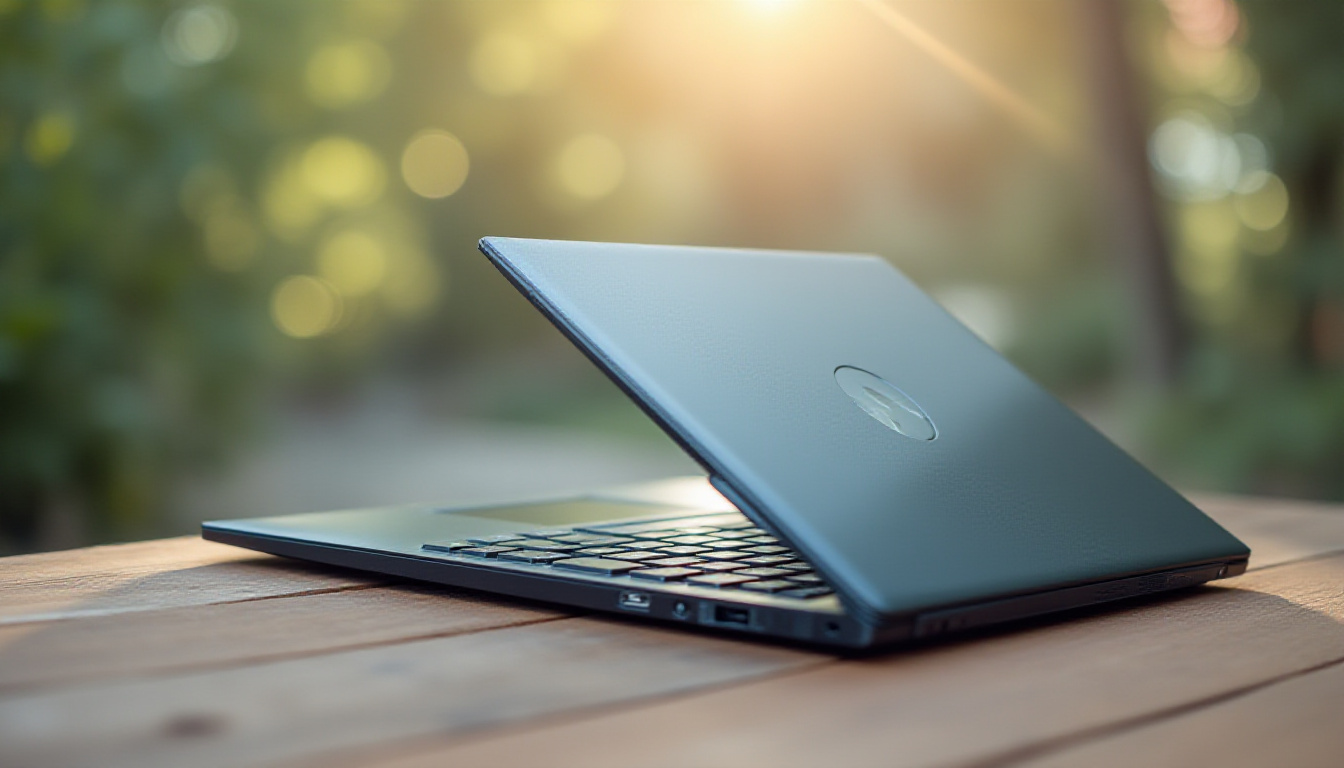
Buying a student laptop should be straightforward. It rarely is. Walk into any electronics store and you'll find a wall of machines with specs that mean nothing to most buyers, prices that range from suspiciously cheap to eyebrow-raising, and salespeople with commission targets. Add a teenager with opinions into the mix and you've got a recipe for a very expensive mistake.
The smarter approach is to get clear on what a student actually needs — not what sounds impressive on a spec sheet — and then match the budget to reality. This guide cuts through the noise, covering the key specs that matter, the common traps to avoid, and a straight comparison of the best student laptops currently worth considering, including the Samsung Galaxy Book 4 Edge, the Lenovo ThinkBook 16, and the Lenovo IdeaPad Slim 5X.
What Specs Does a Student Laptop Actually Need?
Let's start with the basics, because most students — and a surprising number of parents — get this wrong.
RAM: 16GB is the practical minimum for a Windows laptop in the current era. 8GB will work, but you'll feel it when you have a dozen browser tabs open alongside a Google Doc and a video call. If you're looking at a MacBook with 8GB, understand that Apple's memory architecture is more efficient, but you're still accepting a ceiling. For Windows machines, don't go below 16GB.
Storage: 512GB SSD is the sweet spot. 256GB is workable if you rely heavily on cloud storage. 64GB — as found on most Chromebooks — is essentially unusable the moment you move to a full Windows environment. SSDs also matter for speed; avoid any machine still shipping with an HDD in the primary drive slot.
Processor: This is where it gets complicated. Intel's Core Ultra series labels its chips with Performance cores (P-cores) and Efficiency cores (E-cores). More cores isn't automatically better — a newer-generation chip with six cores will often outperform an older chip with eight. Always check the generation number, not just the core count. AMD Ryzen is a strong alternative in the mid-range. Qualcomm Snapdragon is the wildcard: outstanding battery life, but occasional software compatibility gaps for non-mainstream apps.
Battery: Aim for at least 70Wh. A 54Wh battery might get you through a light day; it won't survive a full school day with consistent use. If a machine is being marketed on its light weight and thin profile, scrutinise the battery capacity carefully.
Display: 1080p is the floor; 1200p or 1440p is better on screens 15 inches and up. If you've been using a 120Hz smartphone screen, a 60Hz laptop display will feel sluggish — this is not a placebo effect. For students who care about display quality, OLED panels with 120Hz refresh rates now exist at reasonable price points.
Weight: A 5lb (2.3kg) laptop sounds manageable in isolation. Carry it in a backpack for six hours alongside textbooks and a water bottle and it stops being manageable quickly. Sub-1.5kg is the target for daily carry. 2kg is acceptable. Above 2.2kg, you're in gaming-laptop territory and the battery life will reflect that.
The Snapdragon Question: Is ARM-Based Windows Worth It?
Qualcomm Snapdragon-powered Windows laptops — like the Lenovo IdeaPad Slim 5X — represent a genuine shift in the laptop market, and they deserve honest treatment rather than hype.
The upside is real: Snapdragon X-series chips deliver battery life that Intel and AMD simply cannot match in the same chassis size. We're talking full-day and sometimes beyond, which for a student is the single most practical feature a laptop can have. Performance in everyday tasks is competitive with mid-range Intel chips.
The downside is also real: Snapdragon uses ARM-based architecture, meaning some Windows applications — particularly older or niche software — won't run. Microsoft 365, Chrome, Zoom, and most mainstream productivity tools work fine. Where you'll occasionally hit a wall is with specific game mod launchers, legacy academic software, or obscure utilities. For most high school and undergraduate students, this isn't a dealbreaker. For engineering or computer science students running specialised software, it may be.
Bottom line on Snapdragon: outstanding value if your workflow is mainstream. Do a quick audit of the specific software your school or course requires before committing.
Samsung Galaxy Book 4 Edge 16-inch: Full Review
The Samsung Galaxy Book 4 Edge 16-inch AMOLED is the standout recommendation from this comparison, and the numbers support that conclusion.
Key specs: Snapdragon X Elite, 16GB RAM, 1TB storage, 16-inch 3K AMOLED touchscreen, 120Hz refresh rate, Windows 11.
Display: The 3K AMOLED panel is genuinely excellent — colours are vivid without being oversaturated, blacks are true blacks, and the 120Hz refresh rate makes everything feel fluid. For a student who spends hours reading, writing, and watching content, this display reduces eye strain and makes the work feel less grim.
Performance: Snapdragon X Elite handles multitasking, browser-heavy workflows, and light creative tasks without complaint. It won't replace a desktop for video rendering, but for a student, it doesn't need to.
Battery: Full-day battery life is a realistic expectation, not a marketing claim, thanks to the ARM architecture's power efficiency.
Build quality: Premium aluminium chassis. Noticeably thinner and lighter than the ThinkBook 16. The keyboard feel is solid.
Touchscreen: Yes — and a good one. If trackpad fatigue is a genuine concern after a long school day, having a touchscreen as an alternative input method is a practical advantage.
Price: Around CAD $1,000 for the 16-inch AMOLED model — which, given the spec sheet, represents strong value.
Pros
- Stunning AMOLED 120Hz touchscreen
- Full-day battery life
- 16GB RAM and 1TB storage at the base configuration
- Premium build quality
- Light for a 16-inch machine
Cons
- Snapdragon ARM architecture has occasional app compatibility gaps
- Not suitable for GPU-intensive gaming
- Samsung ecosystem features most useful if you already own Galaxy devices
- Display refresh rate needs verification per specific SKU
Verdict: The Galaxy Book 4 Edge 16-inch hits the sweet spot for students who want a premium experience without a premium price tag. The AMOLED touchscreen at 120Hz, combined with all-day battery life and a generous 1TB of storage, makes it a genuinely compelling package. The Snapdragon caveat is real but manageable for the majority of students.
Comparison: Top Student Laptops Head-to-Head
| Model | Screen | RAM | Storage | Battery | Weight | Approx. Price (CAD) | Rating |
|---|---|---|---|---|---|---|---|
| Samsung Galaxy Book 4 Edge 16" | 16" 3K AMOLED 120Hz Touch | 16GB | 1TB | Excellent | ~1.6kg | ~$1,000 | 8.5/10 |
| Lenovo ThinkBook 16 (Intel) | 16" IPS 60Hz | 16GB | 512GB | Good | ~1.9kg | ~$960 | 7.5/10 |
| Lenovo IdeaPad Slim 5X (Snapdragon) | 15" IPS 60-90Hz | 16GB | 512GB | Excellent | ~1.5kg | ~$900 | 7.5/10 |
| HP Spectre Fold | 17" OLED Foldable | 16GB | 1TB | Average | ~1.4kg (no KB) | ~$2,700 | 5.5/10 |
| MacBook Air M3 13" | 13.6" Liquid Retina 60Hz | 8GB | 256GB | Excellent | 1.24kg | ~$1,299 | 7.0/10 |
Common Student Laptop Mistakes (And How to Avoid Them)
Buying too small to save money. A 13-inch laptop feels portable until you're trying to work with two documents side-by-side for three hours. For daily school use, 15 to 16 inches is the practical sweet spot. Go smaller only if portability is the single overriding priority.
Prioritising gaming specs over battery life. A dedicated GPU sounds appealing and it will improve gaming performance. It will also drain the battery faster and add significant weight. If there's a desktop PC at home for gaming, the laptop should be optimised for portability and endurance, not frames-per-second.
Ignoring the off-centre trackpad issue. On 16-inch laptops with a number pad, the trackpad is sometimes shifted left to accommodate the number pad, meaning your hands sit asymmetrically. Some manufacturers centre the trackpad regardless; some don't. Check before you buy, especially if you're sensitive to ergonomics.
Overlooking the secondhand market. A one-year-old business laptop from a reputable brand — ThinkPad, EliteBook, Latitude — often offers better build quality and reliability than a brand-new budget consumer machine at the same price. Battery health is the main thing to verify. A machine with 80% or above battery capacity remaining is generally fine.
Buying based on cores alone. Eight cores of an older Intel generation can be slower in real-world tasks than six cores of a newer one. Always look at the generation number alongside the core count, and cross-reference with a benchmark site like NotebookCheck before committing.
Should a Student Consider a MacBook?
Free Weekly Newsletter
Enjoying this guide?
Get the best articles like this one delivered to your inbox every week. No spam.
The MacBook question comes up every time, and it deserves a straight answer.
Apple Silicon (M3 and above) is genuinely excellent. The battery life is class-leading, the build quality is the benchmark others chase, and the macOS experience is polished. The MacBook Air M3 is a legitimate option for students who are already in the Apple ecosystem.
The problems: base configurations start at 8GB RAM, which is tight for Windows standards (though Apple's unified memory architecture stretches further than raw numbers suggest). The entry price is higher than comparable Windows machines. And critically — if you don't already own other Apple devices, you don't benefit from the ecosystem integration that is one of the primary selling points. AirPods connect to anything over Bluetooth.
For a student starting fresh with no existing Apple devices, the value equation doesn't close as neatly as Apple's marketing suggests. For a student already deep in the Apple ecosystem, it's worth serious consideration.
Where to Buy
Samsung Galaxy Book 4 Edge on Amazon
Lenovo IdeaPad Slim 5X on Amazon
The Bottom Line
The best student laptop is the one that gets through the school day on a single charge, handles the actual software you need to run, and doesn't become a physical burden to carry. For most students, that means 16GB RAM, 512GB or more of storage, a 15 to 16-inch screen, and a battery above 70Wh.
The Samsung Galaxy Book 4 Edge 16-inch AMOLED hits all of those marks and adds a genuinely impressive display and a premium build at a price that doesn't require justification. The Lenovo ThinkBook 16 and IdeaPad Slim 5X are solid alternatives depending on your software requirements and weight preferences. Skip the machine with the dedicated GPU unless gaming on the go is a genuine daily priority — your back and your battery will thank you.
Do the research, verify the software compatibility for your specific courses, and don't let a sticker count influence a four-figure purchase.
Frequently Asked Questions
How much RAM does a student laptop need in the current market?
For a Windows laptop, 16GB is the practical minimum. 8GB will function but will show strain under multitasking — multiple browser tabs, a word processor, and a video call simultaneously will slow things down noticeably. On a MacBook with Apple Silicon, 8GB stretches further due to unified memory architecture, but 16GB is still the safer choice if budget allows.
Is a Snapdragon-based Windows laptop reliable for school?
For most students, yes. Microsoft 365, Google Chrome, Zoom, and the vast majority of mainstream productivity apps run without issue on Snapdragon ARM-based machines. The compatibility gaps appear primarily with niche or legacy software — specific game mod tools, older academic applications, or certain engineering programs. If your course relies on specialised software, verify compatibility before purchasing. Otherwise, the battery life advantage makes Snapdragon a compelling choice.
Is the Samsung Galaxy Book 4 Edge a good student laptop?
Yes — it is one of the strongest value propositions currently available for students. The 16-inch AMOLED 120Hz touchscreen, 16GB of RAM, 1TB of storage, and all-day battery life in a premium aluminium chassis at around CAD $1,000 is a genuinely competitive package. The main caveat is the Snapdragon ARM architecture, which suits mainstream workflows but may create friction for users of niche or legacy software.
Should a student get a laptop with a dedicated GPU?
Only if portable gaming is a specific, daily requirement — and even then, think carefully. A dedicated GPU adds weight, reduces battery life, and increases cost. If there is a desktop computer available at home for gaming, the laptop should be optimised for portability and endurance rather than raw graphics performance. A machine with onboard graphics from a current-generation chip will handle everything a student needs academically without sacrificing battery life or adding kilograms to a daily carry bag.
Best Student Laptops
Considering it? See where the price stands today
Frequently Asked Questions
What Specs Does a Student Laptop Actually Need?
Let's start with the basics, because most students — and a surprising number of parents — get this wrong.
RAM: 16GB is the practical minimum for a Windows laptop in the current era. 8GB will work, but you'll feel it when you have a dozen browser tabs open alongside a Google Doc and a video call. If you're looking at a MacBook with 8GB, understand that Apple's memory architecture is more efficient, but you're still accepting a ceiling. For Windows machines, don't go below 16GB.
Storage: 512GB SSD is the sweet spot. 256GB is workable if you rely heavily on cloud storage. 64GB — as found on most Chromebooks — is essentially unusable the moment you move to a full Windows environment. SSDs also matter for speed; avoid any machine still shipping with an HDD in the primary drive slot.
Processor: This is where it gets complicated. Intel's Core Ultra series labels its chips with Performance cores (P-cores) and Efficiency cores (E-cores). More cores isn't automatically better — a newer-generation chip with six cores will often outperform an older chip with eight. Always check the generation number, not just the core count. AMD Ryzen is a strong alternative in the mid-range. Qualcomm Snapdragon is the wildcard: outstanding battery life, but occasional software compatibility gaps for non-mainstream apps.
Battery: Aim for at least 70Wh. A 54Wh battery might get you through a light day; it won't survive a full school day with consistent use. If a machine is being marketed on its light weight and thin profile, scrutinise the battery capacity carefully.
Display: 1080p is the floor; 1200p or 1440p is better on screens 15 inches and up. If you've been using a 120Hz smartphone screen, a 60Hz laptop display will feel sluggish — this is not a placebo effect. For students who care about display quality, OLED panels with 120Hz refresh rates now exist at reasonable price points.
Weight: A 5lb (2.3kg) laptop sounds manageable in isolation. Carry it in a backpack for six hours alongside textbooks and a water bottle and it stops being manageable quickly. Sub-1.5kg is the target for daily carry. 2kg is acceptable. Above 2.2kg, you're in gaming-laptop territory and the battery life will reflect that.
The Snapdragon Question: Is ARM-Based Windows Worth It?
Qualcomm Snapdragon-powered Windows laptops — like the Lenovo IdeaPad Slim 5X — represent a genuine shift in the laptop market, and they deserve honest treatment rather than hype.
The upside is real: Snapdragon X-series chips deliver battery life that Intel and AMD simply cannot match in the same chassis size. We're talking full-day and sometimes beyond, which for a student is the single most practical feature a laptop can have. Performance in everyday tasks is competitive with mid-range Intel chips.
The downside is also real: Snapdragon uses ARM-based architecture, meaning some Windows applications — particularly older or niche software — won't run. Microsoft 365, Chrome, Zoom, and most mainstream productivity tools work fine. Where you'll occasionally hit a wall is with specific game mod launchers, legacy academic software, or obscure utilities. For most high school and undergraduate students, this isn't a dealbreaker. For engineering or computer science students running specialised software, it may be.
Bottom line on Snapdragon: outstanding value if your workflow is mainstream. Do a quick audit of the specific software your school or course requires before committing.
Samsung Galaxy Book 4 Edge 16-inch: Full Review
The Samsung Galaxy Book 4 Edge 16-inch AMOLED is the standout recommendation from this comparison, and the numbers support that conclusion.
Key specs: Snapdragon X Elite, 16GB RAM, 1TB storage, 16-inch 3K AMOLED touchscreen, 120Hz refresh rate, Windows 11.
Display: The 3K AMOLED panel is genuinely excellent — colours are vivid without being oversaturated, blacks are true blacks, and the 120Hz refresh rate makes everything feel fluid. For a student who spends hours reading, writing, and watching content, this display reduces eye strain and makes the work feel less grim.
Performance: Snapdragon X Elite handles multitasking, browser-heavy workflows, and light creative tasks without complaint. It won't replace a desktop for video rendering, but for a student, it doesn't need to.
Battery: Full-day battery life is a realistic expectation, not a marketing claim, thanks to the ARM architecture's power efficiency.
Build quality: Premium aluminium chassis. Noticeably thinner and lighter than the ThinkBook 16. The keyboard feel is solid.
Touchscreen: Yes — and a good one. If trackpad fatigue is a genuine concern after a long school day, having a touchscreen as an alternative input method is a practical advantage.
Price: Around CAD $1,000 for the 16-inch AMOLED model — which, given the spec sheet, represents strong value.
Pros
- Stunning AMOLED 120Hz touchscreen
- Full-day battery life
- 16GB RAM and 1TB storage at the base configuration
- Premium build quality
- Light for a 16-inch machine
Cons
- Snapdragon ARM architecture has occasional app compatibility gaps
- Not suitable for GPU-intensive gaming
- Samsung ecosystem features most useful if you already own Galaxy devices
- Display refresh rate needs verification per specific SKU
Verdict: The Galaxy Book 4 Edge 16-inch hits the sweet spot for students who want a premium experience without a premium price tag. The AMOLED touchscreen at 120Hz, combined with all-day battery life and a generous 1TB of storage, makes it a genuinely compelling package. The Snapdragon caveat is real but manageable for the majority of students.
Comparison: Top Student Laptops Head-to-Head
| Model | Screen | RAM | Storage | Battery | Weight | Approx. Price (CAD) | Rating |
|---|---|---|---|---|---|---|---|
| Samsung Galaxy Book 4 Edge 16" | 16" 3K AMOLED 120Hz Touch | 16GB | 1TB | Excellent | ~1.6kg | ~$1,000 | 8.5/10 |
| Lenovo ThinkBook 16 (Intel) | 16" IPS 60Hz | 16GB | 512GB | Good | ~1.9kg | ~$960 | 7.5/10 |
| Lenovo IdeaPad Slim 5X (Snapdragon) | 15" IPS 60-90Hz | 16GB | 512GB | Excellent | ~1.5kg | ~$900 | 7.5/10 |
| HP Spectre Fold | 17" OLED Foldable | 16GB | 1TB | Average | ~1.4kg (no KB) | ~$2,700 | 5.5/10 |
| MacBook Air M3 13" | 13.6" Liquid Retina 60Hz | 8GB | 256GB | Excellent | 1.24kg | ~$1,299 | 7.0/10 |
Common Student Laptop Mistakes (And How to Avoid Them)
Buying too small to save money. A 13-inch laptop feels portable until you're trying to work with two documents side-by-side for three hours. For daily school use, 15 to 16 inches is the practical sweet spot. Go smaller only if portability is the single overriding priority.
Prioritising gaming specs over battery life. A dedicated GPU sounds appealing and it will improve gaming performance. It will also drain the battery faster and add significant weight. If there's a desktop PC at home for gaming, the laptop should be optimised for portability and endurance, not frames-per-second.
Ignoring the off-centre trackpad issue. On 16-inch laptops with a number pad, the trackpad is sometimes shifted left to accommodate the number pad, meaning your hands sit asymmetrically. Some manufacturers centre the trackpad regardless; some don't. Check before you buy, especially if you're sensitive to ergonomics.
Overlooking the secondhand market. A one-year-old business laptop from a reputable brand — ThinkPad, EliteBook, Latitude — often offers better build quality and reliability than a brand-new budget consumer machine at the same price. Battery health is the main thing to verify. A machine with 80% or above battery capacity remaining is generally fine.
Buying based on cores alone. Eight cores of an older Intel generation can be slower in real-world tasks than six cores of a newer one. Always look at the generation number alongside the core count, and cross-reference with a benchmark site like NotebookCheck before committing.
Should a Student Consider a MacBook?
The MacBook question comes up every time, and it deserves a straight answer.
Apple Silicon (M3 and above) is genuinely excellent. The battery life is class-leading, the build quality is the benchmark others chase, and the macOS experience is polished. The MacBook Air M3 is a legitimate option for students who are already in the Apple ecosystem.
The problems: base configurations start at 8GB RAM, which is tight for Windows standards (though Apple's unified memory architecture stretches further than raw numbers suggest). The entry price is higher than comparable Windows machines. And critically — if you don't already own other Apple devices, you don't benefit from the ecosystem integration that is one of the primary selling points. AirPods connect to anything over Bluetooth.
For a student starting fresh with no existing Apple devices, the value equation doesn't close as neatly as Apple's marketing suggests. For a student already deep in the Apple ecosystem, it's worth serious consideration.
Where to Buy
The Bottom Line
The best student laptop is the one that gets through the school day on a single charge, handles the actual software you need to run, and doesn't become a physical burden to carry. For most students, that means 16GB RAM, 512GB or more of storage, a 15 to 16-inch screen, and a battery above 70Wh.
The Samsung Galaxy Book 4 Edge 16-inch AMOLED hits all of those marks and adds a genuinely impressive display and a premium build at a price that doesn't require justification. The Lenovo ThinkBook 16 and IdeaPad Slim 5X are solid alternatives depending on your software requirements and weight preferences. Skip the machine with the dedicated GPU unless gaming on the go is a genuine daily priority — your back and your battery will thank you.
Do the research, verify the software compatibility for your specific courses, and don't let a sticker count influence a four-figure purchase.
Frequently Asked Questions
How much RAM does a student laptop need in the current market?
For a Windows laptop, 16GB is the practical minimum. 8GB will function but will show strain under multitasking — multiple browser tabs, a word processor, and a video call simultaneously will slow things down noticeably. On a MacBook with Apple Silicon, 8GB stretches further due to unified memory architecture, but 16GB is still the safer choice if budget allows.
Is a Snapdragon-based Windows laptop reliable for school?
For most students, yes. Microsoft 365, Google Chrome, Zoom, and the vast majority of mainstream productivity apps run without issue on Snapdragon ARM-based machines. The compatibility gaps appear primarily with niche or legacy software — specific game mod tools, older academic applications, or certain engineering programs. If your course relies on specialised software, verify compatibility before purchasing. Otherwise, the battery life advantage makes Snapdragon a compelling choice.
Is the Samsung Galaxy Book 4 Edge a good student laptop?
Yes — it is one of the strongest value propositions currently available for students. The 16-inch AMOLED 120Hz touchscreen, 16GB of RAM, 1TB of storage, and all-day battery life in a premium aluminium chassis at around CAD $1,000 is a genuinely competitive package. The main caveat is the Snapdragon ARM architecture, which suits mainstream workflows but may create friction for users of niche or legacy software.
Should a student get a laptop with a dedicated GPU?
Only if portable gaming is a specific, daily requirement — and even then, think carefully. A dedicated GPU adds weight, reduces battery life, and increases cost. If there is a desktop computer available at home for gaming, the laptop should be optimised for portability and endurance rather than raw graphics performance. A machine with onboard graphics from a current-generation chip will handle everything a student needs academically without sacrificing battery life or adding kilograms to a daily carry bag.
Best Student Laptops
Ready to decide? Compare the current price before you buy
About Zeebrain Editorial
Zeebrain publishes independent analysis of markets, investing, personal finance, and business. We disclose affiliate relationships, never accept payment for coverage, and fact-check all claims against primary sources. Read our editorial policy →
How this article was produced: Zeebrain articles are created with AI assistance from primary sources (including cited videos and market data) and reviewed under our editorial standards before publication. Spot an error? Tell us and we will correct it.
Disclaimer: Content on Zeebrain is for informational and educational purposes only and does not constitute financial advice or a recommendation to buy or sell any security. Always conduct your own research and consult a qualified financial adviser before making investment decisions. Past performance is not indicative of future results.
More from Reviews




Related Guides
Keep exploring this topic
Explore More on Zeebrain
Keep browsing by topic, or put the numbers to work with our free tools.