Touchscreen MacBook: Is Apple Finally Ready to Do It Right?
Quick Summary
A touchscreen MacBook may be closer than ever. Here's an honest look at the tech, the software gap, and whether Apple can actually pull it off this time.
In This Article
The Device Apple Said Would Never Exist
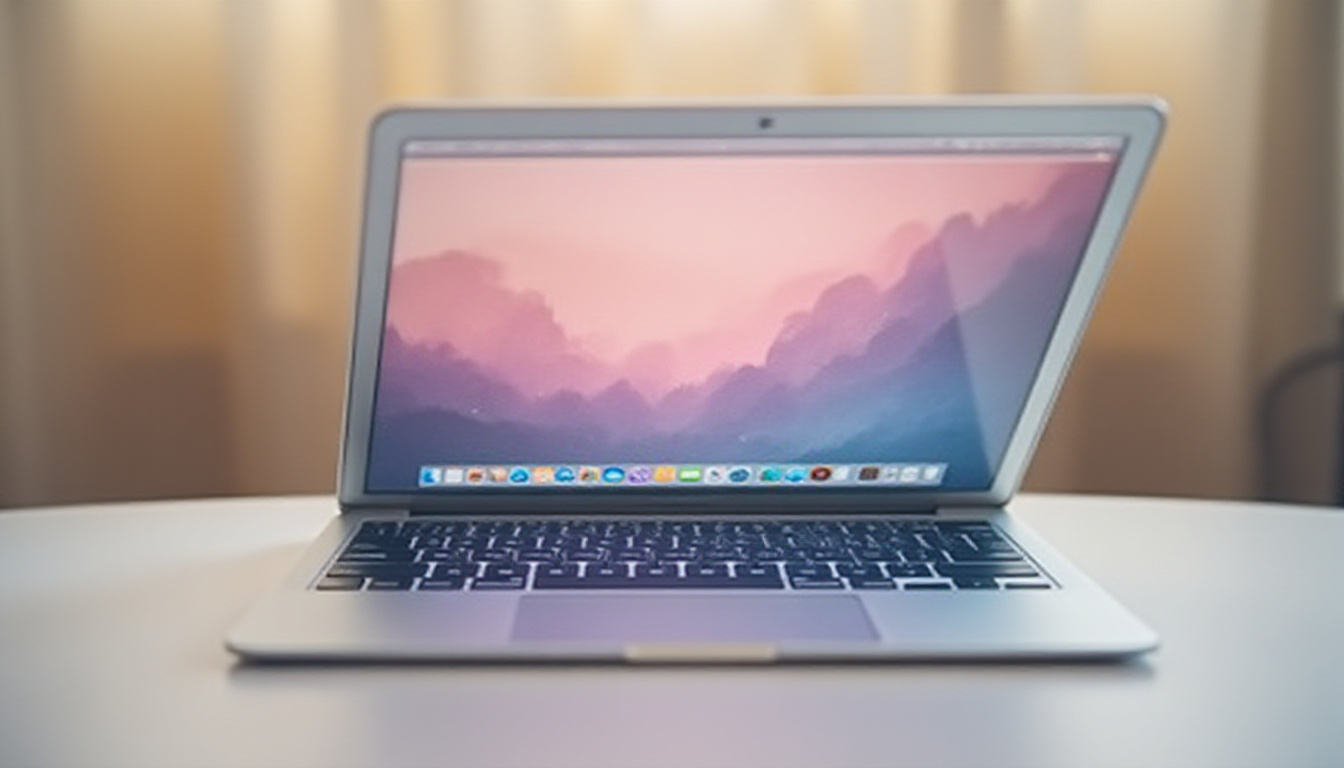
For fifteen years, Apple's position on touchscreen MacBooks has been simple: no. Steve Jobs made it official back in 2010, dismissing vertical touch screens on laptops as "ergonomically terrible." And for a long time, that argument held up reasonably well. But in 2025, with a third-party product already demonstrating the concept on a real MacBook Pro — and credible reports suggesting Apple is building one in-house — the question is no longer if a touchscreen MacBook is coming. It's whether Apple can do what no one else has managed to do properly: make touch on a laptop actually worth using.

This article breaks down where the technology stands right now, why macOS has historically been a poor fit for finger-based input, and what Apple would need to get right to justify what will almost certainly be a premium price tag.
What a Third-Party Touchscreen MacBook Reveals About the Real Problem
A product called Magic Screen — a magnetically attached digitizer overlay for the 14-inch MacBook Pro — has made it possible to use your finger or a pressure-sensitive pen directly on macOS today. It is not a software hack. It is not an iPad bolted on top. It is a legitimate, functional touchscreen add-on that works the moment you plug in the cable.
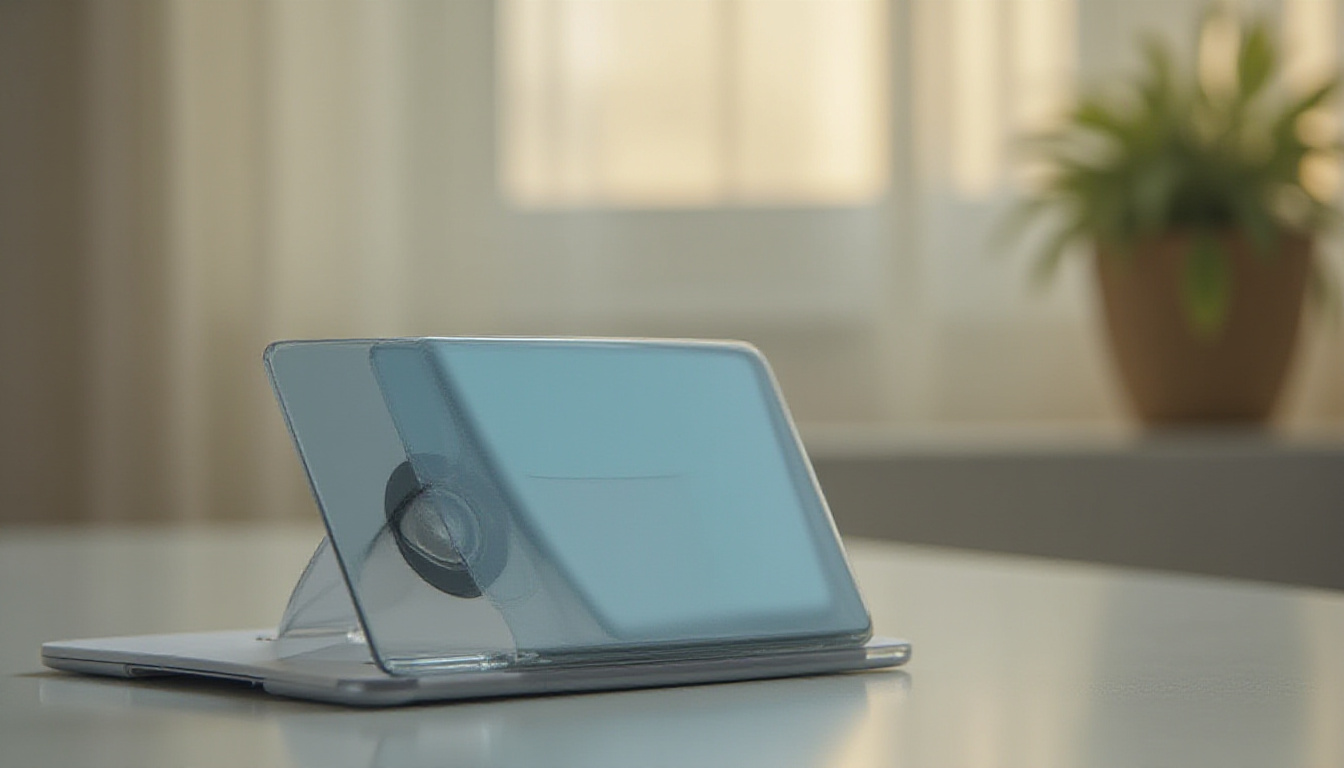
The hardware itself is genuinely well-engineered. It supports pressure-sensitive pen input comparable to Wacom-level stylus work. It includes a folding case that doubles as a stand to brace the screen when you press against it — a thoughtful solution to the wobble problem that plagues any clamshell laptop used as a touch surface. The build quality is solid, and for what it delivers, the pricing is defensible.
But here is the honest verdict: using it exposes a fundamental flaw that has nothing to do with the hardware.
macOS is built from the ground up around the precision of a mouse cursor. The touch targets — the close button on a window, menu bar items, the rename field on a file — are tiny. Attempting to interact with them using a fingertip feels imprecise and frustrating. Dragging windows, navigating menus, even clicking a checkbox in System Settings becomes an exercise in patience. None of that is a criticism of the Magic Screen product. It is simply what happens when you add a capable input method to software that was never designed to support it. The hardware works. The operating system does not meet it halfway.
This is a useful stress test, because it tells us exactly what Apple would need to fix before a first-party touchscreen MacBook could be considered a worthwhile purchase.
Why Windows Touch Has Struggled for Two Decades — and What Apple Can Learn
Touchscreen laptops are nothing new in the Windows world. Microsoft and its hardware partners have shipped touch-enabled laptops for roughly twenty years. The Surface lineup, Dell's XPS range, Lenovo Yoga convertibles, Asus Zenbooks — touch has become so standard on premium Windows machines that it barely registers as a selling point anymore.
And yet, surveys consistently show that a significant portion of Windows laptop owners with touchscreens rarely or never use that functionality. There are a few practical reasons. Reaching up to a vertical screen repeatedly is genuinely tiring — sometimes called "gorilla arm" fatigue in UI design circles. Screens accumulate fingerprints quickly. And clamshell laptops, unlike two-in-one convertibles, are not physically optimised for touch interaction.
But the deeper problem is software. Windows has never been purpose-built for touch. Microsoft has added accommodations over the years — icon spacing adjustments when a keyboard is detached, larger touch targets in tablet mode, gesture animations — but these have always felt bolted on rather than designed in. Windows 11 improved things further with better touch-friendly layouts, but the underlying interface still defaults to mouse-cursor logic.
Apple watched all of this happen and kept macOS firmly in the mouse-and-trackpad lane. That restraint may have cost them a bullet point on a spec sheet, but it preserved a cleaner, more consistent user experience. The lesson for Apple as it prepares its own touchscreen MacBook is clear: do not ship touch support until the software is genuinely ready for it. Releasing a half-baked implementation would be far more damaging to the brand than waiting.
The Three Technology Shifts That Make a Touchscreen MacBook Viable Now
So why is 2025 the moment Apple appears ready to move? Three developments have converged to make the proposition genuinely workable for the first time.
Display technology has caught up. For years, adding touch to a laptop meant inserting an additional digitizer layer into the display stack — making the panel slightly thicker, heavier, and dimmer, and introducing a small but noticeable degradation in image clarity. That trade-off was particularly unappealing for Apple, whose Liquid Retina XDR displays are a core selling point of the MacBook Pro line. Modern in-cell and on-cell touch technology integrates the touch-sensitive components directly into the display stack itself, eliminating the optical penalties entirely. You get full touch capability with no compromise to brightness, contrast, or colour accuracy. For Apple's display standards, this was a non-negotiable prerequisite.
macOS is evolving toward touch-friendly design. The most recent version of macOS introduced a design language Apple calls Liquid Glass — rounder edges, larger interface elements, more visually prominent controls. It is a meaningful aesthetic departure from previous versions, but more importantly, it signals a directional shift toward an interface that scales better across input types. Credible reporting suggests the next major macOS release will go further, introducing dynamic UI elements that adapt based on how you are interacting with the machine. In practice, this could mean that the moment you reach for the screen, hit targets for window controls, menu items, and icons automatically expand to finger-friendly sizes — then snap back to precision dimensions when you return to the trackpad. If Apple executes this well, it would solve the single biggest problem the Magic Screen experiment reveals.
Universal apps finally have a reason to exist on laptops. Since Apple Silicon arrived with M1, Macs have technically been able to run iPhone and iPad apps. But without a touch screen, the experience has always been awkward — apps designed around finger gestures being navigated with a cursor. A touchscreen MacBook would make those apps genuinely usable on the desktop for the first time, collapsing the distinction between iOS and macOS development in a meaningful way. Developers would be able to test touch interactions on their laptops without relying on a simulator. Consumers would gain access to a substantial library of apps that currently feel like poor fits for the platform.
The Business Case: Why Apple Needs a New Price Ceiling
There is a commercial dimension to this story worth acknowledging directly. The MacBook Air has become exceptionally good value. The M4 and M5 models offer performance that, just a few years ago, would have been reserved for the Pro lineup. That compression of the product hierarchy creates a problem: if the Air is powerful enough for most professional workloads, what justifies paying significantly more for a MacBook Pro?
A touchscreen MacBook Pro — paired with an OLED display upgrade that has also been widely reported — would create a new tier at the top of the lineup. It would give creative professionals, digital artists, and enthusiast buyers a genuinely differentiated reason to spend more. Illustrators, architects, video editors working with stylus input, musicians using touch-based controllers — these are real use cases that a premium touchscreen MacBook would serve well.
To be clear, Apple does not design products primarily to manufacture price tiers. But the commercial reality is that a new flagship MacBook with OLED and touch support would re-establish a meaningful gap between the Air and Pro lines, and it would let Apple charge accordingly. Expect the entry price for a touchscreen MacBook Pro to sit noticeably above the current top-of-range models.
For budget-conscious buyers, the practical implication is straightforward: the M4 or M5 MacBook Air will remain the best value in the lineup by a wide margin. Unless your workflow genuinely benefits from stylus input or touch interaction, the premium for a touchscreen model is unlikely to be worth it.
Free Weekly Newsletter
Enjoying this guide?
Get the best articles like this one delivered to your inbox every week. No spam.
Bottom Line: The Hardware Is Ready. macOS Needs to Catch Up — Fast.
The Magic Screen experiment is worth taking seriously, not because it is a product most people should buy, but because it functions as a proof of concept that cuts through the speculation. Touch on a MacBook works at the hardware level today. The barrier is entirely on the software side, and Apple knows it.
Everything Apple has done with macOS over the past two years — larger interface elements, more fluid animations, the reported move toward adaptive UI — reads as deliberate groundwork for a touch-enabled future. The in-cell display technology removes the last meaningful hardware objection. Apple Silicon provides the processing headroom to handle dynamic UI scaling without performance penalties. The pieces are in place.
If Apple ships a touchscreen MacBook with a half-finished software experience, it will deserve every criticism it gets. Fifteen years of saying no creates a high bar for saying yes. But if the adaptive macOS interface materialises as reported, and if Apple treats touch as a first-class input method rather than a feature checkbox, a touchscreen MacBook Pro could genuinely be the most interesting Mac in a generation.
Watch this space. But do not pre-order anything until you have seen independent reviews of the software in action.
Frequently Asked Questions
Does a touchscreen MacBook already exist?
Not as an official Apple product. However, a third-party accessory called Magic Screen adds touchscreen functionality to the 14-inch MacBook Pro by magnetically attaching a digitizer overlay to the display. It works, but macOS is not optimised for touch input, which limits the practical experience.
Why has Apple resisted touchscreen MacBooks for so long?
Apple's public position, established by Steve Jobs in 2010, was that vertical touch screens on laptops are ergonomically poor for sustained use. There is genuine merit to that argument — reaching up to a screen repeatedly causes fatigue, and macOS was designed around the precision of a mouse cursor and trackpad. Apple has preferred to keep touch input on iPads, where the form factor supports it naturally.
When is Apple releasing a touchscreen MacBook?
Multiple credible sources have reported that Apple is developing a touchscreen MacBook Pro, with a possible release as early as late 2025 or 2026. The device is expected to combine touchscreen capability with an OLED display, representing a significant redesign of the MacBook Pro line. No official announcement has been made.
Will a touchscreen MacBook be worth buying?
It depends entirely on your workflow. Digital artists, illustrators, and professionals who rely on stylus input would likely find strong value in it. For general productivity use — writing, coding, spreadsheets, video calls — the standard MacBook Air with M4 or M5 offers better value and more than enough performance. Wait for independent reviews before committing to a premium price.
What would Apple need to do to make macOS work with touch?
The critical requirement is an adaptive UI — a version of macOS that dynamically scales hit targets, buttons, and interface elements to finger-friendly sizes when it detects touch input, then returns to precision mouse-cursor sizing when you switch back to the trackpad. Reports suggest this is exactly what Apple is building into the next major macOS release. Without it, a touchscreen MacBook would offer a frustrating experience regardless of how good the hardware is.
Frequently Asked Questions
The Device Apple Said Would Never Exist
For fifteen years, Apple's position on touchscreen MacBooks has been simple: no. Steve Jobs made it official back in 2010, dismissing vertical touch screens on laptops as "ergonomically terrible." And for a long time, that argument held up reasonably well. But in 2025, with a third-party product already demonstrating the concept on a real MacBook Pro — and credible reports suggesting Apple is building one in-house — the question is no longer if a touchscreen MacBook is coming. It's whether Apple can do what no one else has managed to do properly: make touch on a laptop actually worth using.
This article breaks down where the technology stands right now, why macOS has historically been a poor fit for finger-based input, and what Apple would need to get right to justify what will almost certainly be a premium price tag.
What a Third-Party Touchscreen MacBook Reveals About the Real Problem
A product called Magic Screen — a magnetically attached digitizer overlay for the 14-inch MacBook Pro — has made it possible to use your finger or a pressure-sensitive pen directly on macOS today. It is not a software hack. It is not an iPad bolted on top. It is a legitimate, functional touchscreen add-on that works the moment you plug in the cable.
The hardware itself is genuinely well-engineered. It supports pressure-sensitive pen input comparable to Wacom-level stylus work. It includes a folding case that doubles as a stand to brace the screen when you press against it — a thoughtful solution to the wobble problem that plagues any clamshell laptop used as a touch surface. The build quality is solid, and for what it delivers, the pricing is defensible.
But here is the honest verdict: using it exposes a fundamental flaw that has nothing to do with the hardware.
macOS is built from the ground up around the precision of a mouse cursor. The touch targets — the close button on a window, menu bar items, the rename field on a file — are tiny. Attempting to interact with them using a fingertip feels imprecise and frustrating. Dragging windows, navigating menus, even clicking a checkbox in System Settings becomes an exercise in patience. None of that is a criticism of the Magic Screen product. It is simply what happens when you add a capable input method to software that was never designed to support it. The hardware works. The operating system does not meet it halfway.
This is a useful stress test, because it tells us exactly what Apple would need to fix before a first-party touchscreen MacBook could be considered a worthwhile purchase.
Why Windows Touch Has Struggled for Two Decades — and What Apple Can Learn
Touchscreen laptops are nothing new in the Windows world. Microsoft and its hardware partners have shipped touch-enabled laptops for roughly twenty years. The Surface lineup, Dell's XPS range, Lenovo Yoga convertibles, Asus Zenbooks — touch has become so standard on premium Windows machines that it barely registers as a selling point anymore.
And yet, surveys consistently show that a significant portion of Windows laptop owners with touchscreens rarely or never use that functionality. There are a few practical reasons. Reaching up to a vertical screen repeatedly is genuinely tiring — sometimes called "gorilla arm" fatigue in UI design circles. Screens accumulate fingerprints quickly. And clamshell laptops, unlike two-in-one convertibles, are not physically optimised for touch interaction.
But the deeper problem is software. Windows has never been purpose-built for touch. Microsoft has added accommodations over the years — icon spacing adjustments when a keyboard is detached, larger touch targets in tablet mode, gesture animations — but these have always felt bolted on rather than designed in. Windows 11 improved things further with better touch-friendly layouts, but the underlying interface still defaults to mouse-cursor logic.
Apple watched all of this happen and kept macOS firmly in the mouse-and-trackpad lane. That restraint may have cost them a bullet point on a spec sheet, but it preserved a cleaner, more consistent user experience. The lesson for Apple as it prepares its own touchscreen MacBook is clear: do not ship touch support until the software is genuinely ready for it. Releasing a half-baked implementation would be far more damaging to the brand than waiting.
The Three Technology Shifts That Make a Touchscreen MacBook Viable Now
So why is 2025 the moment Apple appears ready to move? Three developments have converged to make the proposition genuinely workable for the first time.
Display technology has caught up. For years, adding touch to a laptop meant inserting an additional digitizer layer into the display stack — making the panel slightly thicker, heavier, and dimmer, and introducing a small but noticeable degradation in image clarity. That trade-off was particularly unappealing for Apple, whose Liquid Retina XDR displays are a core selling point of the MacBook Pro line. Modern in-cell and on-cell touch technology integrates the touch-sensitive components directly into the display stack itself, eliminating the optical penalties entirely. You get full touch capability with no compromise to brightness, contrast, or colour accuracy. For Apple's display standards, this was a non-negotiable prerequisite.
macOS is evolving toward touch-friendly design. The most recent version of macOS introduced a design language Apple calls Liquid Glass — rounder edges, larger interface elements, more visually prominent controls. It is a meaningful aesthetic departure from previous versions, but more importantly, it signals a directional shift toward an interface that scales better across input types. Credible reporting suggests the next major macOS release will go further, introducing dynamic UI elements that adapt based on how you are interacting with the machine. In practice, this could mean that the moment you reach for the screen, hit targets for window controls, menu items, and icons automatically expand to finger-friendly sizes — then snap back to precision dimensions when you return to the trackpad. If Apple executes this well, it would solve the single biggest problem the Magic Screen experiment reveals.
Universal apps finally have a reason to exist on laptops. Since Apple Silicon arrived with M1, Macs have technically been able to run iPhone and iPad apps. But without a touch screen, the experience has always been awkward — apps designed around finger gestures being navigated with a cursor. A touchscreen MacBook would make those apps genuinely usable on the desktop for the first time, collapsing the distinction between iOS and macOS development in a meaningful way. Developers would be able to test touch interactions on their laptops without relying on a simulator. Consumers would gain access to a substantial library of apps that currently feel like poor fits for the platform.
The Business Case: Why Apple Needs a New Price Ceiling
There is a commercial dimension to this story worth acknowledging directly. The MacBook Air has become exceptionally good value. The M4 and M5 models offer performance that, just a few years ago, would have been reserved for the Pro lineup. That compression of the product hierarchy creates a problem: if the Air is powerful enough for most professional workloads, what justifies paying significantly more for a MacBook Pro?
A touchscreen MacBook Pro — paired with an OLED display upgrade that has also been widely reported — would create a new tier at the top of the lineup. It would give creative professionals, digital artists, and enthusiast buyers a genuinely differentiated reason to spend more. Illustrators, architects, video editors working with stylus input, musicians using touch-based controllers — these are real use cases that a premium touchscreen MacBook would serve well.
To be clear, Apple does not design products primarily to manufacture price tiers. But the commercial reality is that a new flagship MacBook with OLED and touch support would re-establish a meaningful gap between the Air and Pro lines, and it would let Apple charge accordingly. Expect the entry price for a touchscreen MacBook Pro to sit noticeably above the current top-of-range models.
For budget-conscious buyers, the practical implication is straightforward: the M4 or M5 MacBook Air will remain the best value in the lineup by a wide margin. Unless your workflow genuinely benefits from stylus input or touch interaction, the premium for a touchscreen model is unlikely to be worth it.
Bottom Line: The Hardware Is Ready. macOS Needs to Catch Up — Fast.
The Magic Screen experiment is worth taking seriously, not because it is a product most people should buy, but because it functions as a proof of concept that cuts through the speculation. Touch on a MacBook works at the hardware level today. The barrier is entirely on the software side, and Apple knows it.
Everything Apple has done with macOS over the past two years — larger interface elements, more fluid animations, the reported move toward adaptive UI — reads as deliberate groundwork for a touch-enabled future. The in-cell display technology removes the last meaningful hardware objection. Apple Silicon provides the processing headroom to handle dynamic UI scaling without performance penalties. The pieces are in place.
If Apple ships a touchscreen MacBook with a half-finished software experience, it will deserve every criticism it gets. Fifteen years of saying no creates a high bar for saying yes. But if the adaptive macOS interface materialises as reported, and if Apple treats touch as a first-class input method rather than a feature checkbox, a touchscreen MacBook Pro could genuinely be the most interesting Mac in a generation.
Watch this space. But do not pre-order anything until you have seen independent reviews of the software in action.
Frequently Asked Questions
Does a touchscreen MacBook already exist?
Not as an official Apple product. However, a third-party accessory called Magic Screen adds touchscreen functionality to the 14-inch MacBook Pro by magnetically attaching a digitizer overlay to the display. It works, but macOS is not optimised for touch input, which limits the practical experience.
Why has Apple resisted touchscreen MacBooks for so long?
Apple's public position, established by Steve Jobs in 2010, was that vertical touch screens on laptops are ergonomically poor for sustained use. There is genuine merit to that argument — reaching up to a screen repeatedly causes fatigue, and macOS was designed around the precision of a mouse cursor and trackpad. Apple has preferred to keep touch input on iPads, where the form factor supports it naturally.
When is Apple releasing a touchscreen MacBook?
Multiple credible sources have reported that Apple is developing a touchscreen MacBook Pro, with a possible release as early as late 2025 or 2026. The device is expected to combine touchscreen capability with an OLED display, representing a significant redesign of the MacBook Pro line. No official announcement has been made.
Will a touchscreen MacBook be worth buying?
It depends entirely on your workflow. Digital artists, illustrators, and professionals who rely on stylus input would likely find strong value in it. For general productivity use — writing, coding, spreadsheets, video calls — the standard MacBook Air with M4 or M5 offers better value and more than enough performance. Wait for independent reviews before committing to a premium price.
What would Apple need to do to make macOS work with touch?
The critical requirement is an adaptive UI — a version of macOS that dynamically scales hit targets, buttons, and interface elements to finger-friendly sizes when it detects touch input, then returns to precision mouse-cursor sizing when you switch back to the trackpad. Reports suggest this is exactly what Apple is building into the next major macOS release. Without it, a touchscreen MacBook would offer a frustrating experience regardless of how good the hardware is.
About Zeebrain Editorial
Zeebrain publishes independent analysis of markets, investing, personal finance, and business. We disclose affiliate relationships, never accept payment for coverage, and fact-check all claims against primary sources. Read our editorial policy →
Disclaimer: Content on Zeebrain is for informational and educational purposes only and does not constitute financial advice or a recommendation to buy or sell any security. Always conduct your own research and consult a qualified financial adviser before making investment decisions. Past performance is not indicative of future results.
More from Review



Related Guides
Keep exploring this topic
Apple's New CEO John Ternus: What Changes for Buyers
Review · Apple · John Ternus
How to Get a Cheaper MacBook Without Compromising Too Much
Review · MacBook · Apple Silicon
Tim Cook's Legacy: What Restraint Built at Apple
Business & Money · Tim Cook · Apple
Apple iPhone 16 Review: A Leap Forward or Incremental Upgrade
Review
Explore More Categories
Keep browsing by topic and build depth around the subjects you care about most.