MacBook Neo Review: Is Apple's Cheapest Mac Worth It?

Quick Summary
Apple's MacBook Neo starts at $599 — but is it actually worth buying? We break down specs, trade-offs, and who should buy it in this honest review.
MacBook Neo
Check current price and availability on Amazon
In This Article
Apple Just Changed the Entry-Level Laptop Game
For years, buying a MacBook meant spending at least $1,000 — often more. That price ceiling effectively handed the budget laptop market to Chromebook manufacturers and Windows OEMs who churned out plastic machines by the millions for students, schools, and first-time buyers. Apple watched, and apparently took notes. The MacBook Neo, Apple's most affordable Mac laptop to date, arrives with a $599 starting price (and $499 with an educational discount) and immediately reframes what a budget laptop can be. This isn't a compromised machine with an Apple logo slapped on it. It's a calculated, deliberate product — and it could be the most disruptive thing Apple has done to the laptop industry in years.

But "disruptive" doesn't automatically mean "right for you." Let's cut through the hype and look at exactly what you're getting, what you're giving up, and whether the MacBook Neo is a smart buy or a cleverly disguised compromise.
What You Actually Get for $599
The headline spec that turns heads is the chip: the A18 Pro, the same silicon powering the iPhone 16 Pro lineup. In laptop terms, this is a serious processor. Compared to the original M1 — which was already a benchmark-beating chip when it launched — the A18 Pro performs at a comparable level on multi-core tasks but pulls ahead noticeably on single-core performance. That matters more than it sounds, because the vast majority of everyday computing tasks — browsing, writing, spreadsheets, video calls, light photo editing — are single-threaded workloads. For most users, this chip is more than enough.
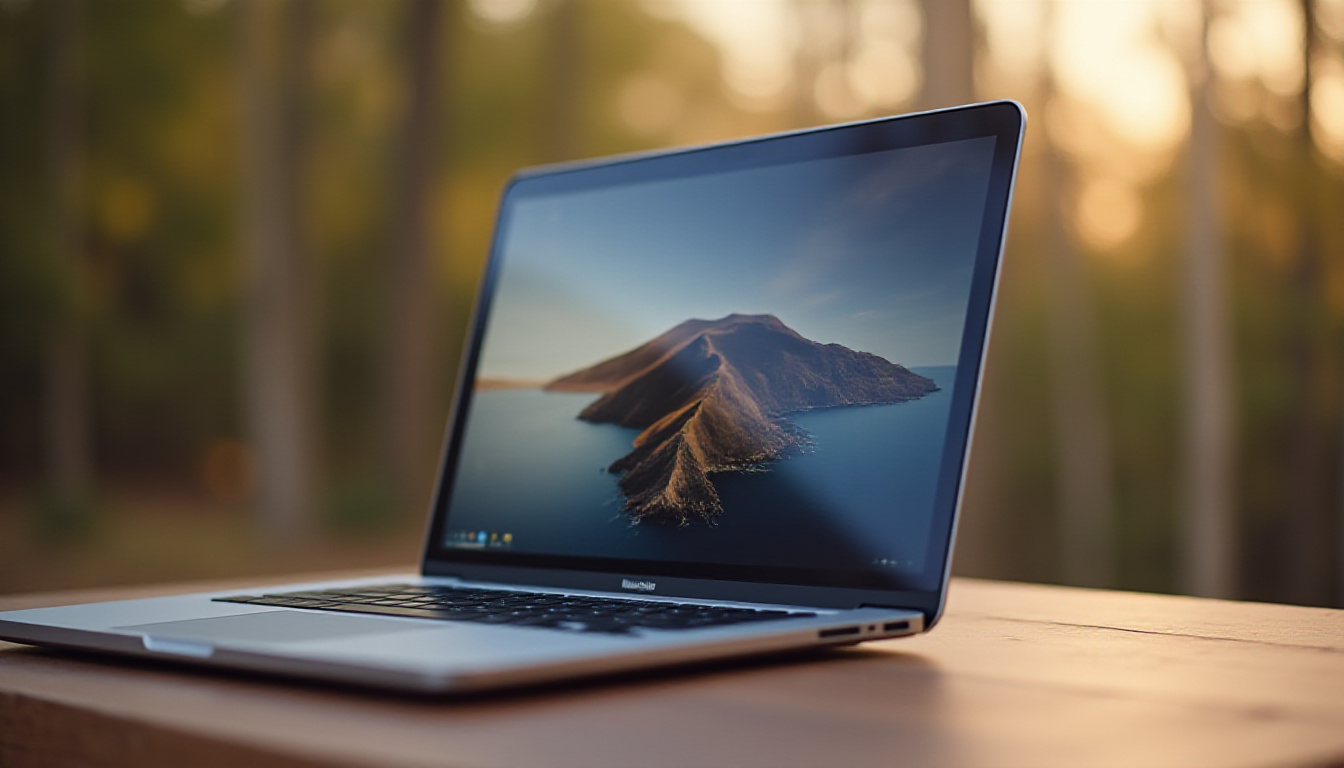
The chassis is aluminium, which is almost unheard of at this price point. Laptops in the $500–$600 range are almost universally plastic, so the MacBook Neo's metal build is a genuine differentiator. It weighs 1.23 kg — identical to the MacBook Air — and comes in four colours: Blush, Indigo, Silver, and Citrus. These aren't muted corporate greys. They're genuine lifestyle colours aimed squarely at students and younger buyers.
Inside, you get 8 GB of unified RAM, 256 GB or 512 GB of storage, a 13-inch IPS Liquid Retina display running at 60 Hz, two USB-C ports (non-Thunderbolt), and a 36.5 Wh battery that Apple claims delivers battery life only a few hours short of the MacBook Air. The machine ships with a 20W charger.
The Trade-Offs Are Real — And Deliberate
Apple hasn't just built a cheaper MacBook Air. It has surgically removed specific features to ensure that the MacBook Air still commands a premium and justifies its roughly $500 price bump. Understanding those cuts helps you decide whether they matter to you.
No keyboard backlighting. If you work in dim environments — late-night studying, coffee shops, poorly lit offices — this is a genuine daily frustration, not a minor inconvenience.
No MagSafe charging. Both USB-C ports handle charging, but since the charger occupies one port, you're effectively left with a single port for peripherals while charging. For a student who also wants to connect a mouse and a monitor simultaneously, this is a meaningful constraint.
No Force Touch trackpad. The haptic trackpad is present, but Apple's Force Touch — which enables pressure-sensitive interactions and certain workflow shortcuts — is absent.
No True Tone display. True Tone uses ambient light sensors to adjust the screen's colour temperature to match your environment, reducing eye strain during long sessions. Budget buyers may not miss what they've never had, but anyone stepping down from a MacBook Air or Pro will notice its absence.
RAM capped at 8 GB. This is arguably the most significant limitation for power users. macOS is efficient with memory, but if you run virtual machines, edit video professionally, or keep dozens of browser tabs open alongside productivity apps, 8 GB will become a bottleneck. There's no upgrade path — Apple's unified memory architecture means what you buy is what you keep.
None of these cuts are accidental. Apple's product segmentation is precise. Each missing feature nudges a certain type of buyer toward spending more. The question is whether any of those features sit in your personal must-have column.
The Aluminium Problem Nobody Is Talking About
The metal chassis is a selling point, but it carries a hidden cost that matters enormously in the primary use case Apple is targeting: schools and young students.
Aluminium dents. Permanently. A small drop onto a hard floor can leave a visible, irreparable crease in the chassis — the kind of damage that would leave a plastic laptop completely unscathed. Plastic flexes and absorbs impact. Metal doesn't. School IT administrators who have dealt with waves of cracked Chromebooks might find themselves trading one repair problem for another: instead of cracked hinges, they'll be cataloguing dented frames.
This isn't a dealbreaker for a careful adult buyer, but it's a legitimate concern for parents buying for children, or for schools deploying these machines at scale. A protective case — factored into the total cost — is arguably non-optional for younger users.
Why Only Apple Could Have Built This
Here's what makes the MacBook Neo genuinely remarkable, and why no Windows OEM or Chromebook manufacturer can replicate it: Apple controls the entire stack.
The A18 Pro chip is designed by Apple. The operating system — macOS — is written by Apple. The integration between hardware and software is not a partnership between two separate companies with misaligned incentives; it is a single engineering organisation optimising every layer simultaneously. That vertical integration allows Apple to extract performance and battery efficiency from relatively modest hardware specs in a way that no third-party chip paired with a licensed operating system can match.
Consider the comparison: a Windows laptop at $599 typically ships with an Intel Core i3 or AMD Ryzen 3, 8 GB of DDR4 RAM, a plastic chassis, and a version of Windows that hasn't been tuned for that specific hardware. The MacBook Neo ships with a chip that Apple designed expressly for power efficiency and single-core performance, running an operating system written by the same team. The real-world gap in user experience is larger than the spec sheet suggests.
This is also why the MacBook Neo carries almost no aggressive AI marketing — a refreshing anomaly in an industry currently obsessed with bolting "AI features" onto every product regardless of whether the hardware supports them meaningfully. With 8 GB of RAM, Apple is sensibly limiting AI claims to what the machine can actually do: basic Apple Intelligence features and ChatGPT integration. No inflated promises, no misleading benchmarks.
What This Means for the Laptop Industry
The ripple effects of the MacBook Neo extend well beyond the device itself. Budget laptops — primarily Chromebooks and entry-level Windows machines — have owned the education and first-time-buyer market for a decade. That market is now under direct threat from a well-specced, brand-recognised, aluminium MacBook priced at $499 for students.
Free Weekly Newsletter
Enjoying this guide?
Get the best articles like this one delivered to your inbox every week. No spam.
The long-term strategic play is obvious: get macOS in front of students early. A teenager who spends four years on a MacBook Neo is statistically more likely to purchase a MacBook Air or MacBook Pro as their first independent purchase. Brand affinity formed at 14 has a remarkably long shelf life. Apple has essentially invested in a pipeline — subsidise the entry point, own the lifecycle.
For competing manufacturers, this is a difficult problem to solve. Matching the price is possible. Matching the performance-per-dollar is not, because no other company has both the chip design capabilities and the operating system to optimise against it. Google's Chromebook ecosystem remains viable for pure web-based workflows, but for users who need a full operating system, the MacBook Neo narrows the field considerably.
Bottom-Line Verdict: Who Should Buy the MacBook Neo
The MacBook Neo is an excellent laptop for a specific buyer. If you are a student, a first-time Mac user, or someone with straightforward computing needs — web browsing, documents, video calls, light creative work — this machine will handle everything you throw at it with speed, good battery life, and a build quality that most $599 laptops cannot touch.
If you regularly work in low light and need keyboard backlighting, run memory-intensive applications, rely on a full port selection, or value features like True Tone and MagSafe, the MacBook Air's higher price tag is a justified upgrade. The $500 premium buys meaningful quality-of-life improvements, not just a brand tier.
For parents buying for school-aged children, factor in a protective case and manage expectations around dent resistance. The aluminium body is a premium feature — but it is not a forgiving one.
At $499 with an educational discount, the MacBook Neo is one of the most compelling laptop purchases available at that price point, full stop. Apple built something that should not exist at this price. That alone is worth paying attention to.
Frequently Asked Questions
Is the MacBook Neo good enough for college students? Yes, for the majority of college use cases. Writing essays, running presentations, video conferencing, browsing, and light photo or video editing all fall comfortably within its capabilities. The A18 Pro chip is fast, battery life is strong, and macOS is a mature, well-supported platform. Students in demanding technical programmes — engineering software, professional video production, data science with large datasets — may find the 8 GB RAM ceiling limiting and should consider the MacBook Air.
Can the MacBook Neo run Windows or gaming applications? The MacBook Neo runs macOS and can run Windows via virtualisation software such as Parallels, though the 8 GB RAM limit makes running two operating systems simultaneously tight. Native Windows gaming is not supported. For users who need Windows regularly, a Windows laptop is a more practical choice. Apple Arcade and some Mac-native games run fine, but the MacBook Neo is not a gaming machine.
How does the MacBook Neo compare to a Chromebook at the same price? The MacBook Neo offers significantly more capability than a similarly priced Chromebook. It runs a full operating system with access to professional-grade applications, whereas ChromeOS is primarily web-based. The aluminium build is also a step above most Chromebook plastics in perceived quality. However, Chromebooks are often more ruggedised for school environments and easier to manage at scale through Google's admin tools. For pure web-based workflows or managed school deployments, Chromebooks remain competitive. For broader personal computing, the MacBook Neo wins clearly.
What are the main reasons to spend more and buy the MacBook Air instead? The MacBook Air offers keyboard backlighting, MagSafe charging (freeing up both USB-C ports for peripherals), a Force Touch trackpad, True Tone display technology, Thunderbolt connectivity, and the option to configure higher RAM and storage. It also runs the M-series chip rather than the A18 Pro, with slightly different performance characteristics. If any of those features — particularly backlighting, MagSafe, or Thunderbolt — appear in your daily workflow, the MacBook Air upgrade is worth the cost. If none of them do, the MacBook Neo is the smarter buy.
MacBook Neo
Considering it? See where the price stands today
Frequently Asked Questions
Apple Just Changed the Entry-Level Laptop Game
For years, buying a MacBook meant spending at least $1,000 — often more. That price ceiling effectively handed the budget laptop market to Chromebook manufacturers and Windows OEMs who churned out plastic machines by the millions for students, schools, and first-time buyers. Apple watched, and apparently took notes. The MacBook Neo, Apple's most affordable Mac laptop to date, arrives with a $599 starting price (and $499 with an educational discount) and immediately reframes what a budget laptop can be. This isn't a compromised machine with an Apple logo slapped on it. It's a calculated, deliberate product — and it could be the most disruptive thing Apple has done to the laptop industry in years.
But "disruptive" doesn't automatically mean "right for you." Let's cut through the hype and look at exactly what you're getting, what you're giving up, and whether the MacBook Neo is a smart buy or a cleverly disguised compromise.
What You Actually Get for $599
The headline spec that turns heads is the chip: the A18 Pro, the same silicon powering the iPhone 16 Pro lineup. In laptop terms, this is a serious processor. Compared to the original M1 — which was already a benchmark-beating chip when it launched — the A18 Pro performs at a comparable level on multi-core tasks but pulls ahead noticeably on single-core performance. That matters more than it sounds, because the vast majority of everyday computing tasks — browsing, writing, spreadsheets, video calls, light photo editing — are single-threaded workloads. For most users, this chip is more than enough.
The chassis is aluminium, which is almost unheard of at this price point. Laptops in the $500–$600 range are almost universally plastic, so the MacBook Neo's metal build is a genuine differentiator. It weighs 1.23 kg — identical to the MacBook Air — and comes in four colours: Blush, Indigo, Silver, and Citrus. These aren't muted corporate greys. They're genuine lifestyle colours aimed squarely at students and younger buyers.
Inside, you get 8 GB of unified RAM, 256 GB or 512 GB of storage, a 13-inch IPS Liquid Retina display running at 60 Hz, two USB-C ports (non-Thunderbolt), and a 36.5 Wh battery that Apple claims delivers battery life only a few hours short of the MacBook Air. The machine ships with a 20W charger.
The Trade-Offs Are Real — And Deliberate
Apple hasn't just built a cheaper MacBook Air. It has surgically removed specific features to ensure that the MacBook Air still commands a premium and justifies its roughly $500 price bump. Understanding those cuts helps you decide whether they matter to you.
No keyboard backlighting. If you work in dim environments — late-night studying, coffee shops, poorly lit offices — this is a genuine daily frustration, not a minor inconvenience.
No MagSafe charging. Both USB-C ports handle charging, but since the charger occupies one port, you're effectively left with a single port for peripherals while charging. For a student who also wants to connect a mouse and a monitor simultaneously, this is a meaningful constraint.
No Force Touch trackpad. The haptic trackpad is present, but Apple's Force Touch — which enables pressure-sensitive interactions and certain workflow shortcuts — is absent.
No True Tone display. True Tone uses ambient light sensors to adjust the screen's colour temperature to match your environment, reducing eye strain during long sessions. Budget buyers may not miss what they've never had, but anyone stepping down from a MacBook Air or Pro will notice its absence.
RAM capped at 8 GB. This is arguably the most significant limitation for power users. macOS is efficient with memory, but if you run virtual machines, edit video professionally, or keep dozens of browser tabs open alongside productivity apps, 8 GB will become a bottleneck. There's no upgrade path — Apple's unified memory architecture means what you buy is what you keep.
None of these cuts are accidental. Apple's product segmentation is precise. Each missing feature nudges a certain type of buyer toward spending more. The question is whether any of those features sit in your personal must-have column.
The Aluminium Problem Nobody Is Talking About
The metal chassis is a selling point, but it carries a hidden cost that matters enormously in the primary use case Apple is targeting: schools and young students.
Aluminium dents. Permanently. A small drop onto a hard floor can leave a visible, irreparable crease in the chassis — the kind of damage that would leave a plastic laptop completely unscathed. Plastic flexes and absorbs impact. Metal doesn't. School IT administrators who have dealt with waves of cracked Chromebooks might find themselves trading one repair problem for another: instead of cracked hinges, they'll be cataloguing dented frames.
This isn't a dealbreaker for a careful adult buyer, but it's a legitimate concern for parents buying for children, or for schools deploying these machines at scale. A protective case — factored into the total cost — is arguably non-optional for younger users.
Why Only Apple Could Have Built This
Here's what makes the MacBook Neo genuinely remarkable, and why no Windows OEM or Chromebook manufacturer can replicate it: Apple controls the entire stack.
The A18 Pro chip is designed by Apple. The operating system — macOS — is written by Apple. The integration between hardware and software is not a partnership between two separate companies with misaligned incentives; it is a single engineering organisation optimising every layer simultaneously. That vertical integration allows Apple to extract performance and battery efficiency from relatively modest hardware specs in a way that no third-party chip paired with a licensed operating system can match.
Consider the comparison: a Windows laptop at $599 typically ships with an Intel Core i3 or AMD Ryzen 3, 8 GB of DDR4 RAM, a plastic chassis, and a version of Windows that hasn't been tuned for that specific hardware. The MacBook Neo ships with a chip that Apple designed expressly for power efficiency and single-core performance, running an operating system written by the same team. The real-world gap in user experience is larger than the spec sheet suggests.
This is also why the MacBook Neo carries almost no aggressive AI marketing — a refreshing anomaly in an industry currently obsessed with bolting "AI features" onto every product regardless of whether the hardware supports them meaningfully. With 8 GB of RAM, Apple is sensibly limiting AI claims to what the machine can actually do: basic Apple Intelligence features and ChatGPT integration. No inflated promises, no misleading benchmarks.
What This Means for the Laptop Industry
The ripple effects of the MacBook Neo extend well beyond the device itself. Budget laptops — primarily Chromebooks and entry-level Windows machines — have owned the education and first-time-buyer market for a decade. That market is now under direct threat from a well-specced, brand-recognised, aluminium MacBook priced at $499 for students.
The long-term strategic play is obvious: get macOS in front of students early. A teenager who spends four years on a MacBook Neo is statistically more likely to purchase a MacBook Air or MacBook Pro as their first independent purchase. Brand affinity formed at 14 has a remarkably long shelf life. Apple has essentially invested in a pipeline — subsidise the entry point, own the lifecycle.
For competing manufacturers, this is a difficult problem to solve. Matching the price is possible. Matching the performance-per-dollar is not, because no other company has both the chip design capabilities and the operating system to optimise against it. Google's Chromebook ecosystem remains viable for pure web-based workflows, but for users who need a full operating system, the MacBook Neo narrows the field considerably.
Bottom-Line Verdict: Who Should Buy the MacBook Neo
The MacBook Neo is an excellent laptop for a specific buyer. If you are a student, a first-time Mac user, or someone with straightforward computing needs — web browsing, documents, video calls, light creative work — this machine will handle everything you throw at it with speed, good battery life, and a build quality that most $599 laptops cannot touch.
If you regularly work in low light and need keyboard backlighting, run memory-intensive applications, rely on a full port selection, or value features like True Tone and MagSafe, the MacBook Air's higher price tag is a justified upgrade. The $500 premium buys meaningful quality-of-life improvements, not just a brand tier.
For parents buying for school-aged children, factor in a protective case and manage expectations around dent resistance. The aluminium body is a premium feature — but it is not a forgiving one.
At $499 with an educational discount, the MacBook Neo is one of the most compelling laptop purchases available at that price point, full stop. Apple built something that should not exist at this price. That alone is worth paying attention to.
Frequently Asked Questions
Is the MacBook Neo good enough for college students? Yes, for the majority of college use cases. Writing essays, running presentations, video conferencing, browsing, and light photo or video editing all fall comfortably within its capabilities. The A18 Pro chip is fast, battery life is strong, and macOS is a mature, well-supported platform. Students in demanding technical programmes — engineering software, professional video production, data science with large datasets — may find the 8 GB RAM ceiling limiting and should consider the MacBook Air.
Can the MacBook Neo run Windows or gaming applications? The MacBook Neo runs macOS and can run Windows via virtualisation software such as Parallels, though the 8 GB RAM limit makes running two operating systems simultaneously tight. Native Windows gaming is not supported. For users who need Windows regularly, a Windows laptop is a more practical choice. Apple Arcade and some Mac-native games run fine, but the MacBook Neo is not a gaming machine.
How does the MacBook Neo compare to a Chromebook at the same price? The MacBook Neo offers significantly more capability than a similarly priced Chromebook. It runs a full operating system with access to professional-grade applications, whereas ChromeOS is primarily web-based. The aluminium build is also a step above most Chromebook plastics in perceived quality. However, Chromebooks are often more ruggedised for school environments and easier to manage at scale through Google's admin tools. For pure web-based workflows or managed school deployments, Chromebooks remain competitive. For broader personal computing, the MacBook Neo wins clearly.
What are the main reasons to spend more and buy the MacBook Air instead? The MacBook Air offers keyboard backlighting, MagSafe charging (freeing up both USB-C ports for peripherals), a Force Touch trackpad, True Tone display technology, Thunderbolt connectivity, and the option to configure higher RAM and storage. It also runs the M-series chip rather than the A18 Pro, with slightly different performance characteristics. If any of those features — particularly backlighting, MagSafe, or Thunderbolt — appear in your daily workflow, the MacBook Air upgrade is worth the cost. If none of them do, the MacBook Neo is the smarter buy.
MacBook Neo
Ready to decide? Compare the current price before you buy
About Zeebrain Editorial
Zeebrain publishes independent analysis of markets, investing, personal finance, and business. We disclose affiliate relationships, never accept payment for coverage, and fact-check all claims against primary sources. Read our editorial policy →
How this article was produced: Zeebrain articles are created with AI assistance from primary sources (including cited videos and market data) and reviewed under our editorial standards before publication. Spot an error? Tell us and we will correct it.
Disclaimer: Content on Zeebrain is for informational and educational purposes only and does not constitute financial advice or a recommendation to buy or sell any security. Always conduct your own research and consult a qualified financial adviser before making investment decisions. Past performance is not indicative of future results.
More from Review



Related Guides
Keep exploring this topic
MacBook Neo Review: Who Should Actually Buy It?
Review · MacBook Neo · Apple laptop
MacBook Air vs Dell XPS 13: Budget Laptop Comparison
Review · budget laptops · MacBook Neo
MacBook Neo Review: Is the Cheapest MacBook Worth It?
Review · MacBook Neo · Apple laptop
Apple iPhone 16 Review: A Leap Forward or Incremental Upgrade
Review
Explore More Categories
Keep browsing by topic and build depth around the subjects you care about most.