Corsair Warthog PC Case Review: Worth It?
Quick Summary
Is the Corsair Warthog case worth buying? We break down design, build experience, fan support, pricing, and how it stacks up against the competition.
Corsair Warthog PC Case
Check current price and availability on Amazon
In This Article
Corsair Warthog PC Case Review: Worth It?
This article may contain affiliate links. We may earn a commission if you purchase through them, at no extra cost to you.
Related Post

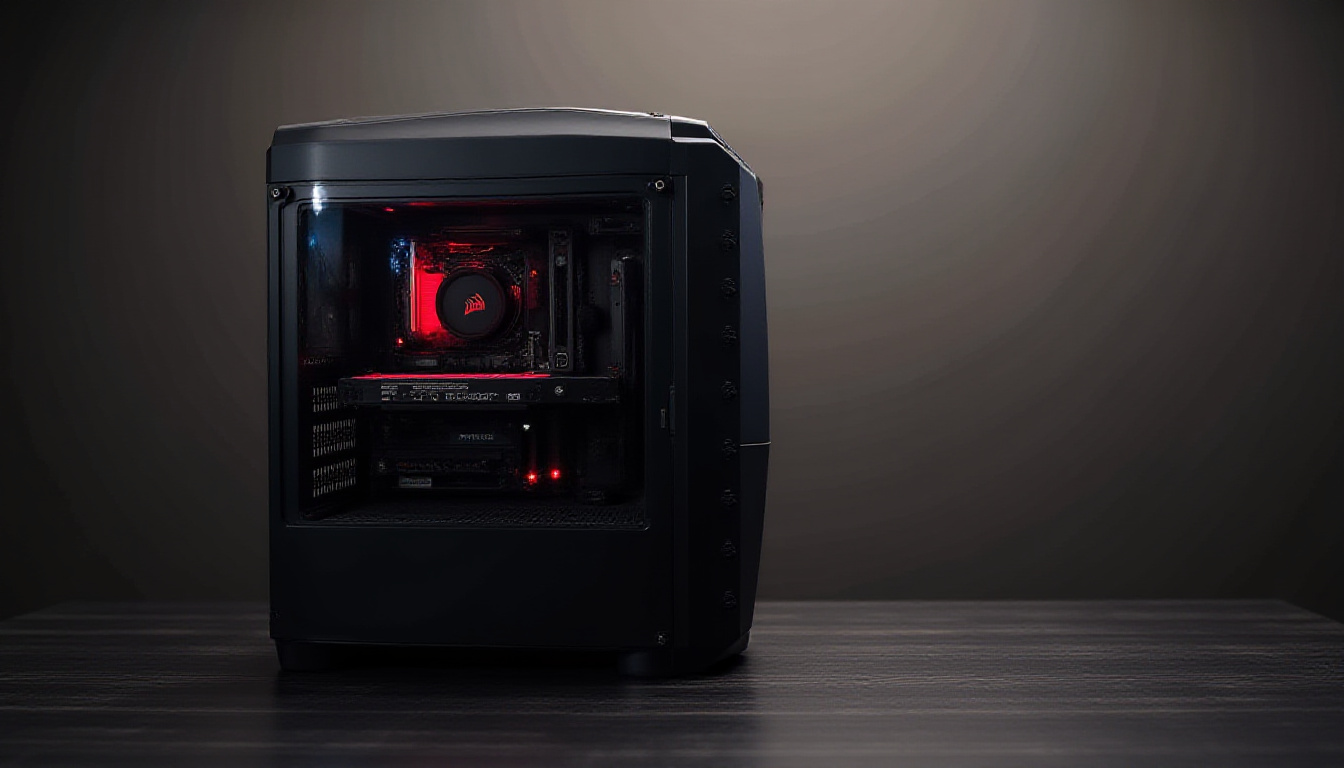
If you've spent any time shopping for a mid-tower PC case recently, you'll know the market is saturated with identical tempered glass boxes that look like they were designed by the same algorithm. Corsair clearly got tired of that too. The Corsair Warthog is their answer — a rugged, military-inspired chassis that borrows DNA from the cult-classic Corsair Vengeance C70 (2012) and layers on a decade's worth of modern building conveniences. At $180 for the base model and $200 for the fan-equipped RS version, it's not cheap, but it's not trying to be. The question is whether the distinctive looks and flexible internal platform justify the price tag — or whether you're just paying a premium for aesthetics.
Here's the honest breakdown.
Design and Aesthetics: Bold, Divisive, and That's the Point
Corsair describes the Warthog's design language as an "ammo container" — a nod to the rugged, utilitarian look of military storage. In practice, the result is a chunky, purposeful exterior with prominent carry handles that double as feet when the case is lying flat. Those handles aren't just cosmetic: Corsair explicitly markets the Warthog with LAN party use in mind, which is either nostalgic and charming or slightly out of touch, depending on your perspective.
The front panel swings open like a door to reveal the dust filter and the intake fans behind it — a tactile, satisfying interaction that feels more premium than the typical pull-tab filter. The side panel, once installed, has a silhouette that several observers have compared to the Dota 2 logo. Whether that's a selling point or a red flag is entirely subjective.
There's also a small but thoughtful detail on the front IO: the reset button has a protective flip cover to prevent accidental presses — the kind of thing that costs almost nothing to implement but saves genuine frustration at a LAN event or during a system stress test. A "light" button activates an internal LED that illuminates the rear of the case, useful for plugging in cables in a dark environment. It sounds gimmicky, but it's genuinely practical.
What the Warthog is not is subtle. If your setup is going into a home office or a professional workspace where discretion matters, this case will stick out. That's the whole point — but be honest with yourself about whether you actually want that.
Internal Platform: Flexible, but With Caveats
The Warthog's internal chassis is built on Corsair's Frame 4000 series platform, which is a meaningful piece of context. If you've built in a 4000D or 4000X, you'll feel at home here. The motherboard tray supports full-size ATX layouts and includes pre-installed standoffs with a centre alignment stud — a small quality-of-life feature that makes solo builds less frustrating.
The Corsair Infini Rail system is the headline internal feature. Rather than fixed fan mounting positions, the front and top sections use sliding rails with size markings for 120 mm and 140 mm fans. This matters because the RS model ships with two massive 200 mm front intake fans on those same rails. Swapping to smaller fans is entirely possible without adapters or modification — just slide the rail to the appropriate marking. For a case at this price point, that level of flexibility is genuinely impressive.
Fan support is extensive on paper: Corsair lists support for up to 13 × 120 mm fans across front (×3), top (×3), side (×3), bottom (×3), and rear (×1) positions. In practice, the 200 mm fans in the RS model mean you won't be filling all front slots with standard fans simultaneously. There's also a vertical GPU mounting bracket included in the box — a feature that typically costs extra on competing cases — though you'll need to source your own PCIe riser cable separately.
The motherboard tray also includes cutouts compatible with zero-visible-cable motherboard designs from Asus and Gigabyte, and a pegboard-style layout for repositionable cable management anchors. The included accessory box — organised in a fishing tackle-style container with labelled compartments — is one of the more user-friendly unboxing experiences in this category.
Build Experience: Good Platform, Real Frustrations
Building in the Warthog is largely pleasant, but there are friction points that experienced builders will find avoidable and newcomers may find genuinely annoying.
The good: Cable management is well thought out. A block connector handles all front panel connections in one plug rather than the traditional octopus of individual jumpers (with a breakout adapter included for non-standard boards). Captive thumb screws on the PSU and expansion slots prevent the usual screw-drop scramble. CPU power cable routing is accessible even with a large air cooler installed. The magnetic dome bearing fans included in the RS model are near-silent at reasonable speeds.
The frustrating: The thumb screws on the top panel are torqued so tightly from the factory that they functionally aren't thumb screws — you'll need a screwdriver to break them loose initially. More significantly, routing 24-pin or 12V-2×6 power cables to the front of the board requires removing the front fan cage entirely if you haven't pre-routed cables before installing the motherboard. This is the kind of sequencing gotcha that experienced builders know to anticipate, but it's not flagged anywhere obvious in the build process.
The GPU anti-sag bracket, while a welcome inclusion, is positioned in a way that can obstruct SATA ports and the USB 3.0 header on boards that extend to the edge of ATX spec. It's removable with two screws, but it's slightly ironic that an included feature requires immediate removal for many common configurations.
If you're planning dual radiator setups, note that front and top radiators are likely to conflict with each other depending on radiator depth. Top and side should be fine. Top and front requires careful planning around radiator thickness.
The bottom dust filter is a sealed design when the side panel is on — you'll need to remove the panel to pull the filter. Depending on how your setup is positioned, that could be a minor inconvenience or a regular hassle.
Pricing and Value: Where Does It Sit?
At $180 (no fans) / $200 (RS, with fans), the Corsair Warthog is firmly mid-to-upper-mid market. Here's how it stacks up against the most relevant competition:
| Case | Price (approx.) | Fans Included | Form Factor | Notable Feature |
|---|---|---|---|---|
| Corsair Warthog RS | $200 | 2 × 200 mm | Mid-Tower ATX | Infini Rail system, military aesthetic |
| Corsair 4000D Airflow | $105 | 2 × 120 mm | Mid-Tower ATX | Same internal platform, lower cost |
| Fractal Design North | $130 | 2 × 140 mm | Mid-Tower ATX | Wood-panel aesthetic, quiet focus |
| Lian Li LANCOOL 216 | $120 | 2 × 160 mm | Mid-Tower ATX | Strong airflow, clean glass design |
| be quiet! Dark Base 802 | $200 | 3 × 140 mm | Mid-Tower ATX | Premium sound dampening, modular |
The honest takeaway: if you strip away the aesthetics and the Infini Rail system, the Corsair 4000D Airflow delivers a very similar building experience for $100 less. You're paying a meaningful premium for the rugged look and the fan flexibility. Whether that's worth it depends entirely on how much the design matters to you.
For builders who genuinely want the aesthetic and will use the LAN party handles — or who want the flexibility to run 200 mm fans and the option to switch to standard sizes later — the premium is defensible. For everyone else, the 4000D Airflow is the smarter financial decision.
Pros and Cons
Free Weekly Newsletter
Enjoying this guide?
Get the best articles like this one delivered to your inbox every week. No spam.
Pros:
- Genuinely distinctive design in a market full of identical glass boxes
- Infini Rail system offers real flexibility across fan sizes
- Excellent accessory package (tackle box organiser, quick-turn fan screws, vertical GPU bracket)
- Near-silent 200 mm magnetic dome bearing fans in RS model
- Carry handles are practical, not just decorative
- Block front panel connector reduces build complexity
- Captive screws throughout reduce parts loss
- Compatible with zero-cable motherboard designs
Cons:
- $20–$95 premium over functionally similar Corsair cases
- Top panel thumb screws overtightened from factory
- Front cable routing requires cage removal if not pre-planned
- GPU anti-sag bracket can block ports on full-ATX boards
- Top mesh is unfiltered (top fans should be exhaust)
- Bottom filter inaccessible with side panel installed
- Hard drive mounting solution is unconventional at best
- Front + top radiator combination is likely to conflict
Overall Rating: 7.5 / 10
Verdict: The Corsair Warthog is a thoughtfully engineered case with a polarising exterior that will either make it your first choice or eliminate it immediately. The internal platform is genuinely flexible and feature-rich, the included fans in the RS model punch above their weight acoustically, and the quality-of-life details (quick-turn screws, block connectors, vertical GPU bracket) show real builder consideration. But the $200 price point is hard to square with the build frustrations present at this tier, and the 4000D Airflow offers 80% of the experience at half the price. Buy the Warthog because you want the Warthog. Don't buy it expecting it to be objectively better than cheaper alternatives — because it isn't.
Where to Buy
Corsair Warthog PC Case on Amazon
Frequently Asked Questions
Q: What's the difference between the Corsair Warthog and the Corsair Warthog RS? The base Warthog model ($180) ships without any fans included. The RS model ($200) includes two 200 mm magnetic dome bearing fans pre-installed on the front intake rails. If you don't already own quality fans, the RS is the better value — two decent 200 mm fans would cost you close to or more than $20 if purchased separately.
Q: Who is the Corsair Warthog NOT a good fit for? If you want a clean, minimal aesthetic — or if your case goes in a professional or shared space — the Warthog's rugged military styling will feel out of place. It's also not ideal for buyers on a tight budget: the Corsair 4000D Airflow delivers a comparable internal build experience for significantly less money. Builders planning complex dual-radiator AIO setups should also approach with caution, as front and top radiator combinations are likely to conflict.
Q: Can I use standard 120 mm or 140 mm fans in the Corsair Warthog instead of the 200 mm fans? Yes. The Infini Rail system on the front (and top) allows the mounting rails to slide and lock at positions marked for 120 mm and 140 mm fans. You're not locked into 200 mm fans simply because the RS model ships with them. This is one of the Warthog's stronger practical features.
Q: Does the Corsair Warthog support vertical GPU mounting? Yes — a vertical GPU bracket is included in the accessory box. You'll need to purchase a compatible PCIe riser cable separately, and the case includes mounting holes to secure the riser. This is a meaningful inclusion given that vertical GPU brackets are often sold as paid add-ons for competing cases in this price range.
Q: How does the Corsair Warthog compare to the original Corsair Vengeance C70? The C70 (2012) is widely considered to have nailed the ammo-can aesthetic more convincingly, with a more literal military look. The Warthog modernises the concept with a 2020s-era internal platform, better cable management infrastructure, and updated fan mounting flexibility — but some feel the design inspiration is less immediately obvious than it was on the C70. If you're drawn to the aesthetic specifically, the C70 remains a cult favourite for a reason.
Corsair Warthog PC Case
Considering it? See where the price stands today
Frequently Asked Questions
Design and Aesthetics: Bold, Divisive, and That's the Point
Corsair describes the Warthog's design language as an "ammo container" — a nod to the rugged, utilitarian look of military storage. In practice, the result is a chunky, purposeful exterior with prominent carry handles that double as feet when the case is lying flat. Those handles aren't just cosmetic: Corsair explicitly markets the Warthog with LAN party use in mind, which is either nostalgic and charming or slightly out of touch, depending on your perspective.
The front panel swings open like a door to reveal the dust filter and the intake fans behind it — a tactile, satisfying interaction that feels more premium than the typical pull-tab filter. The side panel, once installed, has a silhouette that several observers have compared to the Dota 2 logo. Whether that's a selling point or a red flag is entirely subjective.
There's also a small but thoughtful detail on the front IO: the reset button has a protective flip cover to prevent accidental presses — the kind of thing that costs almost nothing to implement but saves genuine frustration at a LAN event or during a system stress test. A "light" button activates an internal LED that illuminates the rear of the case, useful for plugging in cables in a dark environment. It sounds gimmicky, but it's genuinely practical.
What the Warthog is not is subtle. If your setup is going into a home office or a professional workspace where discretion matters, this case will stick out. That's the whole point — but be honest with yourself about whether you actually want that.
Internal Platform: Flexible, but With Caveats
The Warthog's internal chassis is built on Corsair's Frame 4000 series platform, which is a meaningful piece of context. If you've built in a 4000D or 4000X, you'll feel at home here. The motherboard tray supports full-size ATX layouts and includes pre-installed standoffs with a centre alignment stud — a small quality-of-life feature that makes solo builds less frustrating.
The Corsair Infini Rail system is the headline internal feature. Rather than fixed fan mounting positions, the front and top sections use sliding rails with size markings for 120 mm and 140 mm fans. This matters because the RS model ships with two massive 200 mm front intake fans on those same rails. Swapping to smaller fans is entirely possible without adapters or modification — just slide the rail to the appropriate marking. For a case at this price point, that level of flexibility is genuinely impressive.
Fan support is extensive on paper: Corsair lists support for up to 13 × 120 mm fans across front (×3), top (×3), side (×3), bottom (×3), and rear (×1) positions. In practice, the 200 mm fans in the RS model mean you won't be filling all front slots with standard fans simultaneously. There's also a vertical GPU mounting bracket included in the box — a feature that typically costs extra on competing cases — though you'll need to source your own PCIe riser cable separately.
The motherboard tray also includes cutouts compatible with zero-visible-cable motherboard designs from Asus and Gigabyte, and a pegboard-style layout for repositionable cable management anchors. The included accessory box — organised in a fishing tackle-style container with labelled compartments — is one of the more user-friendly unboxing experiences in this category.
Build Experience: Good Platform, Real Frustrations
Building in the Warthog is largely pleasant, but there are friction points that experienced builders will find avoidable and newcomers may find genuinely annoying.
The good: Cable management is well thought out. A block connector handles all front panel connections in one plug rather than the traditional octopus of individual jumpers (with a breakout adapter included for non-standard boards). Captive thumb screws on the PSU and expansion slots prevent the usual screw-drop scramble. CPU power cable routing is accessible even with a large air cooler installed. The magnetic dome bearing fans included in the RS model are near-silent at reasonable speeds.
The frustrating: The thumb screws on the top panel are torqued so tightly from the factory that they functionally aren't thumb screws — you'll need a screwdriver to break them loose initially. More significantly, routing 24-pin or 12V-2×6 power cables to the front of the board requires removing the front fan cage entirely if you haven't pre-routed cables before installing the motherboard. This is the kind of sequencing gotcha that experienced builders know to anticipate, but it's not flagged anywhere obvious in the build process.
The GPU anti-sag bracket, while a welcome inclusion, is positioned in a way that can obstruct SATA ports and the USB 3.0 header on boards that extend to the edge of ATX spec. It's removable with two screws, but it's slightly ironic that an included feature requires immediate removal for many common configurations.
If you're planning dual radiator setups, note that front and top radiators are likely to conflict with each other depending on radiator depth. Top and side should be fine. Top and front requires careful planning around radiator thickness.
The bottom dust filter is a sealed design when the side panel is on — you'll need to remove the panel to pull the filter. Depending on how your setup is positioned, that could be a minor inconvenience or a regular hassle.
Pricing and Value: Where Does It Sit?
At $180 (no fans) / $200 (RS, with fans), the Corsair Warthog is firmly mid-to-upper-mid market. Here's how it stacks up against the most relevant competition:
| Case | Price (approx.) | Fans Included | Form Factor | Notable Feature |
|---|---|---|---|---|
| Corsair Warthog RS | $200 | 2 × 200 mm | Mid-Tower ATX | Infini Rail system, military aesthetic |
| Corsair 4000D Airflow | $105 | 2 × 120 mm | Mid-Tower ATX | Same internal platform, lower cost |
| Fractal Design North | $130 | 2 × 140 mm | Mid-Tower ATX | Wood-panel aesthetic, quiet focus |
| Lian Li LANCOOL 216 | $120 | 2 × 160 mm | Mid-Tower ATX | Strong airflow, clean glass design |
| be quiet! Dark Base 802 | $200 | 3 × 140 mm | Mid-Tower ATX | Premium sound dampening, modular |
The honest takeaway: if you strip away the aesthetics and the Infini Rail system, the Corsair 4000D Airflow delivers a very similar building experience for $100 less. You're paying a meaningful premium for the rugged look and the fan flexibility. Whether that's worth it depends entirely on how much the design matters to you.
For builders who genuinely want the aesthetic and will use the LAN party handles — or who want the flexibility to run 200 mm fans and the option to switch to standard sizes later — the premium is defensible. For everyone else, the 4000D Airflow is the smarter financial decision.
Pros and Cons
Pros:
- Genuinely distinctive design in a market full of identical glass boxes
- Infini Rail system offers real flexibility across fan sizes
- Excellent accessory package (tackle box organiser, quick-turn fan screws, vertical GPU bracket)
- Near-silent 200 mm magnetic dome bearing fans in RS model
- Carry handles are practical, not just decorative
- Block front panel connector reduces build complexity
- Captive screws throughout reduce parts loss
- Compatible with zero-cable motherboard designs
Cons:
- $20–$95 premium over functionally similar Corsair cases
- Top panel thumb screws overtightened from factory
- Front cable routing requires cage removal if not pre-planned
- GPU anti-sag bracket can block ports on full-ATX boards
- Top mesh is unfiltered (top fans should be exhaust)
- Bottom filter inaccessible with side panel installed
- Hard drive mounting solution is unconventional at best
- Front + top radiator combination is likely to conflict
Overall Rating: 7.5 / 10
Verdict: The Corsair Warthog is a thoughtfully engineered case with a polarising exterior that will either make it your first choice or eliminate it immediately. The internal platform is genuinely flexible and feature-rich, the included fans in the RS model punch above their weight acoustically, and the quality-of-life details (quick-turn screws, block connectors, vertical GPU bracket) show real builder consideration. But the $200 price point is hard to square with the build frustrations present at this tier, and the 4000D Airflow offers 80% of the experience at half the price. Buy the Warthog because you want the Warthog. Don't buy it expecting it to be objectively better than cheaper alternatives — because it isn't.
Where to Buy
Frequently Asked Questions
Q: What's the difference between the Corsair Warthog and the Corsair Warthog RS? The base Warthog model ($180) ships without any fans included. The RS model ($200) includes two 200 mm magnetic dome bearing fans pre-installed on the front intake rails. If you don't already own quality fans, the RS is the better value — two decent 200 mm fans would cost you close to or more than $20 if purchased separately.
Q: Who is the Corsair Warthog NOT a good fit for? If you want a clean, minimal aesthetic — or if your case goes in a professional or shared space — the Warthog's rugged military styling will feel out of place. It's also not ideal for buyers on a tight budget: the Corsair 4000D Airflow delivers a comparable internal build experience for significantly less money. Builders planning complex dual-radiator AIO setups should also approach with caution, as front and top radiator combinations are likely to conflict.
Q: Can I use standard 120 mm or 140 mm fans in the Corsair Warthog instead of the 200 mm fans? Yes. The Infini Rail system on the front (and top) allows the mounting rails to slide and lock at positions marked for 120 mm and 140 mm fans. You're not locked into 200 mm fans simply because the RS model ships with them. This is one of the Warthog's stronger practical features.
Q: Does the Corsair Warthog support vertical GPU mounting? Yes — a vertical GPU bracket is included in the accessory box. You'll need to purchase a compatible PCIe riser cable separately, and the case includes mounting holes to secure the riser. This is a meaningful inclusion given that vertical GPU brackets are often sold as paid add-ons for competing cases in this price range.
Q: How does the Corsair Warthog compare to the original Corsair Vengeance C70? The C70 (2012) is widely considered to have nailed the ammo-can aesthetic more convincingly, with a more literal military look. The Warthog modernises the concept with a 2020s-era internal platform, better cable management infrastructure, and updated fan mounting flexibility — but some feel the design inspiration is less immediately obvious than it was on the C70. If you're drawn to the aesthetic specifically, the C70 remains a cult favourite for a reason.
Corsair Warthog PC Case
Ready to decide? Compare the current price before you buy
About Zeebrain Editorial
Zeebrain publishes independent analysis of markets, investing, personal finance, and business. We disclose affiliate relationships, never accept payment for coverage, and fact-check all claims against primary sources. Read our editorial policy →
How this article was produced: Zeebrain articles are created with AI assistance from primary sources (including cited videos and market data) and reviewed under our editorial standards before publication. Spot an error? Tell us and we will correct it.
Disclaimer: Content on Zeebrain is for informational and educational purposes only and does not constitute financial advice or a recommendation to buy or sell any security. Always conduct your own research and consult a qualified financial adviser before making investment decisions. Past performance is not indicative of future results.
More from Review



Related Guides
Keep exploring this topic
Explore More Categories
Keep browsing by topic and build depth around the subjects you care about most.